Panel Controls for the Software Programs
UR28M Operation Manual 18
Hardware Setup Window
How to Open the Window
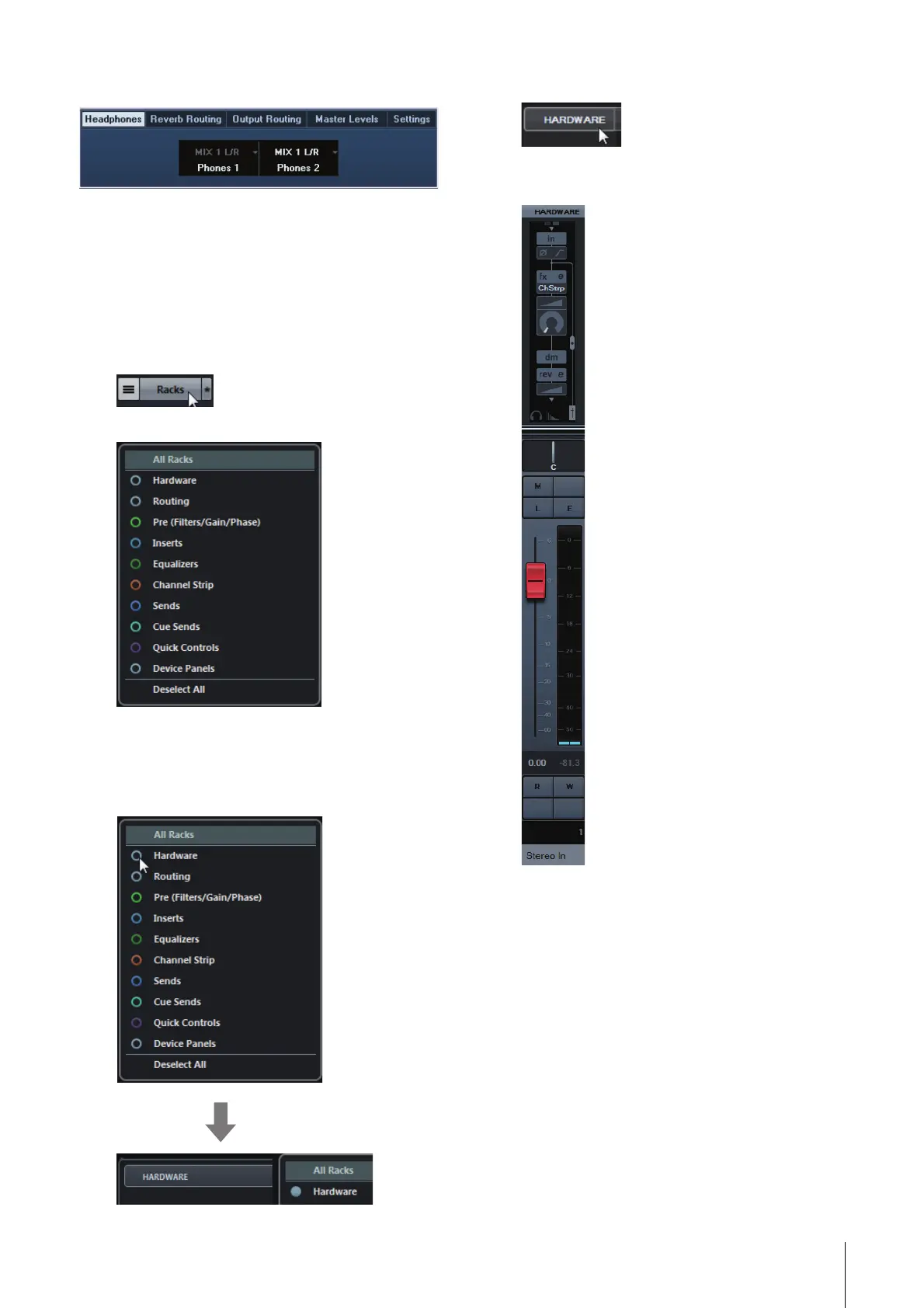
The Input Settings window appears in the Mixer
window
1. [Devices] [MixConsole] to open the Mixer
window.
2. Click [Racks] to open the rack selector.
The rack selector appears.
3. Click next to the [Hardware] to show
[HARDWARE] in the Mixer window.
Hidden Visible
4. Click [HARDWARE].
The Input Settings window appears in the
Mixer window as shown below.



 To Next Page