Page 8 | Stellar
®
TC Series Telescopic Crane Owner’s Manual
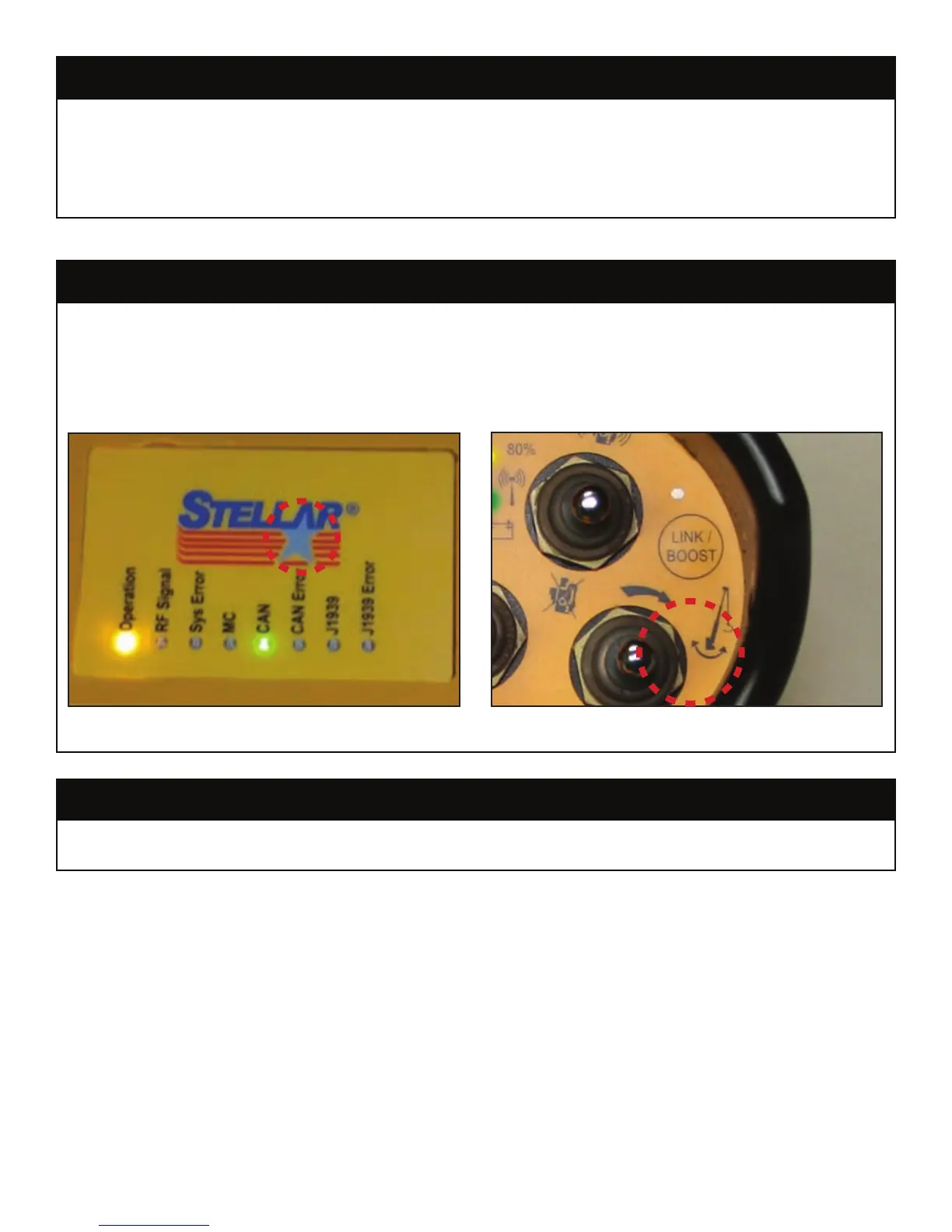
With both the transmitter and receiver powered up, press and hold the star logo button
(A) on the receiver, and then simultaneously press and hold the “boost” button (B) on the
transmitter for a two seconds. You may hear a relay click inside the receiver and the “RF
Signal” indicator will start ashing. Press the “boost” button on the transmitter one more
time to close the main contact relay and complete the pair/learn procedure.
If the radio transmitter and receiver become disconnected from one another, push the Link
/Boost Button for two seconds to re-link the two devices.
One of the safety features of the TC series crane is to disable the boom down function
when there is an overload condition. However, a false overload condition can occur
when the boom up cylinder is fully extended. The control system is designed to allow the
operator to override this false overload condition. Push the “boost” button on the radio
until the boost light illuminateds. The operator will then have 30 seconds to boom down.
Re-Link Radio and Receiver
Radio Transmitter/Receiver Pair Procedure
Boom Down Override Procedure
A
B
First, press and hold the star logo button (A) on the receiver, and then simultaneously press and hold the “boost” button (B) on the
transmitter for a two seconds.




 To Next Page