INSSTCP5MA0116
7
Security mode
Ambient
temperature
(Ambient mode)
Floor
temperature
(Floor mode)
First Start-up
At the rst start-up, the thermostat is initially in the Man
(manual) and modes. The temperature is displayed in
degrees Celsius and the standard factory set point adjustment
is 21°C. The hour displays --:-- and must be adjusted before
switching to the Auto or Pre Prog mode. The maximum oor
temperature is limited to 28°C.
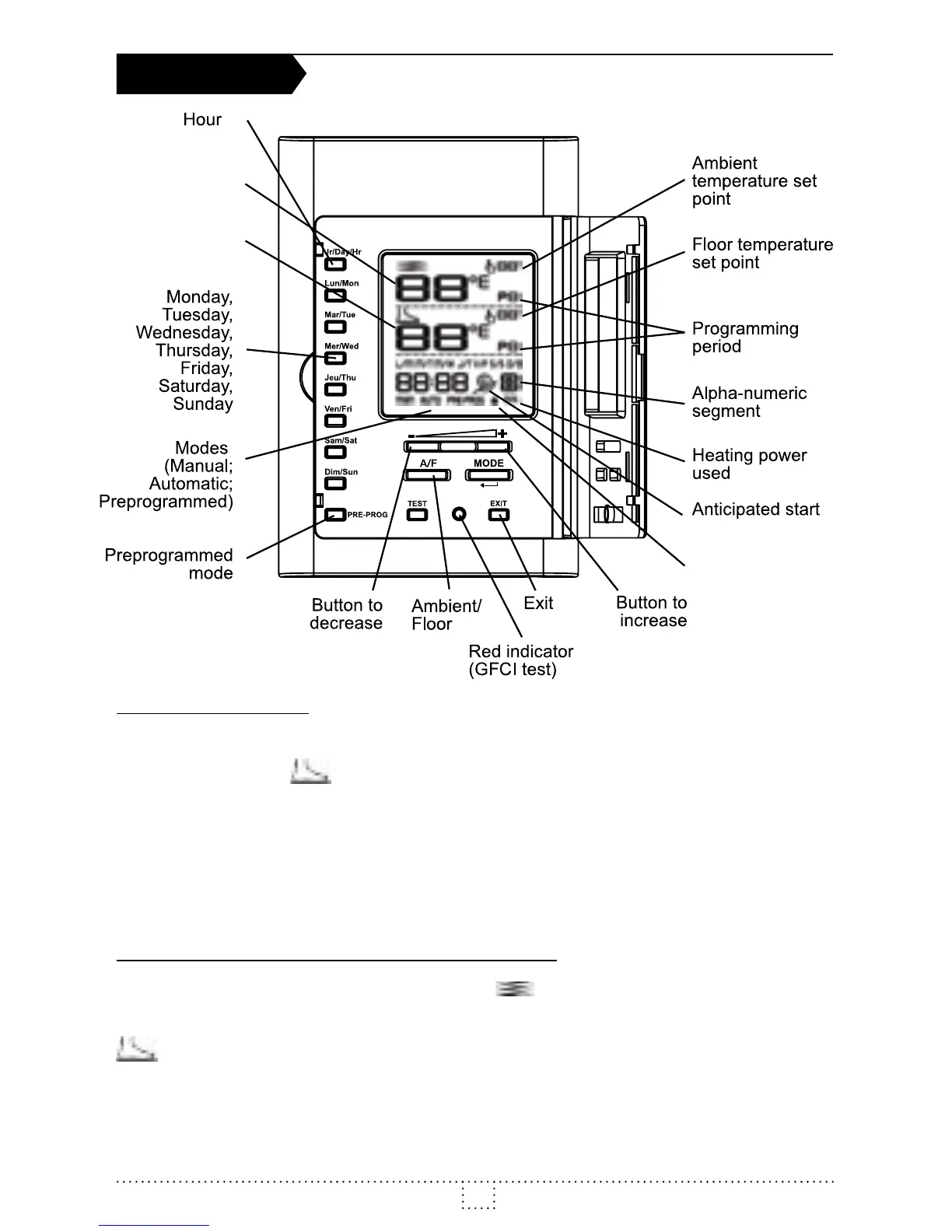
Ambient and Floor Temperature
The gures displayed below the icon indicate the ambient
temperature, ±1 degree. The gures displayed below the
icon indicate the oor temperature, ±1 degree. Both
temperatures can be displayed in degrees Celsius or Fahrenheit
(see “Display in degrees Celsius/Fahrenheit”).
OPERATION



 To Next Page