EasyManua.ls Logo

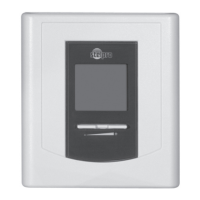
Stelpro STCP - User Manual

Stelpro STCP
60 pages
Print Icon
To Next Page IconTo Next Page
Loading...
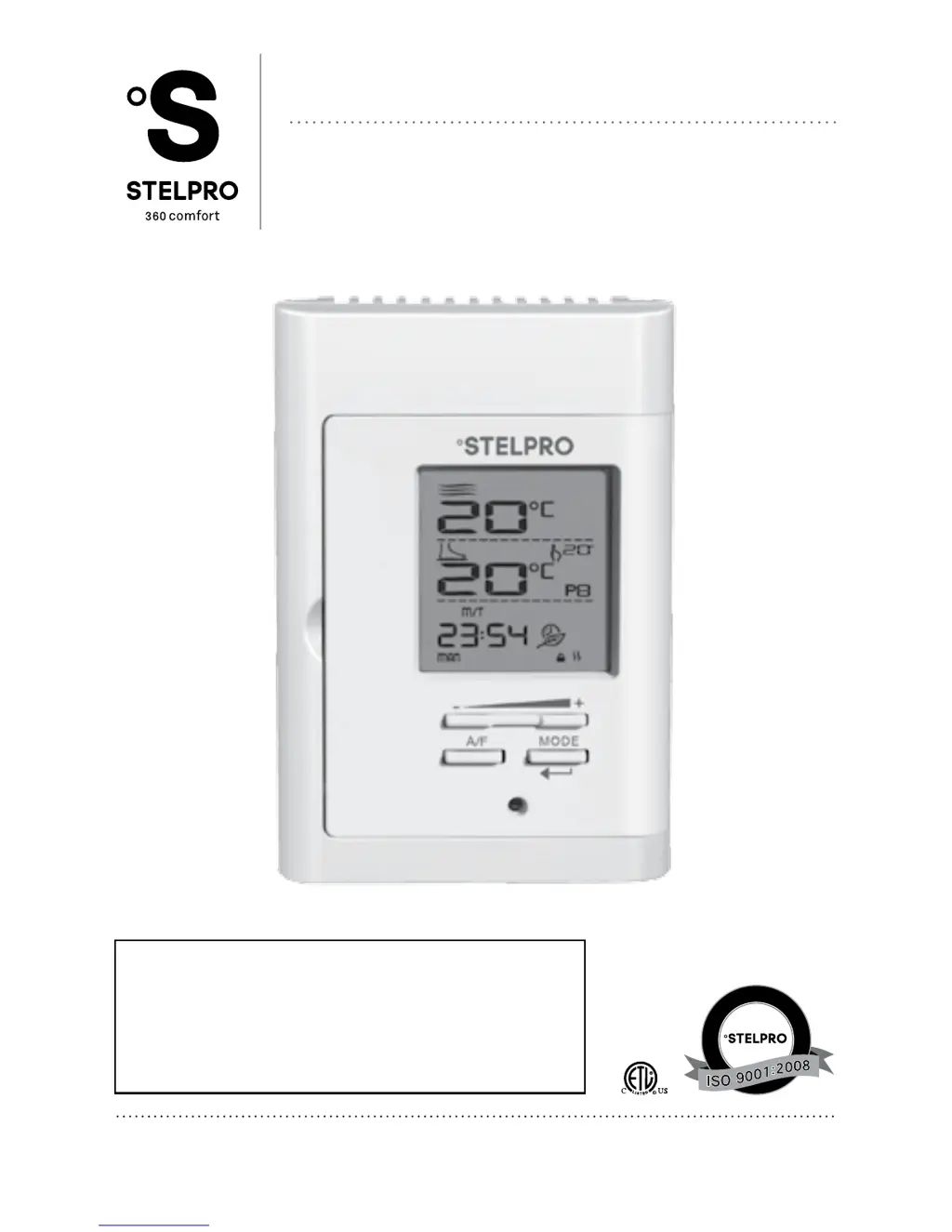
USER’S GUIDE
STCP
MULTIPLE PROGRAMMING ELECTRONIC
THERMOSTAT FOR HEATING FLOORS
S
Y
S
T
È
M
E
Q
U
A
L
I
T
É
C
E
R
T
I
F
I
É
-
R
E
G
I
S
T
E
R
E
D
Q
U
A
L
I
T
Y
S
Y
S
T
E
M
For further information or to consult
this guide online, please visit our website
at www.stelpro.com
INSSTCP5MA0116
@
If you are viewing this guide online, please note
that this product has been slightly modied since
its introduction. To obtain the guide corresponding
to your model (fabrication date at the back of the
thermostat before January 2016), please contact
customer service.

Questions and Answers

  • R
    rileymichaelAug 13, 2025
    What to do if Stelpro STCP display does not come on?
    • J
      Jesse AdamsAug 13, 2025
      If the Stelpro Thermostat display doesn't turn on, verify that the thermostat is correctly wired. Also, check the power supply at the electrical panel.
  • M
    munozjustinAug 17, 2025
    Why is the Stelpro Thermostat displaying the wrong temperature?
    • W
      William SchmittAug 17, 2025
      If the Stelpro Thermostat displays an incorrect ambient temperature, check for any air streams or heat sources located near the thermostat and correct the situation.
  • N
    Nathan BarnesAug 20, 2025
    How to fix Stelpro STCP Thermostat when heating is always on?
    • S
      Steven BushAug 20, 2025
      If the heating is always on with your Stelpro Thermostat, ensure the thermostat is properly connected. Refer to the installation section to verify the wiring.
  • J
    John KimAug 25, 2025
    Why is my Stelpro Thermostat so hot?
    • J
      Jeremiah MoralesAug 25, 2025
      Under normal operating conditions, the Stelpro Thermostat housing can reach nearly 40°C at maximum load. This is normal and will not affect how the thermostat works.
  • H
    hhessAug 28, 2025
    Why is the Stelpro STCP Thermostat display luminosity weak?
    • C
      Catherine Lawrence MDAug 28, 2025
      If the Stelpro Thermostat display has weak luminosity, check the thermostat wirings for a bad contact. Refer to the installation section for guidance.
  • D
    David WoodardAug 31, 2025
    What to do if Stelpro STCP is on but heating doesn't run?
    • A
      Amber DiazAug 31, 2025
      If the Stelpro Thermostat indicates it's on, but the heating isn't running, check if the thermostat is properly connected and make sure the red indicator is not lit. Refer to the installation section.
  • B
    Brian MelendezSep 4, 2025
    What does E1 E2 or E3 mean on Stelpro STCP?
    • R
      Richard CampbellSep 4, 2025
      If your Stelpro Thermostat displays E1, E2, or E3, it indicates a faulty thermal sensor. Contact customer service for assistance.
  • D
    Deborah DrakeSep 8, 2025
    What to do if red indicator lights up frequently on Stelpro STCP Thermostat?
    • R
      Renee ReyesSep 8, 2025
      Contact customer service.

Summary

Safety and Important Notes

Warning

Critical safety instructions for installation and operation to prevent injuries or damages.

Installation Guide

Thermostat and Sensor Location

Guidelines for choosing the optimal placement for the thermostat and sensor.

Mounting and Wiring

Step-by-step instructions for physically mounting and wiring the thermostat.

Thermostat Operation

First Start-up Procedure

Initial configuration and display settings upon first power-up of the thermostat.

Temperature Set Points

How to adjust and view desired temperature settings for different modes.

Automatic Mode (Auto)

How the thermostat automatically adjusts temperature based on programmed periods.

Ground-fault Circuit Interrupter (GFCI)

Explanation of the GFCI for shock risk reduction and its detection capability.

Troubleshooting

Common Issues and Solutions

A guide to identifying and resolving common thermostat operational problems.

Stelpro STCP Specifications

General IconGeneral
Temperature Range5°C to 30°C (41°F to 86°F)
MountingWall-mounted
Warranty3 years
TypeElectronic
Voltage120-240 VAC
DisplayDigital
CompatibilityElectric baseboards, convectors, and fan-forced convectors

Related product manuals