10
StingerElectronics.com
®
Bluetooth PHONE
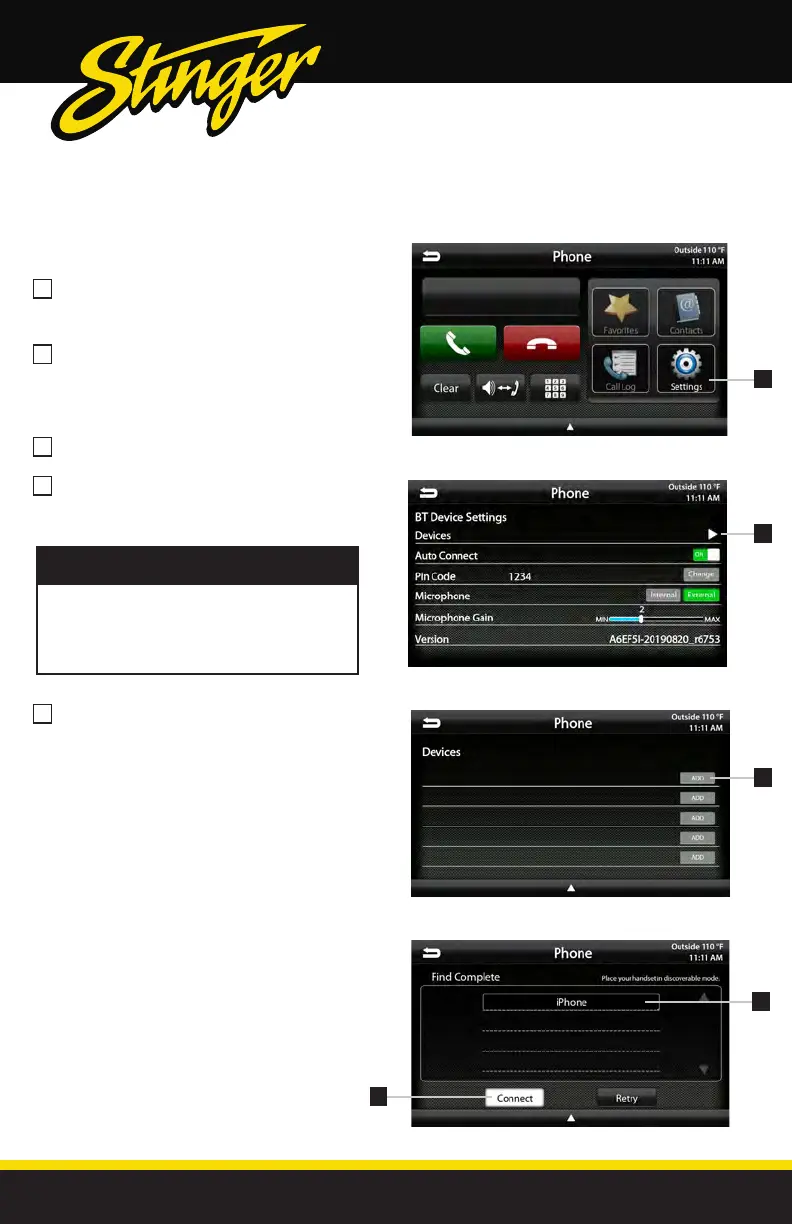
Select Settings from the Phone main
menu to go to BT Device Settings.
Select Devices on the BT Device
settings page.
Place your device in Discoverable Mode.
Select ADD on the Devices page
Select your device from the list.
If your device does not appear in the
device list, conrm it is discoverable
and select Retry
NOTE!
2
4
1
3
5
Pairing a Device
Select Connect to initiate pairing
2
1
3
4
5



 To Next Page