29
StingerElectronics.com
®
SETTINGS
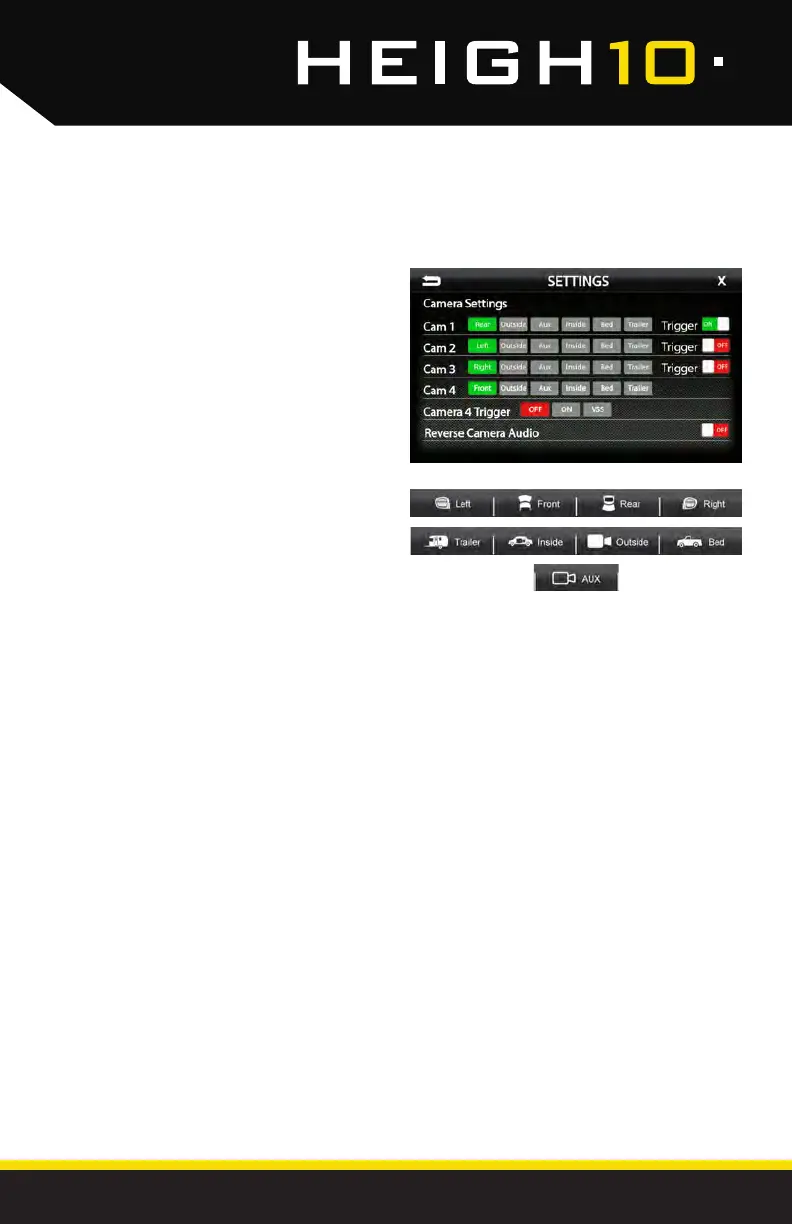
Settings > Camera Settings
Cam1-4 Label
[REAR-OUTSIDE-AUX-INSIDE-BED-TRAILER]
Allows custom labeling for muliple cameras
Cam 1-3 Trigger [ON-OFF]
Set individual camera triggers ON/OFF
Cam 4 Trigger [ON-OFF-VSS]
Set Camera 4 trigger ON, OFF or Vehicle Speed Sense.
Use VSS Mode when parallel parking aid is
desired (front camera and VSS wire need to be
connected).
On VSS Mode, the front camera will turn on after
shifting from Reverse gear and remain On until
the speed reaches above 5MPH or the display
is touched.
Reverse Camera Audio [ON-OFF]
When set to ON and a microphone is connected,
back up camera audio will be heard through the
vehicle's speakers.



 To Next Page