AIRmove
2
- Perfect Protective Packaging 11
7.5 Power Switch and Connections
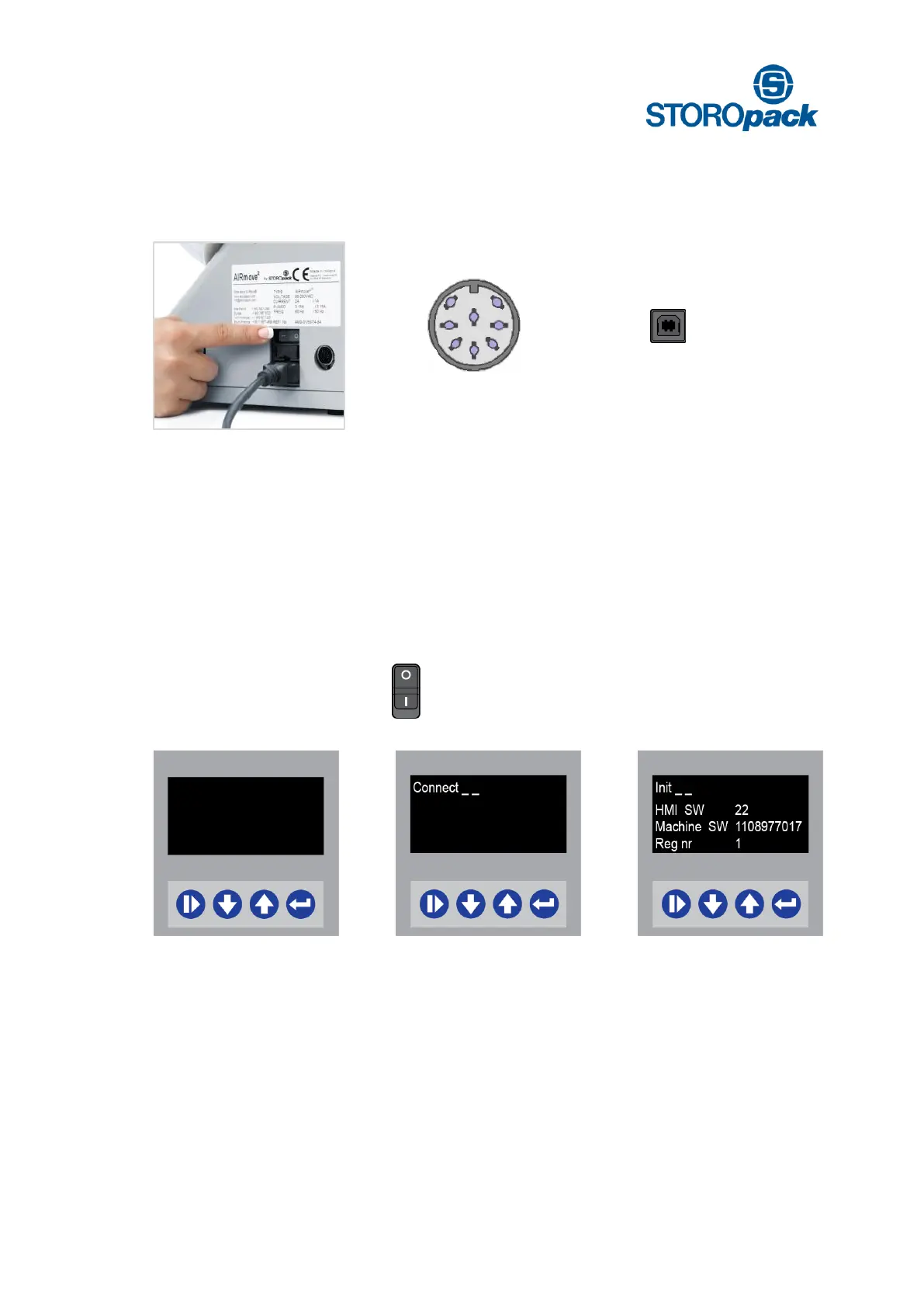
After checking the power supply, the system can be switched on. The main switch is on position “I”.
Power switch, fuse and
main power entry
Circular DIN connector,
8 pins
7.6 First Parameter Set-Up
To ensure the best quality Air pillows, Airmove
2
operates using three different film type menus. After fitting a
film roll the appropriate film type menu must be chosen. The Start screen will appear after switching the
machine on:
Machine off Power switch on first time Start display
Power switch [ 0 ] Power switch on [ 1 ] Display Software
display off first display (2 sec) Machine Software
Machine Number


 To Next Page