AIRmove
2
- Perfect Protective Packaging 15
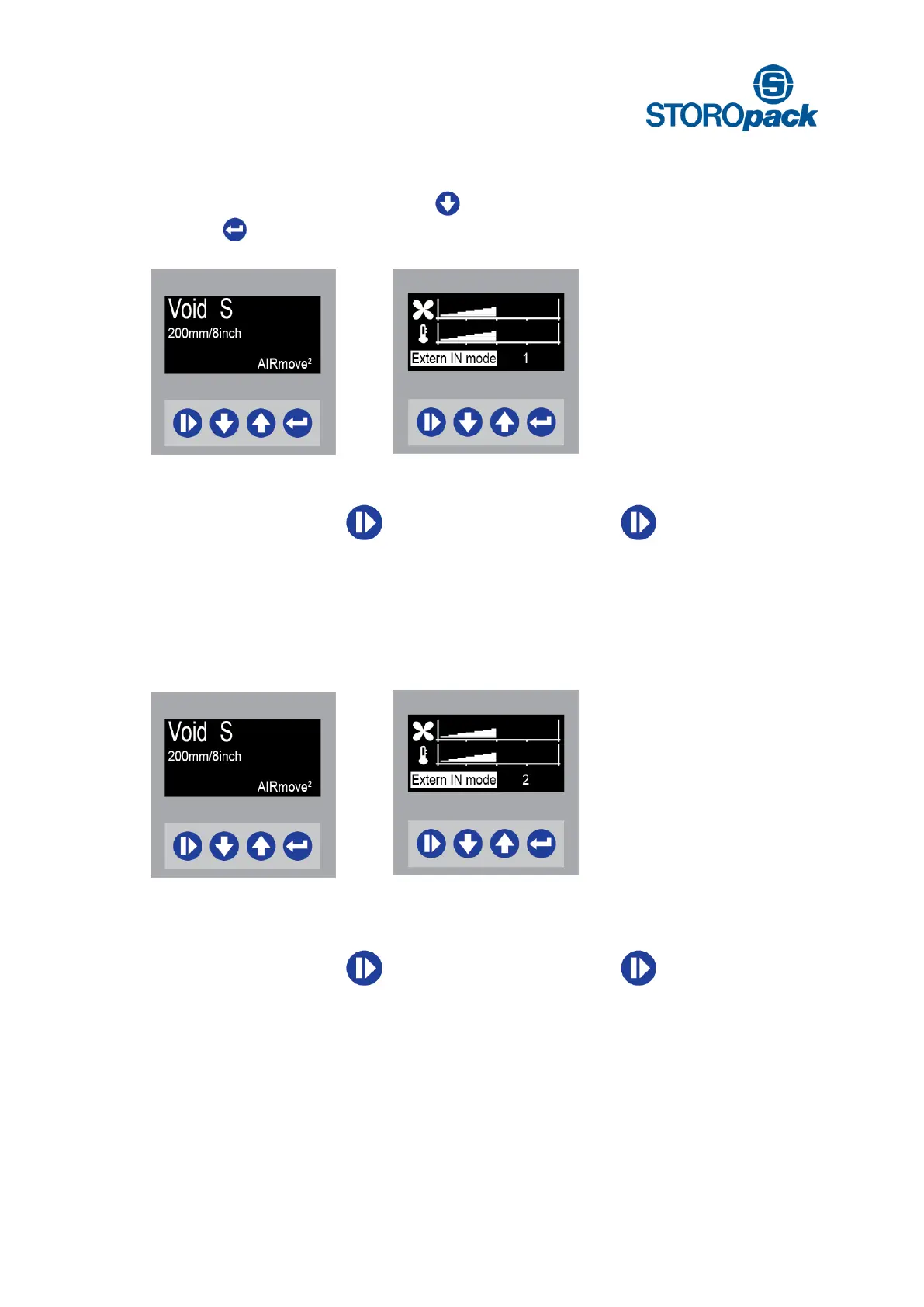
8.7 External Input Mode 1
Ready to start
Press 4 x to change
Extern IN mode
Press to set
Extern IN Mode 1
You can choose between manual and device control options (foot pedal or hand-buzzer).
A Manually Start: push
Stop: push
B Ext. Device Start: press down pedal
Stop: release pedal
8.8 External Input Mode 2
External input mode on [ 2 ] the machine works as using mode [ 1 ] but has a stop delay option.
You can choose between manual and device control options (foot pedal or push button).
A Manually Start: push
Stop: push
B Ext. Device Start: press down pedal
Stop: release pedal
(stop, if stop delay time has gone by)
With External input mode on 2 , a stop delay is set. Ex-works settings for Extern stop delay are 7 sec.


 To Next Page