AIRmove
2
- Perfect Protective Packaging 12
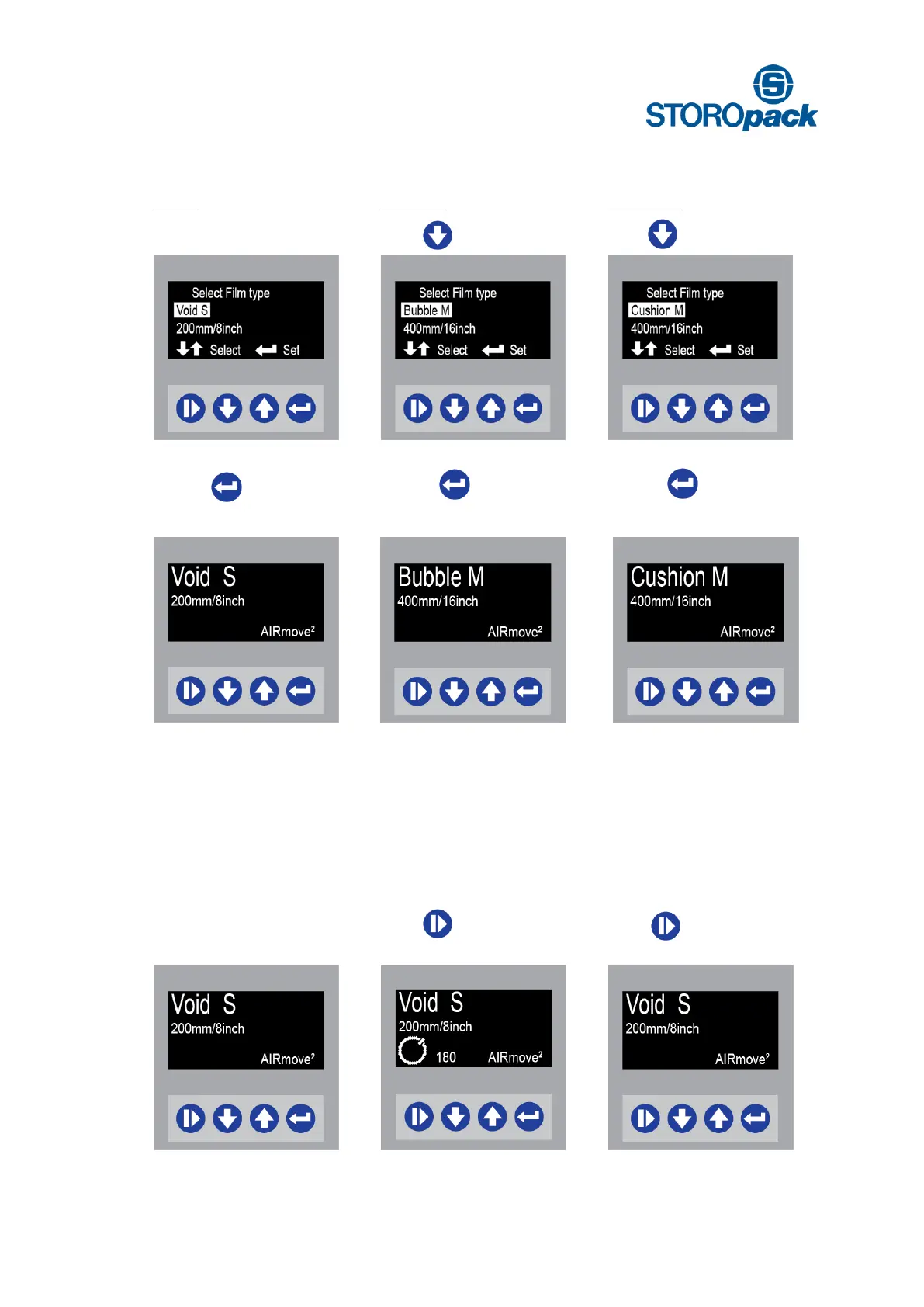
There are three different film type menus available when you turn on the machine the first time.
Void S is already highlighted
press to confirm choice for
Void S as the film to process
press to confirm choice for
Bubble M as the film to process
press to confirm choice for
Cushion M as the film to process
8. Menu Structure
8.1 Start Film production
Once a menu is selected with its pre-set parameters the machine is ready to operate. Every menu follows
the same steps:
Machine is ready to start Void S
film production
Press to start Void S film
production
Press again to stop
Void S film production


 To Next Page