AIRmove
2
- Perfect Protective Packaging 14
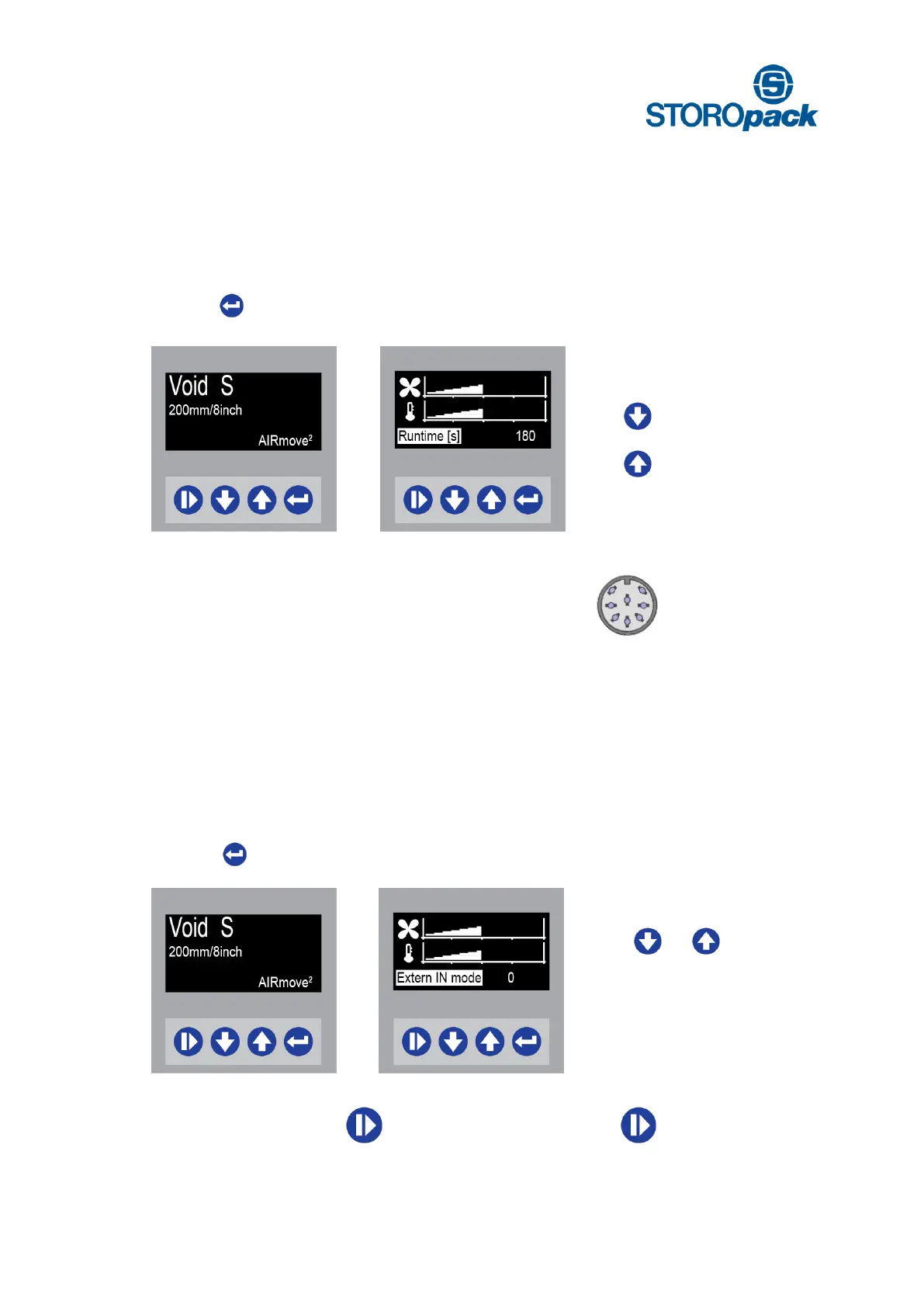
8.4 How to Adjust Runtime
To produce a desired amount of air pillows, a specific Runtime can be set. Runtime is indicated in seconds
and its factory settings are 180 sec. The set Runtime will run down to “0” and production will stop.
Display Void S
Press 3 x to get to the
Runtime Menu
Change Runtime settings
Minimum setting is 1 sec
Maximum setting is 2400 sec.
Press to decrease runtime
Press to increase runtime
8.5 How to Use External Input Devices
Use the Circular DIN connector to attach the external input device.
External start and stop devices enable an ergonomic operation of the machine. A foot pedal allows hand-
free production of air cushions, a push-button allows easy operation when the machine is out of reach. The
Extern IN mode enables you to use an external device, which will be connected to the machine. Following
options are available for the Extern In Mode:
8.6 Extern IN Mode 0
Display Void S
Ready to start
Press 4 x to change
Extern IN mode
Extern IN mode
Possible options [ 0 ], [ 1 ]
and [ 2 ].
Press or to adjust the
desired Extern IN mode
You can choose between manual and device control options (foot pedal or push button).
A Manually Start: push
Stop: push
B Ext. Device Start: press down and release pedal
Stop: press down and release pedal


 To Next Page