p. 9
Switching of TENSION MODE (Torque/Stroke)
This model is capable to select “Torque Tension System” or “Stroke Tension System”. Following is
the explanation of tension system. Select appropriate Tension System according to package.
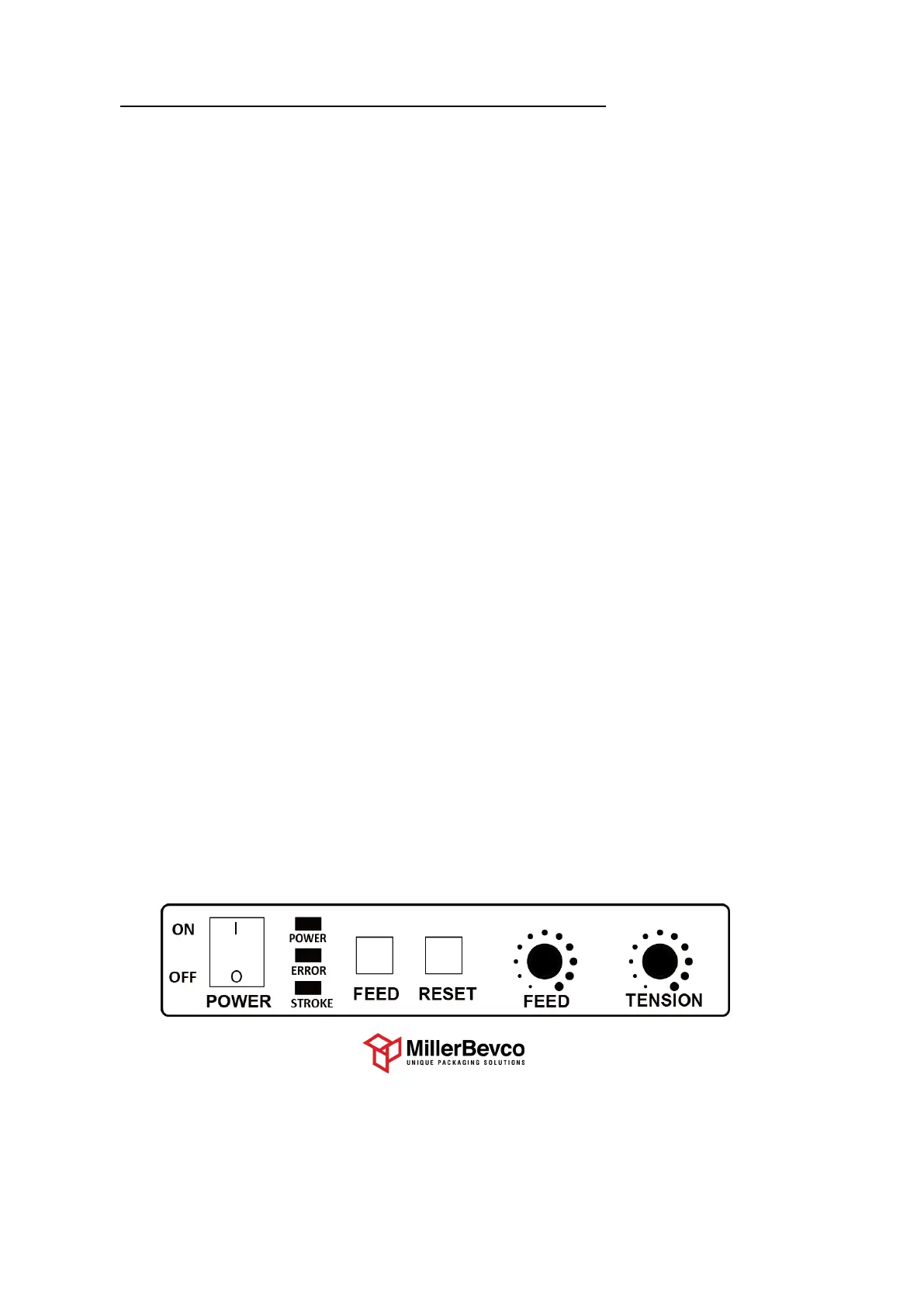
When shipping from the factory, the torque system is selected, so the “STROKE lamp” is off.
The “STROKE lamp” on the operation panel lights up when the stroke system is selected.
●
Explanation of tension system
<Features of Torque Tension>
Pull back with "force" set by Tension Dial.
Tighten with the same strength regardless of the hardness and size of the packing.
<Features of Stroke Tension>
Pull back "length" set by Tension Dial.
For packages of the same size and different hardness, tension is different.
For packages of the same hardness and different sizes, the tension is different.
●
How to switch torque / stroke
1. Turn off the power
2. While pressing both the FEED switch and the RESET switch, turn on the power.
(Do not release hand from FEED switch and RESET switch even when power is turned ON)
3. The STROKE lamp flashes four times and then goes out.
After the STROKE lamp goes out, release your hands off the FEED switch and the RESET switch.
4. Each time you press the FEED switch, the STROKE lamp turns on or off.
5. After selecting the tension mode, press the RESET switch until the STROKE lamp blinks.
6. Release the RESET switch when the STROKE lamp flashes blinking.
This completes switching of tension mode.
800-821-2177
Service@MillerBevco.com or Parts@MillerBevco.com
www.MillerBevco.com


 To Next Page