20 21
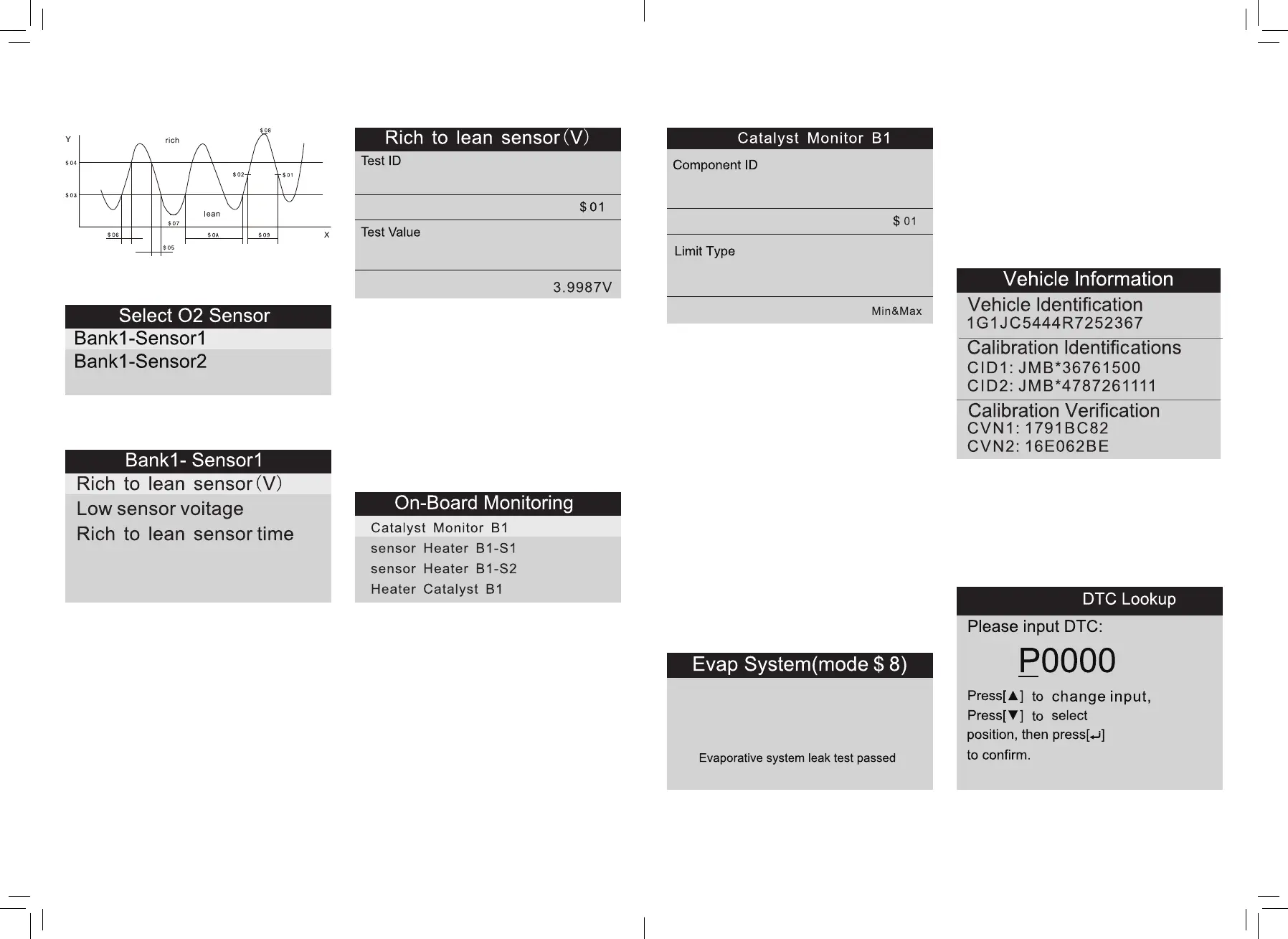
Select [O2 Sensor Test] in Diagnostic Menu
and press OK and the screen will display.
Press OK button, the screen will display as
shown below.
You can use UP/DOWN button to select an
item and press OK , the screen will display as
shown below.
Press ESC to return to Diagnostic Menu.
4.1.7 On-board monitoring
This function can be utilized to read the
results of on-board diagnostic monitoring
tests for specific components/systems.
Select [On-board Monitoring] in main menu
and press OK and the screen will display as
shown.
You can use UP/DOWN button to select an
item and press OK , the screen will display
as shown on the next page:
Press ESC to return to Diagnostic Menu.
4.1.8 Evap System
The EVAP test function lets you initiate a
leak test for the vehicle^ EVAP system. The
scan tool does not perform the leak test,
but signals to vehicle’s on-board computer
to initiate the test Before using the system
test function, refer to the vehicle’s service
repair manual to determine the procedures
necessary to stop the test.
Select [Evap System ] and press OK,the
screen will display there native information
about EVAP system. Some vehicle
manufacturers do not allow external devices
to vehicle system. If the car supports this
function, it will display as shown.
4.1.9 Vehicle Information
Select [Vehicle Information] and press OK,
the screen will display the information, such
as VIN (Vehicle identification Number),
CID (Calibration ID) and CVN (Calibration
verification number), as shown on the next
page.
Press ESC to return to Diagnostic Menu.
4.2 Code Look up
Select [Code Look up] in the Main Menu and
press OK and the screen will display
the interface as shown.


 To Next Page