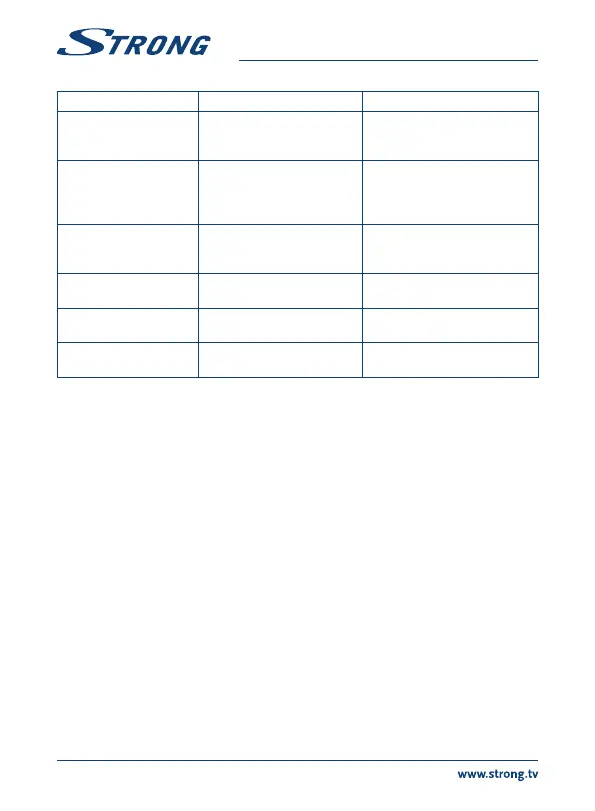
Problem Possible reason Remedy
Some HDTVs cannot
display the entire picture
Setup the screen ratio on your
HDTV as automatic or change the
screen size in the system menu.
The receiver switches
off after 3 hours of no
commands of the remote
control
The power saving Auto standby
function is activated
Switch the Auto standby function
off, if you don’t like it.
Forgotten your PIN code Default PIN is 1234 Contact your local Service Hotline
or send an email to our support
via www.strong.tv
The external USB HDD
does not start.
The power consumption is
too high.
Connect an extra power supply
adapter to your USB HDD device.
Timeshift intermittent
playback
Too many USB devices
connected
Disconnect e.g. the USB camera
A recording does not start HDD is not selected in the
menu
Select the recording device in the
PVR settings menu.
9.0 TECHNICAL SPECIFICATIONS
Tuner
Demodulator mode: DVB-T HD, DVB-T2/QPSK,16QAM,64QAM,256QAM
Frequency range: VHF 174~230 MHz
UHF 470~862 MHz
Video decoder
Video decoding: MPEG-4/ H.264/H.265(HEVC) ASP@L5 up to 1080p@60fps
(max 30 Hz)
Aspect ratio: Auto, Full Screen
Video resolution: 1080p, 1080i, 720p
Video file formats: mkv, wmv, mpg, mpeg, dat, avi, mov, iso, mp4, rm, jpg, bmp, gif
Audio decoder
Audio decoding: Dolby® Digital/ Dolby® Digital Plus*, WMA, WMA Pro, WMV,
MPEG, OGG, GA, FLAC, ALAC
Audio mode: Mono L/R, Stereo
* Dolby and the double-D symbol are registered trademarks of Dolby Laboratories
System & Memory
Android Version: 4.4.2 "KitKat"
Chipset: Amlogic S805 Quad Core
22


 To Next Page