NightSky - Time-Warped Reverberator
pg 28
Morph
DRYLOW CUT HIGH CUT INTERVAL SHIMMER
REVERBSPEED DEPTH LENGTH SIZE
/ PITCH
rand
env
-8va
-5th
-2nd +2nd
+5th
+8va
-4th +4th
TARGET
FILTER GLIMMER DRIVESHIMMER
SHAPE TEXTURE QUANTIZE
pre
post
smooth
half step
scale
verb
pitch
filter
sparse
dense
diuse
high
low
input
regen
regen
low
pass
TONE VOICE
MOD DECAY MIX
ON INFINITE
hold (morph) hold (sequence)
sequence step
sequence tap
FAVORITE
LEFT IN RIGHT IN LEFT OUT RIGHT OUT EXP
MIDI IN
USB
MIDI OUTINST
LINE
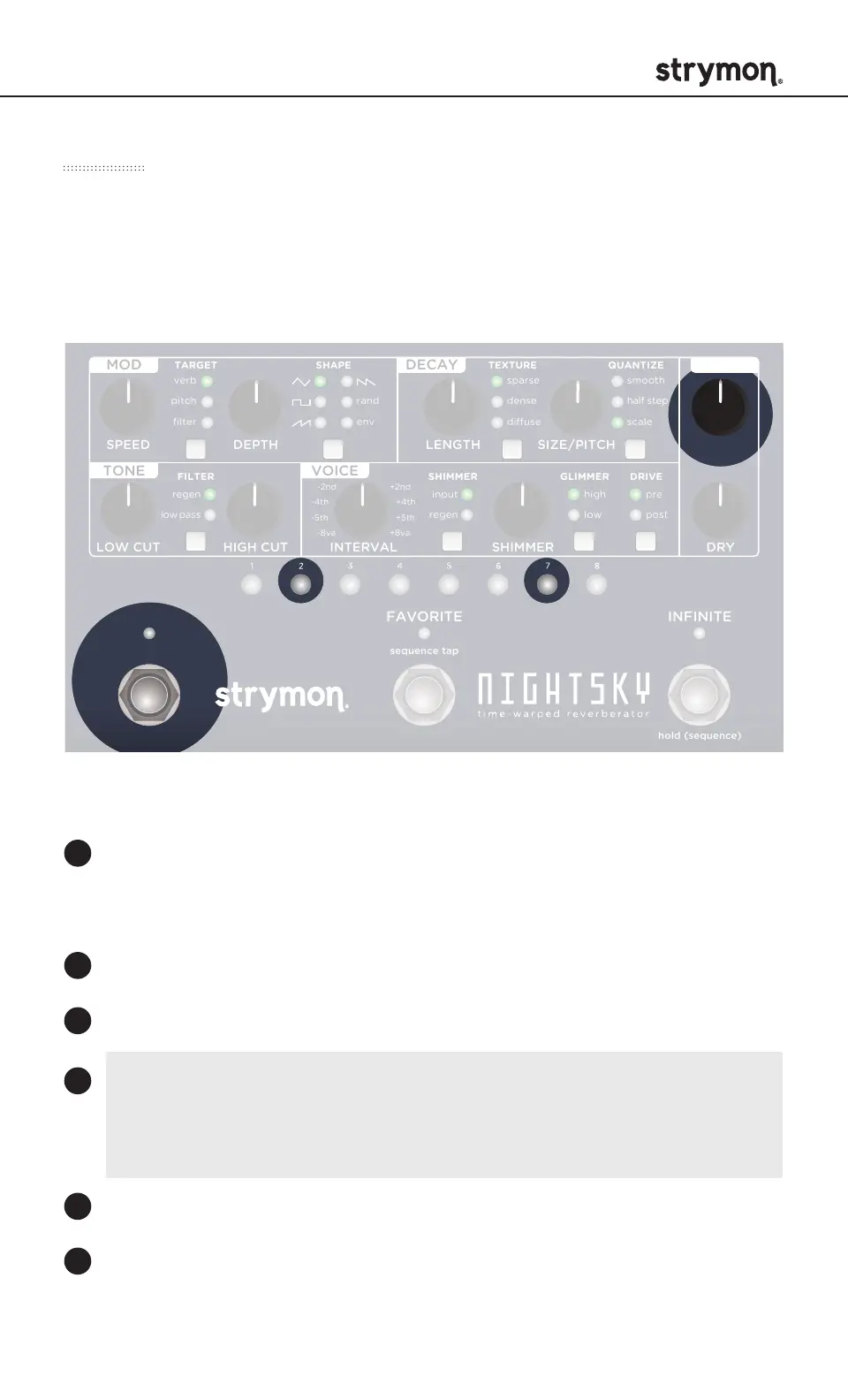
Press and hold PRESET BUTTONS 2 & 7 together to enter
MORPH setup mode. When PRESET BUTTONS 1-8 all flash
GREEN, release the buttons.
Adjust the knobs to the desired MORPH setting.
Press any PRESET BUTTON to exit MORPH setup mode.
morph speed: Sets the amount of time it takes to arrive at the
MORPH setting. Press and hold the ON footswitch and turn the
REVERB knob to adjust the Morph Speed.
Adjust the knobs back to the desired sound.
Press and hold ON footswitch to sweep between the current
setting and the Morph setting. Release ON footswitch to return
to the current setting of the pedal.
1
2
3
4
5
6
The Morph function allows NightSky to sweep between the current
sound of the pedal and a set of alternate knob settings and back by
holding down the ON footswitch. Morph parameter settings are saved
per preset.
SETTING UP MORPH PARAMETERS



 To Next Page