NightSky - Time-Warped Reverberator
pg 34
Configure NightSky for use with MultiSwitch Plus.
External Control – MultiSwitch Plus
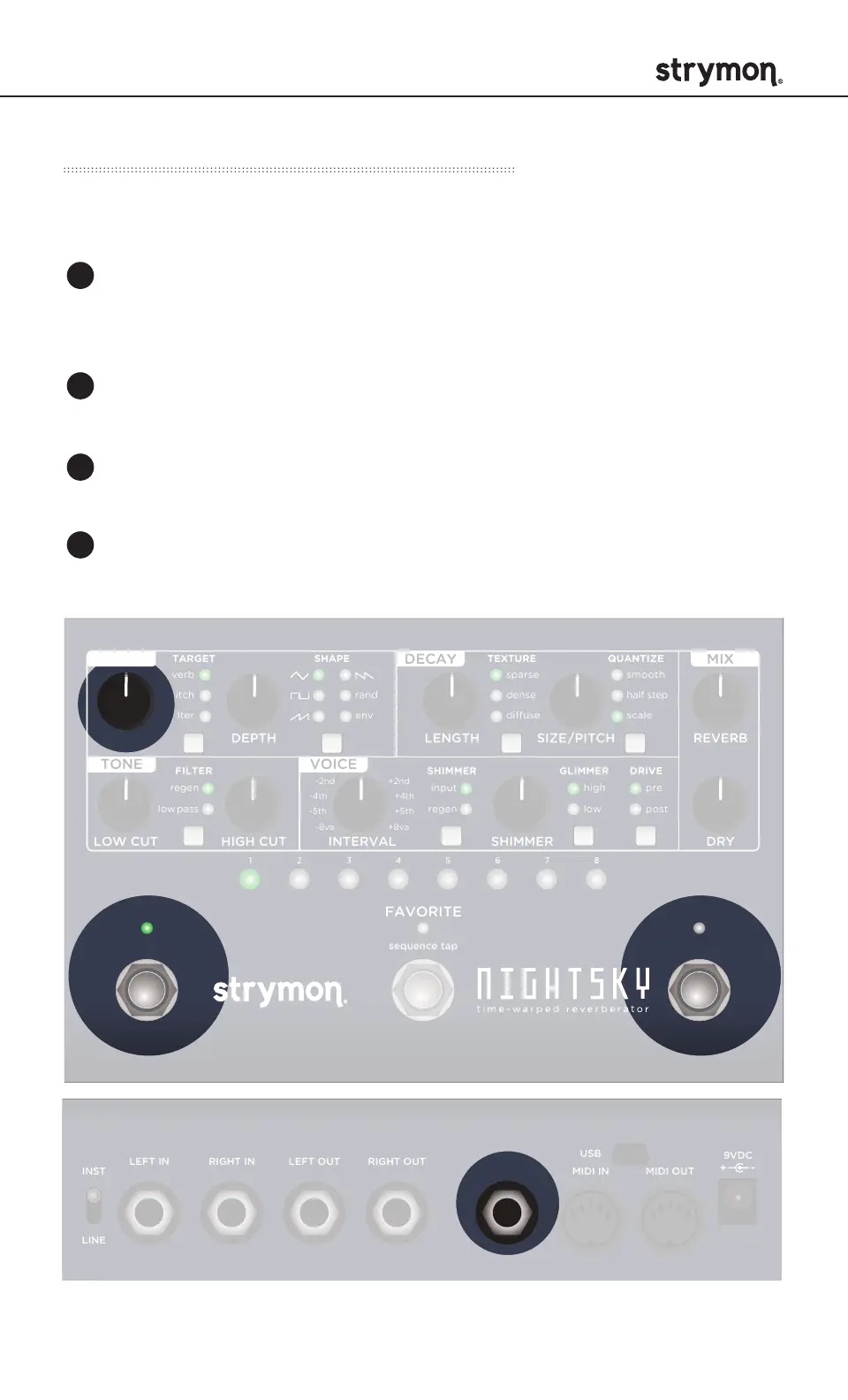
Press and hold the INFINITE footswitch while connecting power
to the pedal. Once the three footswitch LEDs light up, release the
footswitch.
Turn the SPEED knob all the way counter-clockwise to set the
MIDI channel to Channel 1. The ON LED should be GREEN.
Turn the LENGTH knob all the way counter-clockwise to set the
TRS MIDI OUT mode to ON. The FAVORITE LED should be GREEN.
Connect a TRS cable to the EXP jack of NightSky. You’ll connect
the other end of the TRS cable to MultiSwitch Plus in the next step.
1
2
3
4
DRYLOW CUT HIGH CUT INTERVAL SHIMMER
REVERBSPEED DEPTH LENGTH SIZE
/ PITCH
rand
env
-8va
-5th
-2nd +2nd
+5th
+8va
-4th +4th
TARGET
FILTER GLIMMER DRIVESHIMMER
SHAPE TEXTURE QUANTIZE
pre
post
smooth
half step
scale
verb
pitch
filter
sparse
dense
diuse
high
low
input
regen
regen
low
pass
TONE VOICE
MOD DECAY MIX
ON INFINITE
hold (morph) hold (sequence)
sequence step
sequence tap
FAVORITE
LEFT IN RIGHT IN LEFT OUT RIGHT OUT EXP
MIDI IN
USB
MIDI OUTINST
LINE
DRYLOW CUT HIGH CUT INTERVAL SHIMMER
REVERBSPEED DEPTH LENGTH SIZE
/
PITCH
rand
env
-8va
-5th
-2nd +2nd
+5th
+8va
-4th +4th
TARGET
FILTER GLIMMER DRIVESHIMMER
SHAPE TEXTURE QUANTIZE
pre
post
smooth
half step
scale
verb
pitch
filter
sparse
dense
diuse
high
low
input
regen
regen
low
pass
TONE VOICE
MOD DECAY MIX
ON INFINITE
hold (morph) hold (sequence)
sequence step
sequence tap
FAVORITE
LEFT IN RIGHT IN LEFT OUT RIGHT OUT EXP
MIDI IN
USB
MIDI OUTINST
LINE



 To Next Page