NightSky - Time-Warped Reverberator
pg 7
Front Panel - DECAY (cont.)
DRYLOW CUT HIGH CUT INTERVAL SHIMMER
REVERBSPEED DEPTH LENGTH SIZE
/ PITCH
rand
env
-8va
-5th
-2nd +2nd
+5th
+8va
-4th +4th
TARGET
FILTER GLIMMER DRIVESHIMMER
SHAPE TEXTURE QUANTIZE
pre
post
smooth
half step
scale
verb
pitch
filter
sparse
dense
diuse
high
low
input
regen
regen
low
pass
TONE VOICE
MOD DECAY MIX
ON INFINITE
hold (morph) hold (sequence)
sequence step
sequence tap
FAVORITE
LEFT IN RIGHT IN LEFT OUT RIGHT OUT EXP
MIDI IN
USB
MIDI OUTINST
LINE
DRYLOW CUT HIGH CUT INTERVAL SHIMMER
REVERBSPEED DEPTH
LENGTH SIZE
/ PITCH
rand
env
-8va
-5th
-2nd +2nd
+5th
+8va
-4th +4th
TARGET
FILTER GLIMMER DRIVESHIMMER
SHAPE TEXTURE QUANTIZE
pre
post
smooth
half step
scale
sparse
dense
diuse
high
low
input
regen
regen
low
pass
TONE VOICE
MOD DECAY MIX
ON INFINITE
hold (morph) hold (sequence)
sequence step
sequence tap
FAVORITE
LEFT IN RIGHT IN LEFT OUT RIGHT OUT EXP
MIDI IN
USB
MIDI OUTINST
LINE
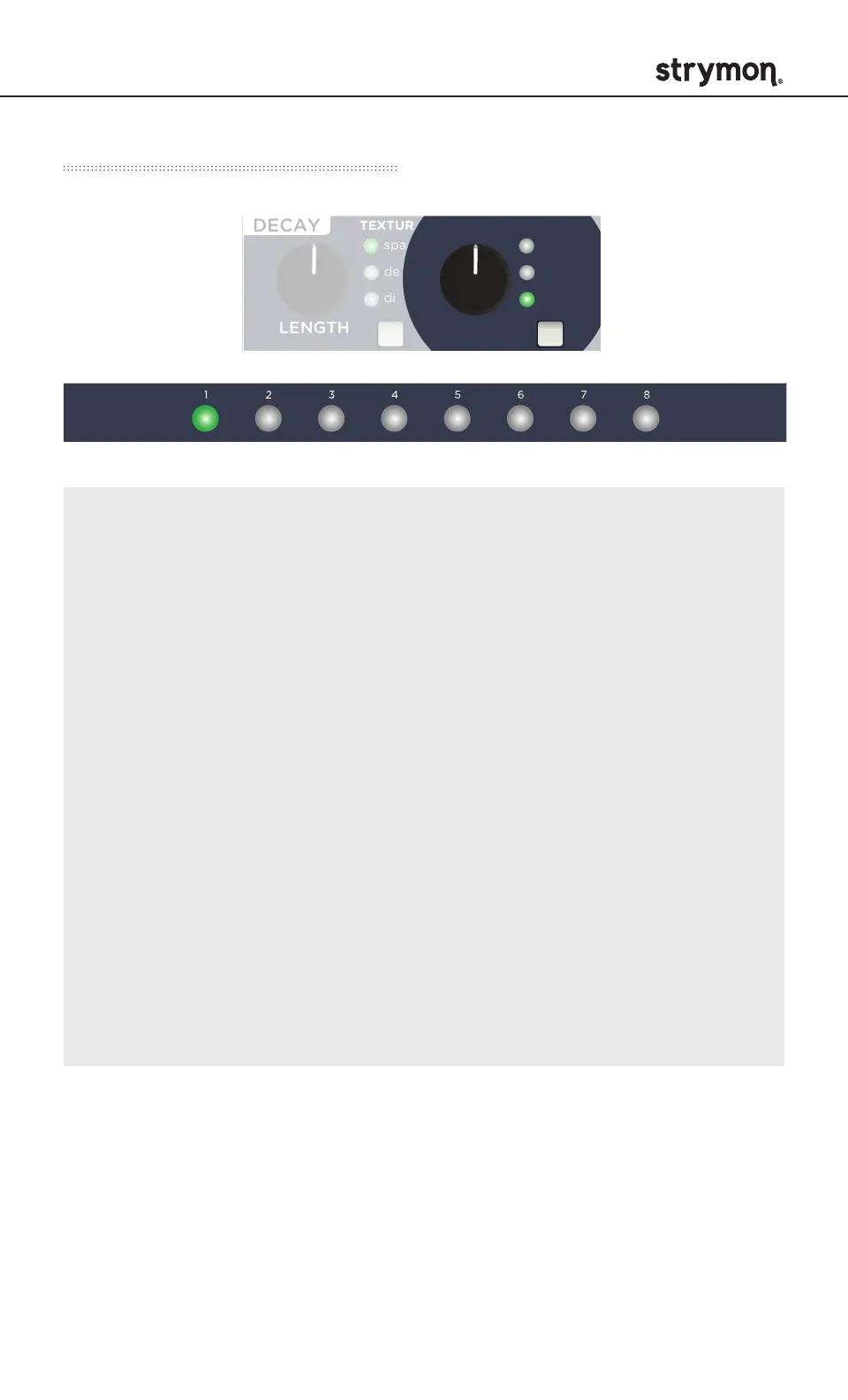
SCALE SELECT
Select one of eight scales that determine the quantization
intervals of the SIZE/PITCH knob when QUANTIZE is set to
scale mode. Press and hold the QUANTIZE button and press the
PRESET BUTTON that corresponds with the scales noted below.
The status is shown by illuminated PRESET BUTTON.
1 = minor pentatonic
2 = major pentatonic
3 = major
4 = dorian
5 = minor blues
6 = harmonic minor
7 = whole tone
8 = diminished



 To Next Page