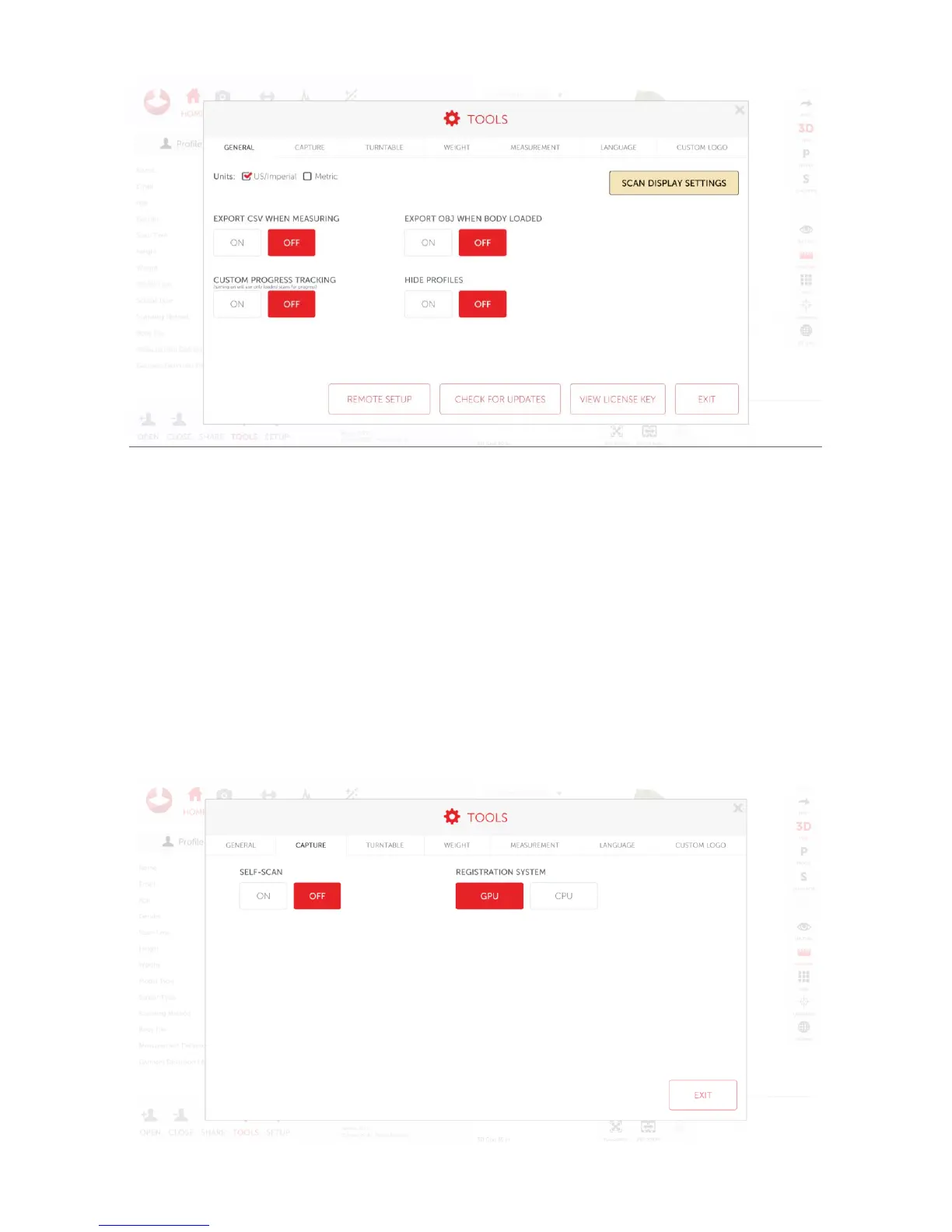
• To change the unit, click US/Imperial or Metric depending on preferred units
• To change the look of the scan, click “scan display settings”
• To hide profiles during the “open profile” or “choose existing” options set “hide profiles” to off
• If a progress report is needed to be done on only loaded scans turn “custom progress tracking” on.
This will create progress reports using only loaded scans, rather than all scans in a profile
Capture
To access the capture screen, click capture



 To Next Page