EasyManua.ls Logo

Subaru 2015 Impreza - Page 199

Subaru 2015 Impreza
338 pages
Print Icon
To Next Page IconTo Next Page
To Previous Page IconTo Previous Page
Loading...
198 Audio and Visual
Basic Operation
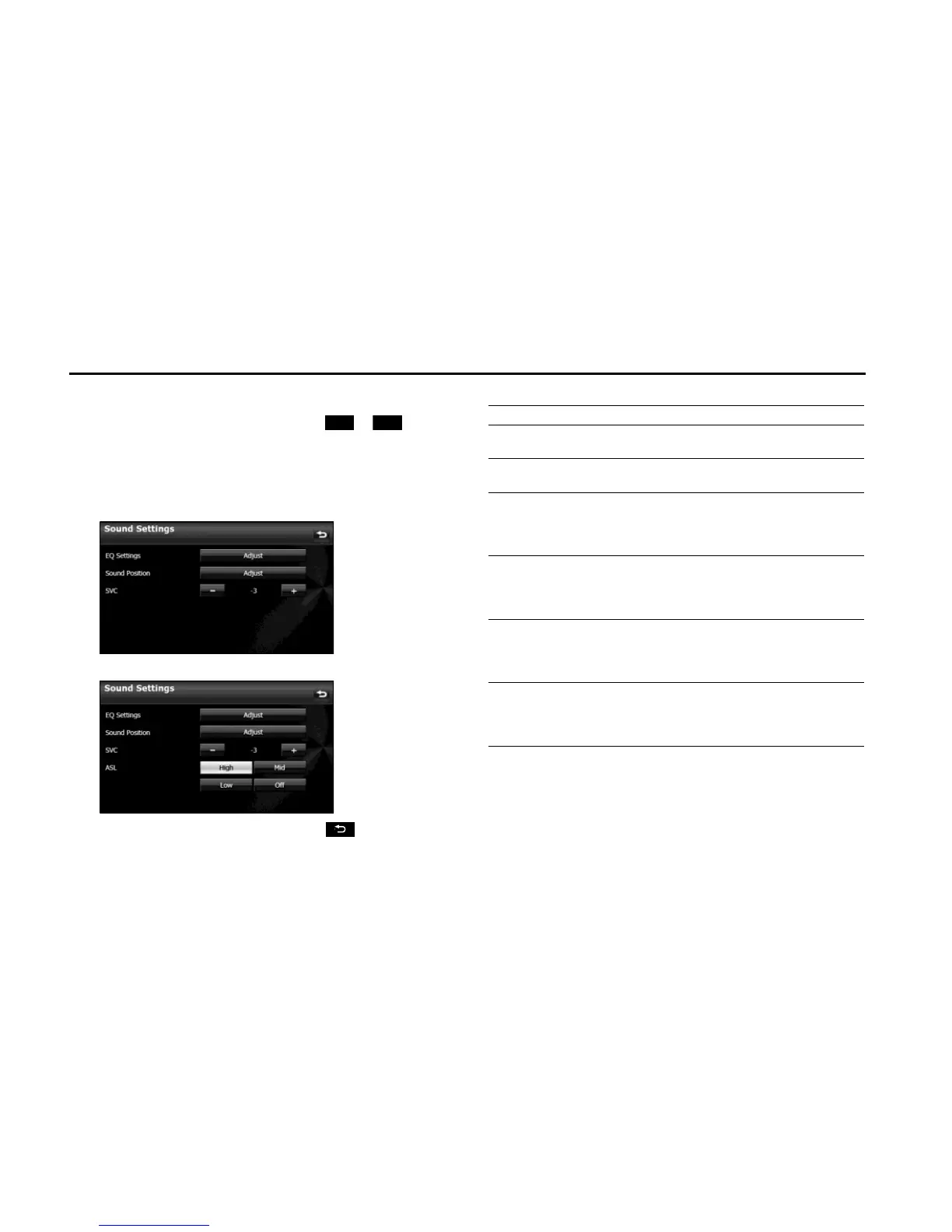
■ Setting the Source Volume Control
1 On the Sound Settings screen, touch or in SVC.
• You can set a volume difference for each audio mode. The
differences between the volume of the FM mode in the initial
setting (initial value: 19), which is used as reference, and the
volume levels set for each audio mode are saved.
<Operations screen for type A>
<Operations screen for type B>
• After completing the adjustment, touch to save the
adjusted settings and return to the previous screen.
Setting example:
* You can set the volume level in a range of 0 to 63 (Max). Set the volume level
differences in a range of -10 to +20.
-
+
Audio mode FM AM CD USB BT-Audio
Initial value
(Volume level)
Reference
(19)
0
(19)
0
(19)
0
(19)
0
(19)
SVC setting
(Volume level)
Reference
(19)
+15
(34)
-10
(9)
+5
(24)
-5
(14)
When volume
level is adjusted
from 19J35 in
FM mode
35 34J50 9J25 24J40 14J30
When volume
level is adjusted
from 25J45 in
CD mode
35J55
50
J
Max (70)
*
45 40J60 30J50
When volume
level is adjusted
from MaxJ20
in AM mode
55J52045J
0(-5)
*
60J10 50J0
When volume
level is adjusted
from 10J30 in
USB mode
5J25 20J40 0J15 30 0J20

Table of Contents