230 Audio and Visual
Audio Operations
Using the USB Music File Player
Using the USB Music File Player
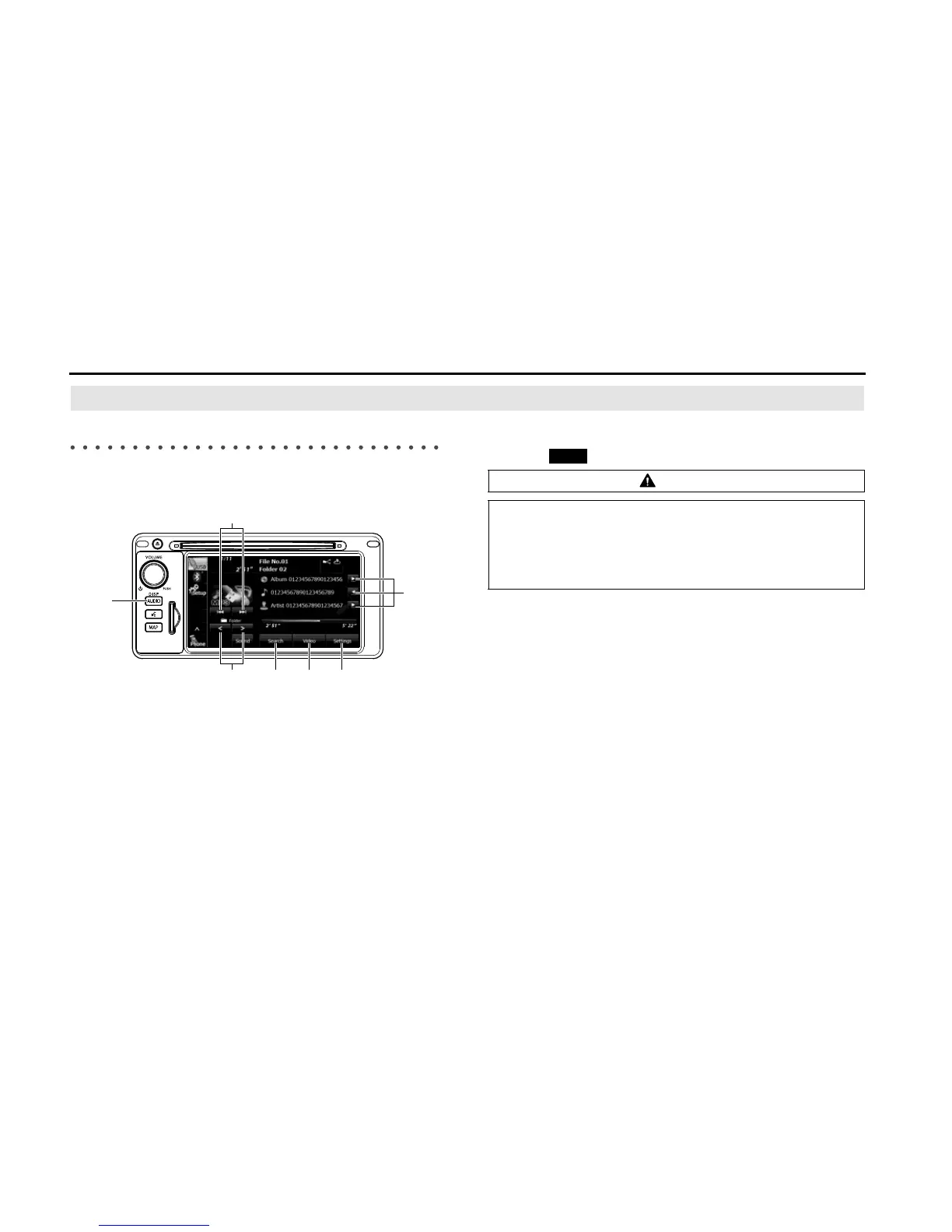
This unit can play music files stored in a USB memory. Only MP3/WMA
playback is supported.
(1) Title information scroll buttons
*1
(2) Settings button
(3) Video button
*2
(4) Search button
(5) Folder selection buttons
(6) AUDIO button
(7) File up/down and fast forward (fast reverse) buttons
*1 The full title will be displayed unless it is too lengthy. If the length of the
information is too long, title information scroll buttons will be displayed.
*2 Touch (Video) to operate the USB video file player. (See Page 237.)
CAUTION
• Certain functions (such as touch panel operation and/or
video image) offered by this unit may not be used while
driving.
• Connect the USB cable correctly so that it does not interfere
with safe operation of the vehicle.
Video















 To Next Page