Audio and Visual 261
How to Operate Portable Audio Devices
Using a Portable Device
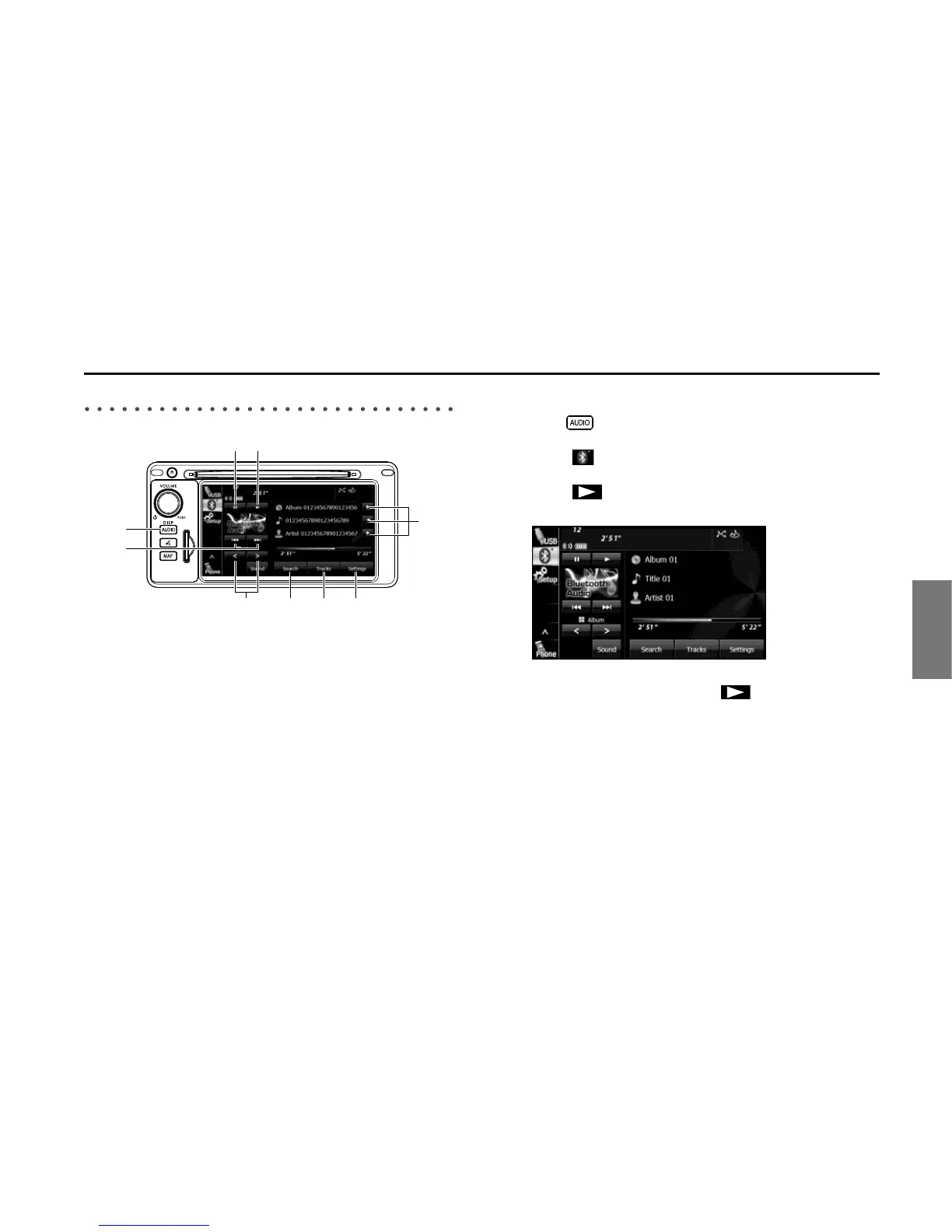
(1) Title information scroll buttons
*1 *2
(2) Settings button
(3) Tracks button
*1
(4) Search button
*1
(5) Album selection buttons
*1
(6) Track up/down and fast forward (fast reverse) buttons
*1
(7) AUDIO button
(8) Pause button
(9) Play button
*1 May not be displayed, and operations may not function depending on the
portable device type.
*2 The full title will be displayed unless it is too lengthy. If the length of the
information is too long, title information scroll buttons will be displayed.
■ Listening to a portable device
1 Press .
2 Touch .
3 Touch .
• The playback starts on the connected portable device.
NOTE
If the playback does not start when you touch on the unit, press the play
button on the portable device.















 To Next Page