Navigation 81
Read First
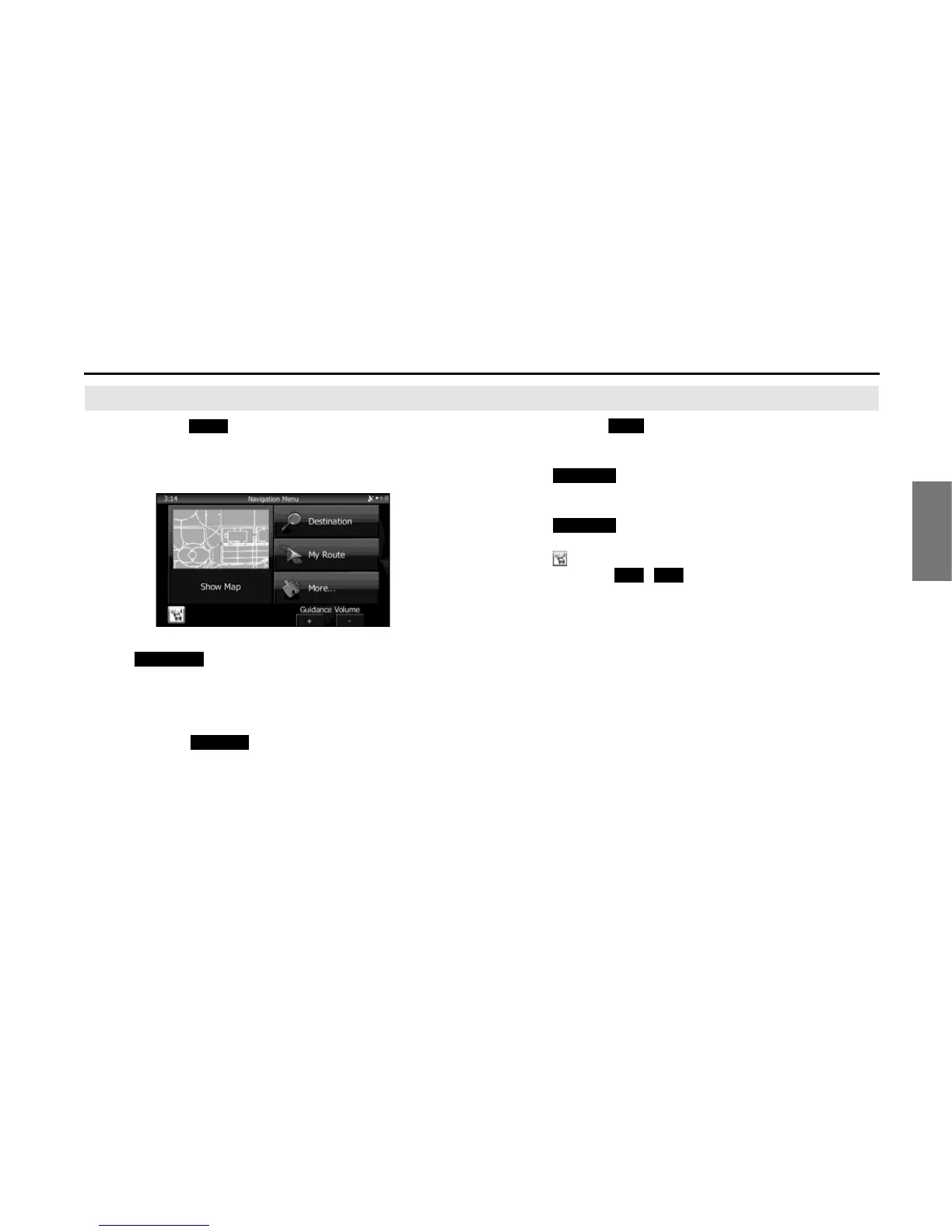
Navigation Menu
When you touch (Menu) on the navigation screen or
the multi screen, the navigation menu (main menu) appears.
You can access all of the software's functions from this menu.
The following options are available.
• Touch (Destination), and then select which method to
use to reach your destination by entering the address, selecting a
favorite spot, selecting a position on the map, or selecting from the
destination list. You can also select recent destinations from Smart
History, or enter coordinates into the system.
• When you touch (My Route), each point on the route, or
a path log on the map is displayed for the entire journey. You can
also perform various route related functions such as editing or
canceling the route, setting the route departure point, selecting a
different route, avoiding a part of the route, performing a navigation
simulation, or adding an entry to the destination list.
• When you touch (More), you can set the navigation software
operating method, start the tutorial, show a demo route simulation,
or start various other auxiliary applications.
• Touch (Show Map) to start navigation on the map. The
button itself shows the current position, recommended route, and
reduces the surrounding area to display on the map being used.
Touch (Show Map) to enlarge the map to full-screen
size.
• Touch to open the Traffic Summary screen.
• Guidance Volume / :
Adjusts the guidance volume. This adjusts guidance volume for all
navigation applications. Guidance volume can also be adjusted via
the Volume Settings Menu.
Menu
Destination
My Route















 To Next Page