70 Introduction
Before Use
3 Touch (Send).
• The message is sent.
NOTE
You can enter up to 160 single-byte characters in a free message.
Entering characters
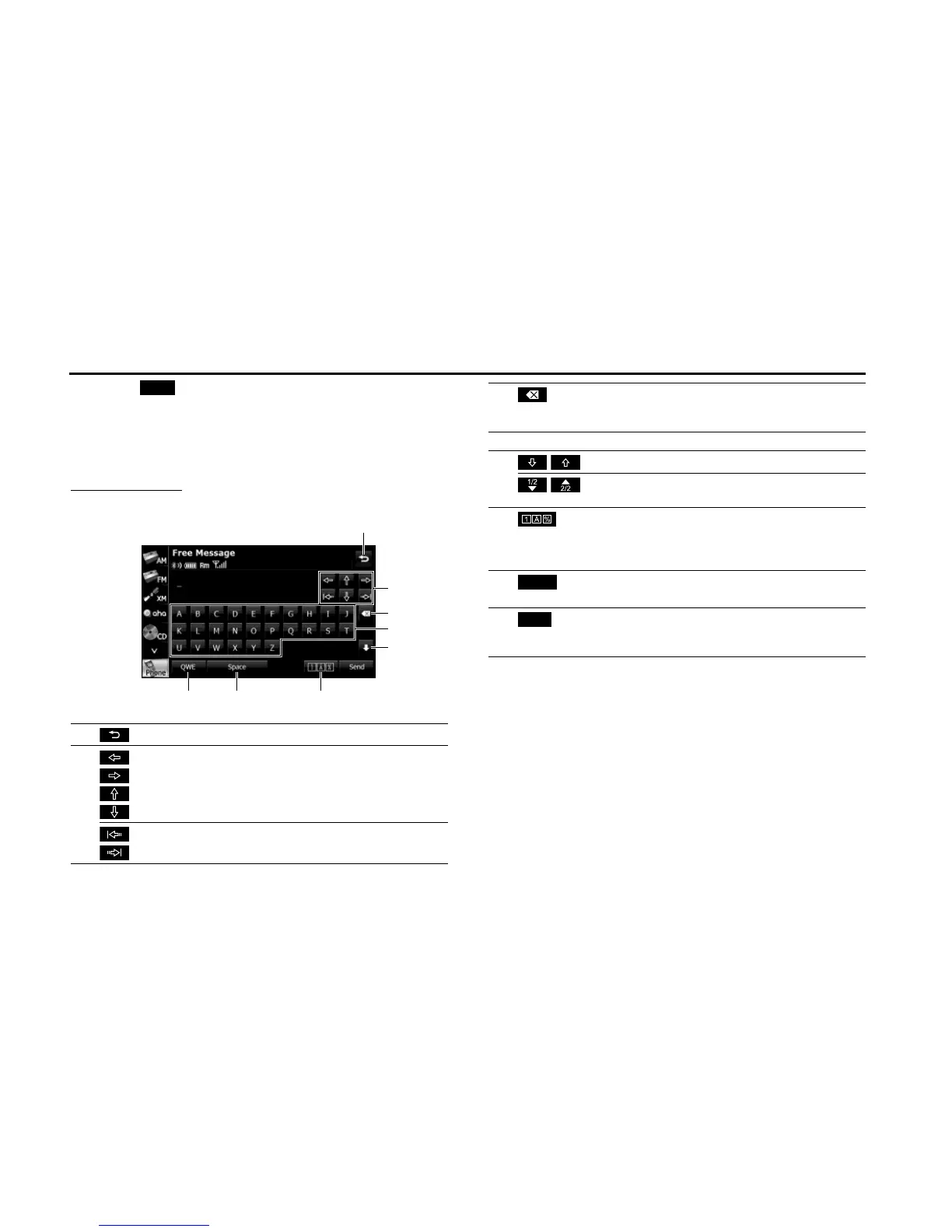
Touch the following buttons to enter characters.
(1) Return to the previous screen.
(2) Move the cursor. (Previous, next, up, down)
Move the cursor. (Top, end)
Send
(3) Delete 1 character.
• Touch for 1 second or more to delete the characters
continuously.
(4) Input buttons Touch a button to enter the corresponding character.
(5)
/
Switch between upper case and lower case characters.
/
Scroll the pages.
(Only in the 0-9-% character display)
(6) Touch to change the characters in the following order:
Latin characters, Umlaut, 0-9-%.
Latin characters J Umlaut J 0-9-% J Latin characters
J ...
(7)
(Space)
Enter a blank space.
(8) Switch between keyboard layouts.
Alphabet layout J QWERTY layout J Alphabet layout
J ...
Space















 To Next Page