
 Need help?
Do you have a question about the SubGear xp-3h and is the answer not in the manual?
General guidelines for safe and effective use of the Subgear XP-3H dive computer.
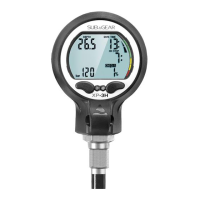
Overview of the Subgear XP-3H dive computer features and data storage capabilities.
Details the operation of the dive computer using its two push buttons.
Starting from the time of day display you can enter into different menus.
Explains display elements and terminology used during different dive phases.
Explains Nitrox settings, ppO2, MOD, and oxygen toxicity risks.
Emphasizes checking settings before the first dive.
Monitors depth, tank pressure, dive time, and decompression status after immersion.
Monitors and alerts on ascent rates to ensure safe ascents.
Configuration of gas mixtures and switch depths for multi-gas dives.
Guides on setting ppO2 and gas mixture for CCR diving.
Steps for planning a no-stop dive using the dive planner.
How dives are recorded and information is managed in the logbook.
Configuration options for dive functions via "set 1" menu.
Configuration options via "set 2" menu, including alarms and display settings.
Specifications and technical details of the Subgear XP-3H dive computer.
Step-by-step guide for safely replacing the dive computer's battery.

 To Next Page
 General