4
Introduction
Congratulations on purchasing Subgear XP-3H and welcome to SUBGEAR. From now on you will enjoy
the assistance of an extraordinary dive computer - equipped with SUBGEAR innovative technology -
while diving.
We thank you for choosing Subgear XP-3H and we hope you will enjoy safe dives in the future! Further
information on SUBGEAR and SUBGEAR products can be found on our web page at www.subgear.
com.
Safety considerations
Dive computers provide divers with data; they, however, do not provide the knowledge about how this
data should be understood and applied. Dive computers cannot replace common sense! You must
therefore carefully read and understand this entire manual before using your Subgear XP-3H.
Important remarks concerning signal words and symbols
This operating manual makes use of the following icons to indicate especially important comments:
Remarks Information and tips which are important for optimal use of the functions of
Subgear XP-3H.
Danger! Indicates a potentially hazardous situation which, if not avoided, could result
in death or serious injury.
The following symbols are used in the operating manual:
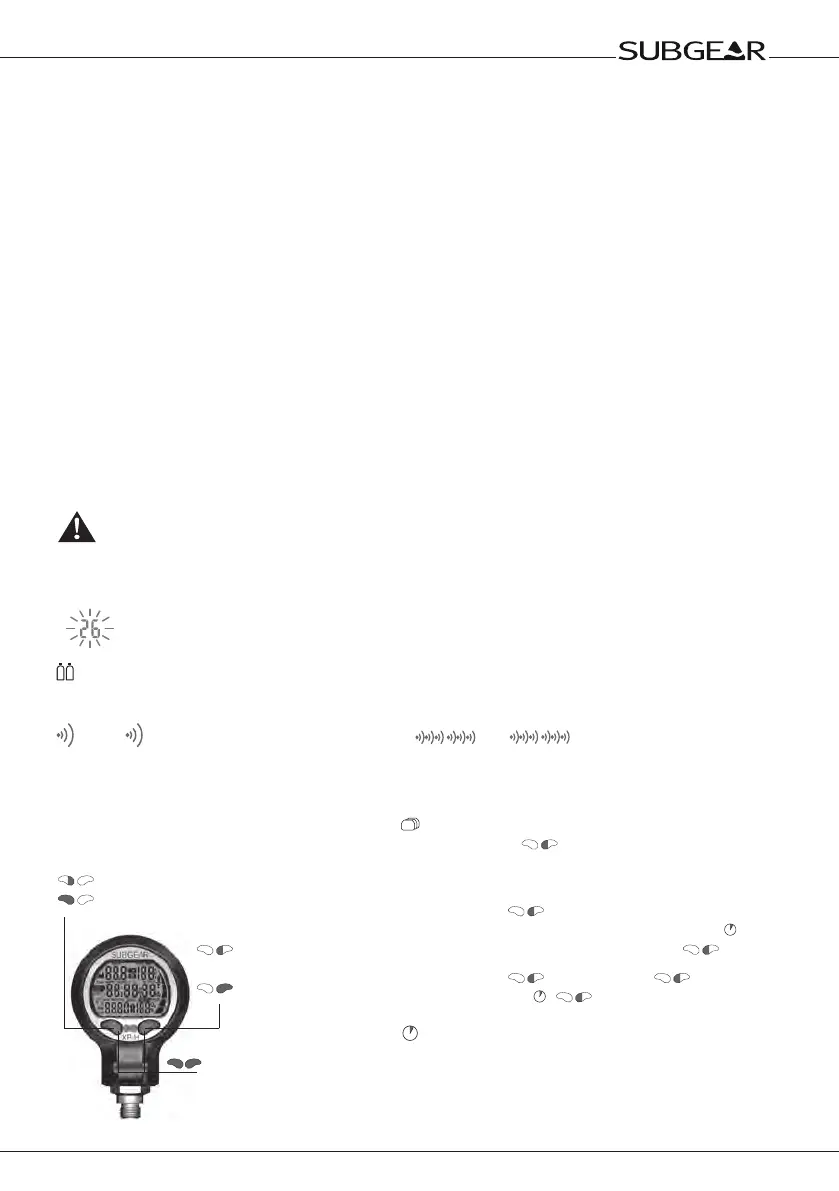
Flashing display -> Page reference e.g. ->6
Valid only for dives with 2 / 3 gas mixtures
Audible signals
Audible attention signal
4s
Audible alarm signal
Introduction
Instructions for manual input
Press left push button
Press and hold (1 second)
left push button
Press and hold (1 second)
both push buttons
Press right push
button
Press and hold
(1 second)
right push button
Alternate displays
By pushing during the dive you can scroll
through alternate displays.
How to get back to the first display:
• scrolling with through the displays
• after 5 seconds: automatically if marked with
• after 5 seconds: directly by pushing 1x
E.g. Max depth > Temperature >
Temperature, Time > Max depth
Time out after 5 seconds without operation.
Display switches back to original indication.


 To Next Page