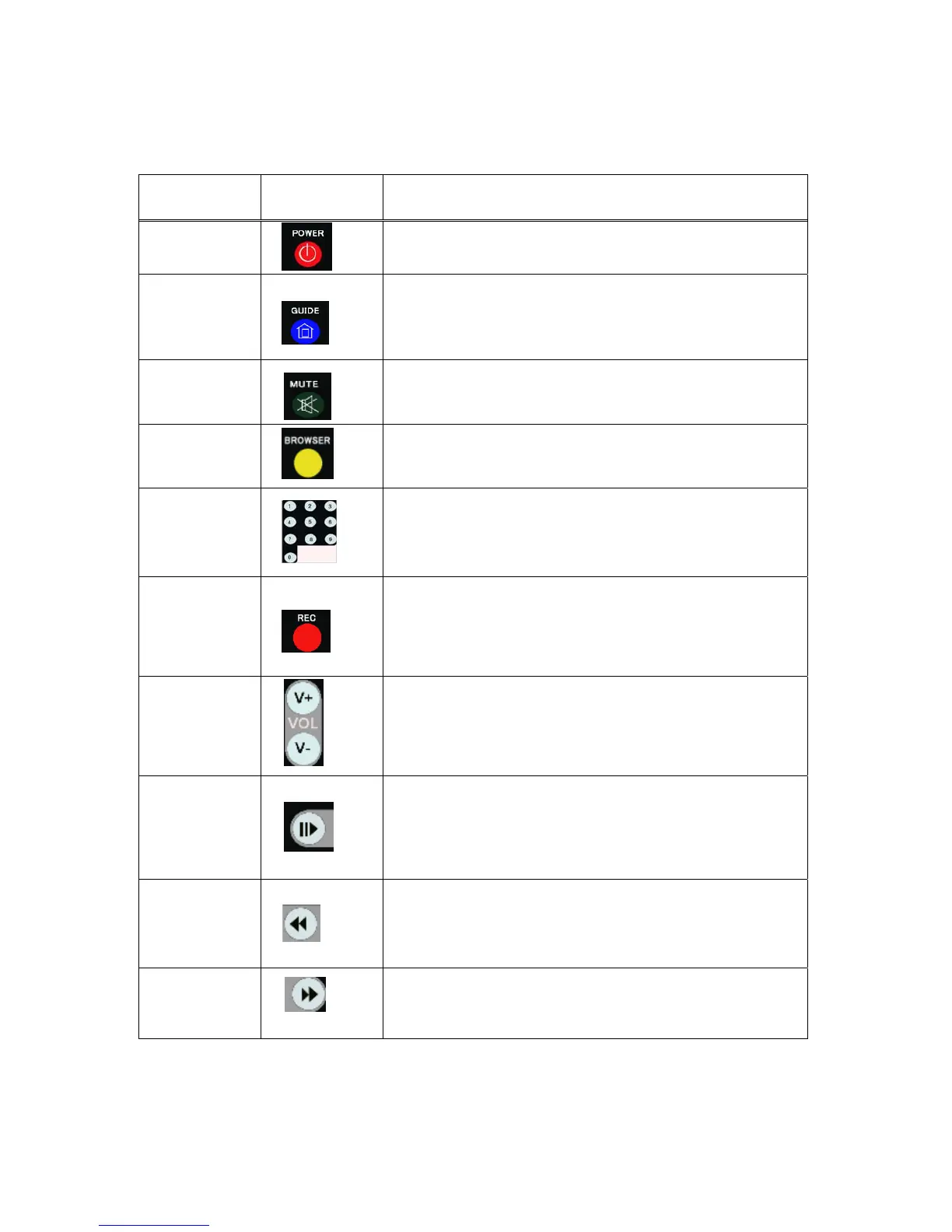
No. Button Function
1
POWER button:
Press to POWER on or off the AVHDD recorder.
2
GUIDE button:
Press to view the Guide menu. See
“The Guide Menu” on page 6 for
more details.
3
MUTE button:
Press to mute audio output, and press again to resume.
4
BROWSER button:
Press to browse the music , photo, movie, all files on USB,HDD.
5
Numeric buttons:
Press to enter channel numbers or numeric input when changing settings.
6
RECORD button:
Press to begin recording or to resume when recording has been paused.
Press repeatedly to set OTR length (30 mins / 60 mins / 90 mins / 120
mins / 180 mins /240 mins/Off).
7
VOL + / - buttons:
Press to increase or decrease the volume.
8
PAUSE / STEP button:
Press to pause current playback.
Press again to step to the next frame.
Press to resume playback.
9
FAST REWIND / button:
Press to fast rewind the current playback.
Press repeatedly to select faster rewind speeds
10
FAST FORWARD button:
Press to fast forward the current playback.
Press repeatedly to select faster forward speeds



 To Next Page