24
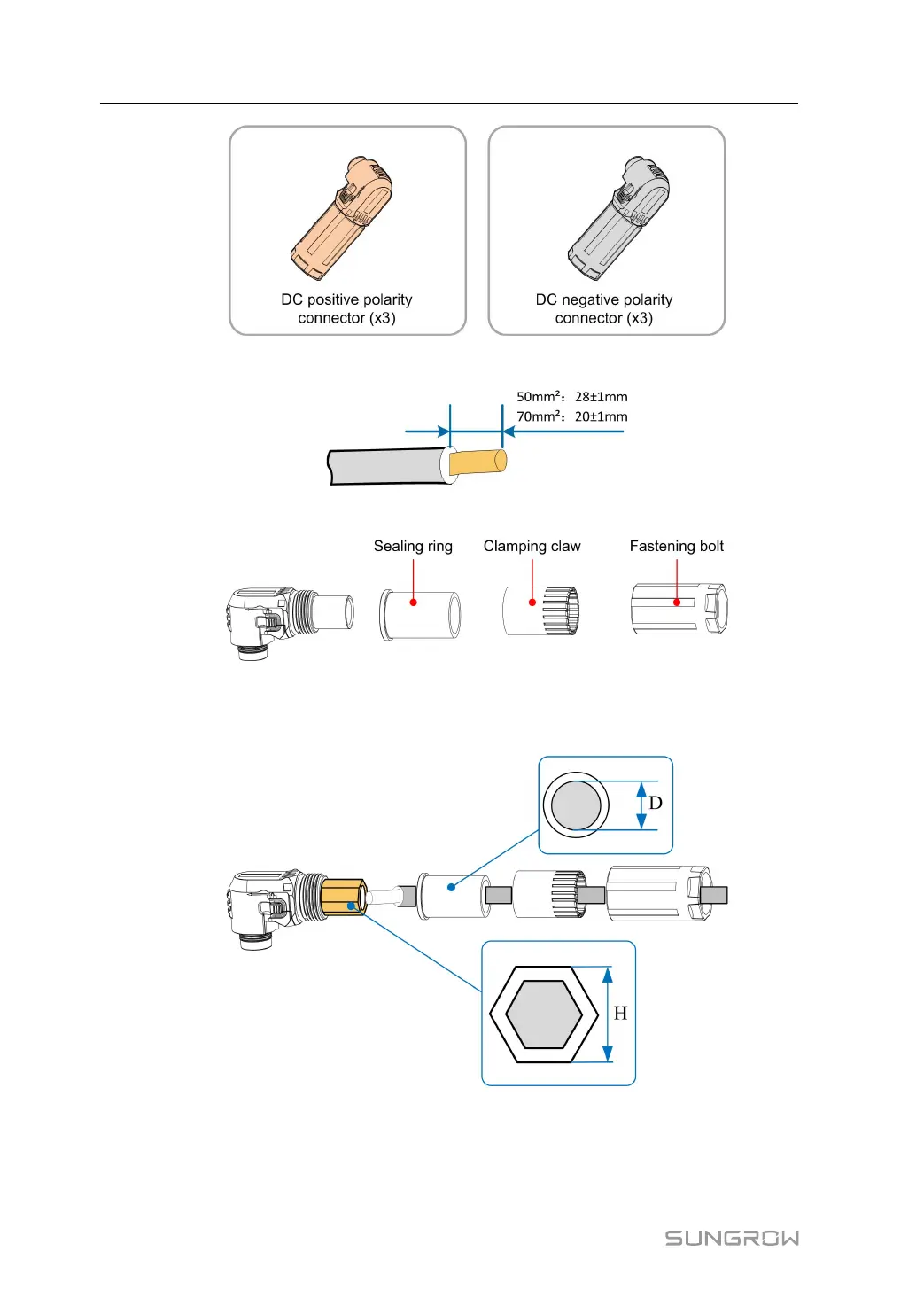
Step 2 Strip insulation layers of all DC cables.
Step 3 Dismantle the connector.
Step 4 Pass the cable through the nut, clamping claw and sealing ring in that order. Insert the
cable end into the base of the connector, and use the hexagonal crimping tool to press
it tightly.
5 Electrical Connection User Manual


 To Next Page