27
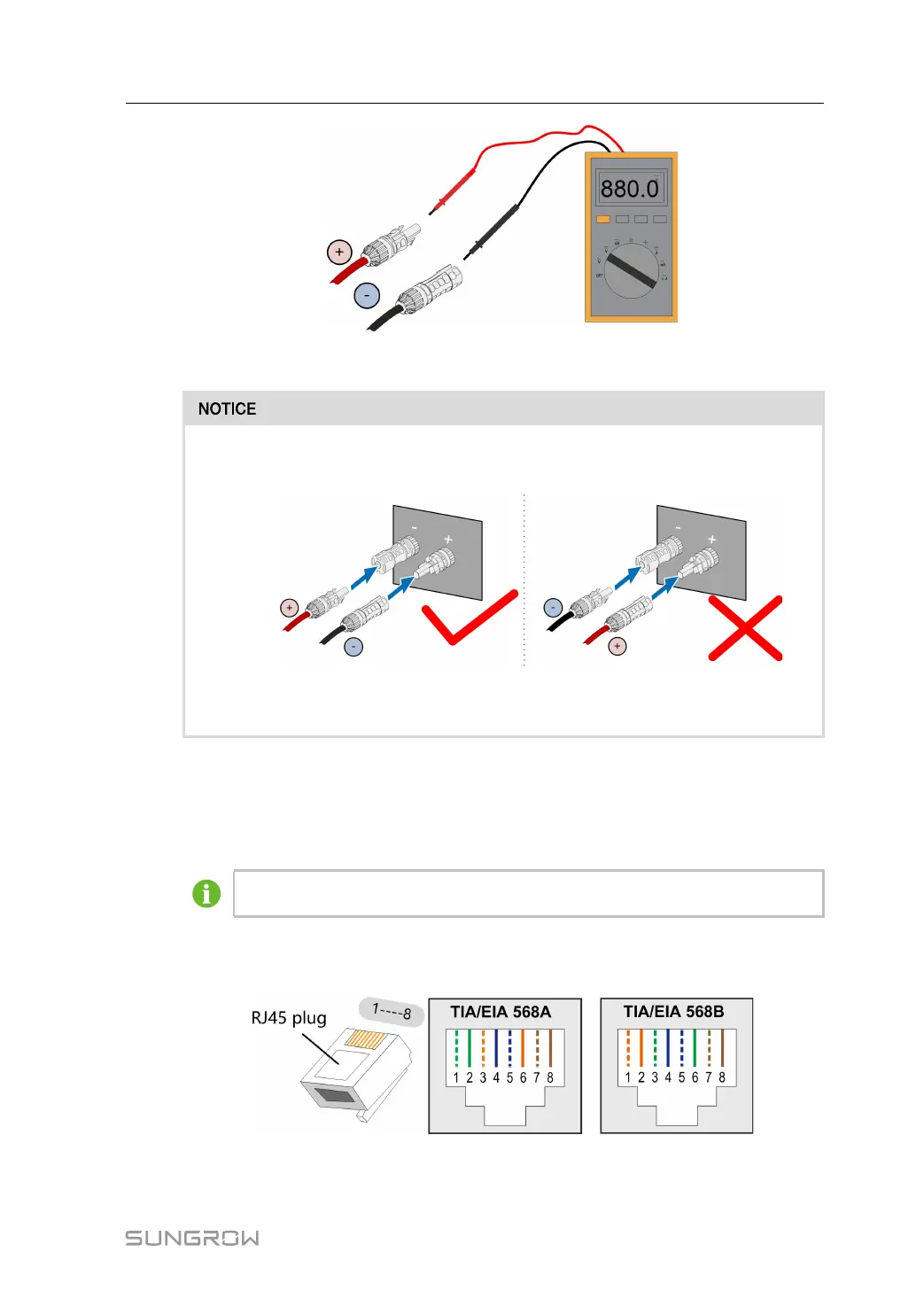
Step 8 Connect the PV connectors to corresponding terminals until there is an audible click.
Check the positive and negative polarity of the PV strings, and connect the PV
connectors to corresponding terminals only after ensuring polarity correctness.
Arc or contactor over-temperature may occur if the PV connectors are not
firmly in place, and SUNGROW shall not be held liable for any damage caused.
-- -- EEnndd
5.7 Ethernet Connection
Skip step 1 if there is network cable with a RJ45 connector on site.
Step 1 Strip the insulation layer of the Ethernet cable with a wire stripper, and insert the signal
wires to the RJ45 connector. Crimp the RJ45 connector with a crimping tool.
Step 2 Unscrew the waterproof nut at the base.
User Manual 5 Electrical Connection


 To Next Page