40
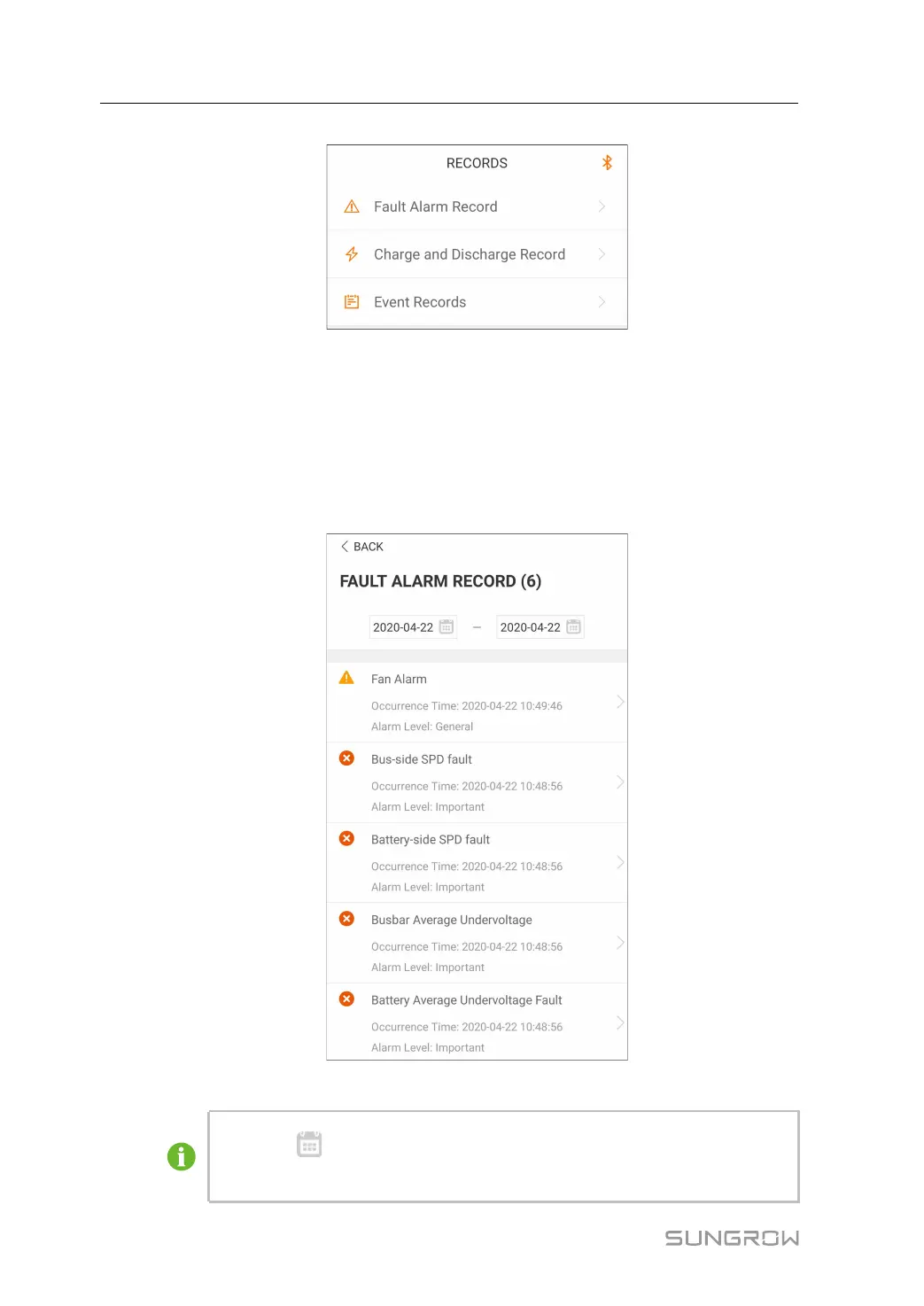
FFiigguurree 77--55 History record
The user can view faults and alarm records, charging and discharging records, and
events from "Records".
7.6.1 Fault Alarm Records
Tap“ FFaauulltt AAllaarrmm RReeccoorrddss” to view fault and alarm records, as shown in"Figure 7-6
Fault and alarm records".
FFiigguurree 77--66 Fault and alarm records
• Click“ ” to select a time segment and view corresponding records.
• The converter can record up to 400 latest entries.
7 iSolarCloud APP User Manual


 To Next Page