28
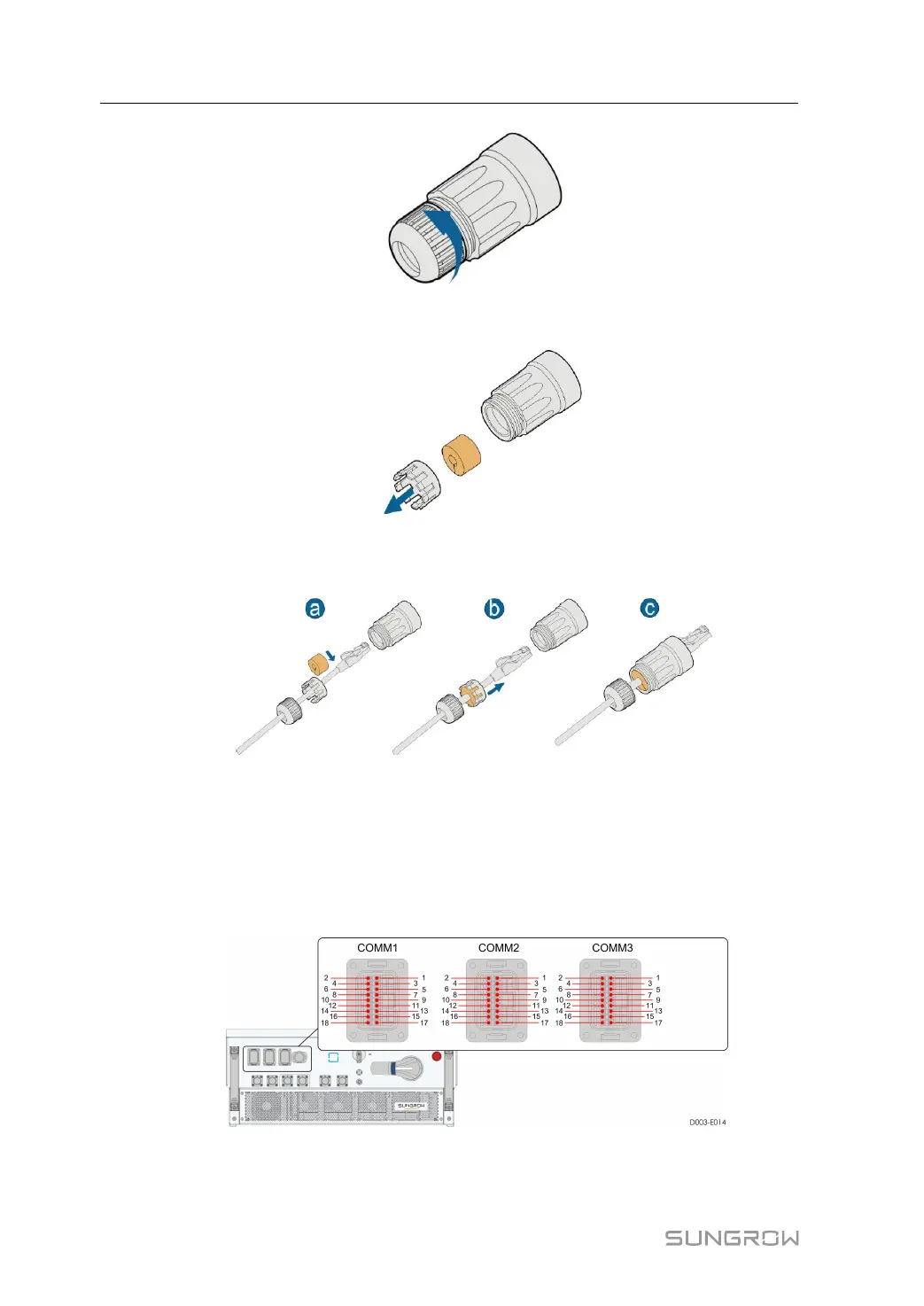
Step 3 Remove the waterproof sealing plug and clamping claws.
Step 4 Thread the network cable through the waterproof nut, clamping claw and sealing plug,
and then tighten the nut.
Step 5 Remove the protective cap of the communication terminal and insert the ethernet cable
line into it, and screw tight.
-- -- EEnndd
5.8 Communication Connection
5 Electrical Connection User Manual


 To Next Page