37
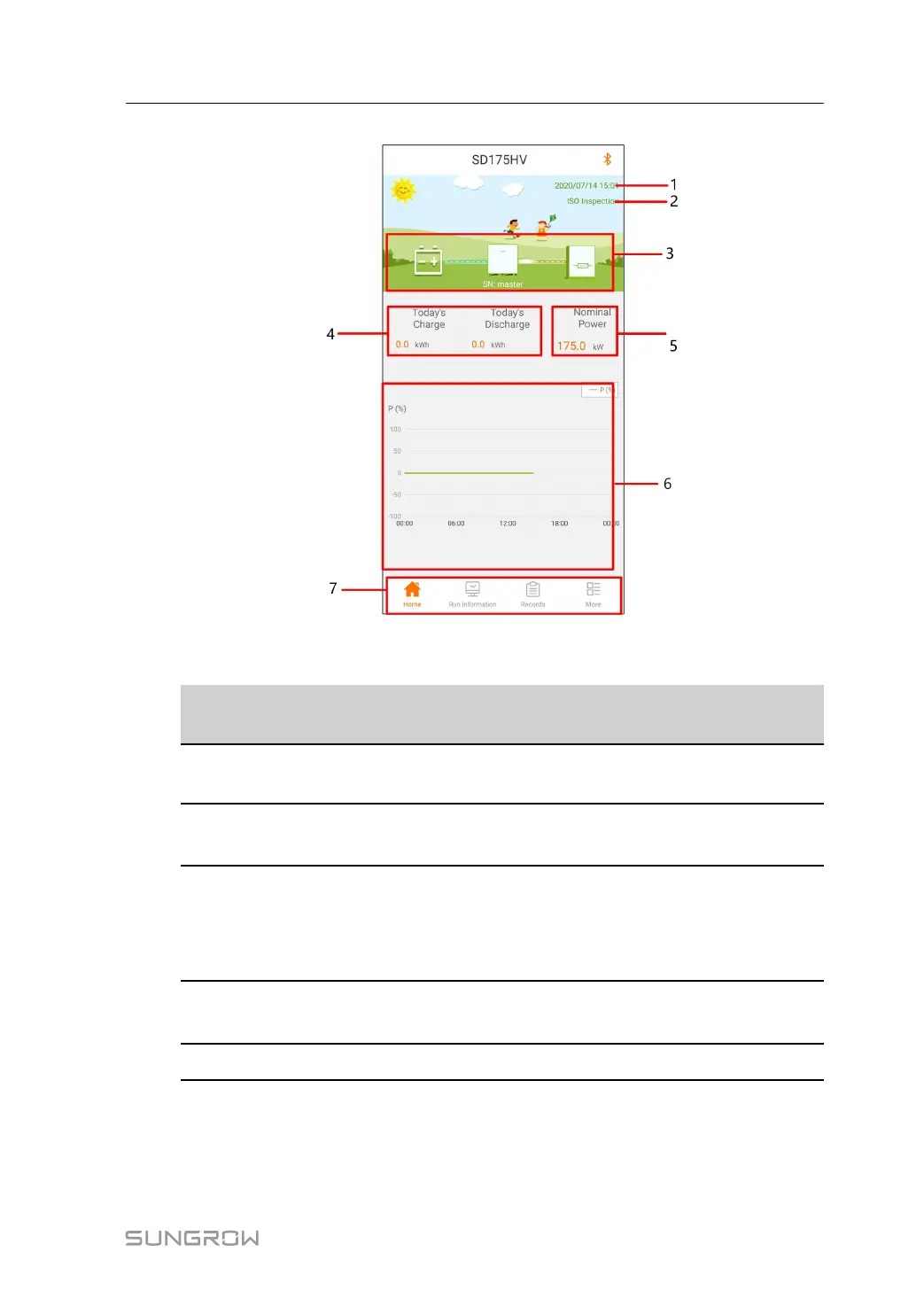
FFiigguurree 77--33 Home page
Table 7-1 Home page description
NNoo..
DDeessiiggnnaa--
ttiioonn
DDeessccrriippttiioonn
1
Date and
time
System date and time of the converter
2
Converter
state
Present operation state of the converter For details, refer to"Ta-
ble 7-2 Description of converter state".
3
Power flow
chart
Displays information such as photovoltaic power capacity and
on-grid power. Arrows between the icons show the flow of en-
ergy between the devices. The direction of the arrows indicates
the direction of energy flow.
4
Power
generation
Displays the power generated and discharge volume of the
converter for today.
5 Power
Displays the rated power of the converter.
User Manual 7 iSolarCloud APP


 To Next Page