4 • Questions? Call or Text +1-801-658-0015
Zapp
™
User Manual
• Turn the welder on. With the welder on, energy
will only be released when the electrode
touches the welding plate AND the alligator
clip is attached to the welding plate (or any
workpiece). Don’t worry about the alligator clip
yet.
• Make sure your eyes are protected by properly
using the darkening lens or microscope. Never
operate the welder without eye protection.
• If you are using an Auto Darkening
Lens (ADL) with the Zapp Plus, refer to
Appendix A before proceeding.
• If you are using a swing arm micro-
scope or the PJ Scope, refer to
Appendix B before proceeding.
• If you don’t have an Auto Darkening
Lens (ADL), microscope, or PJ Scope,
ensure that you are using #5 shaded
welding glasses.
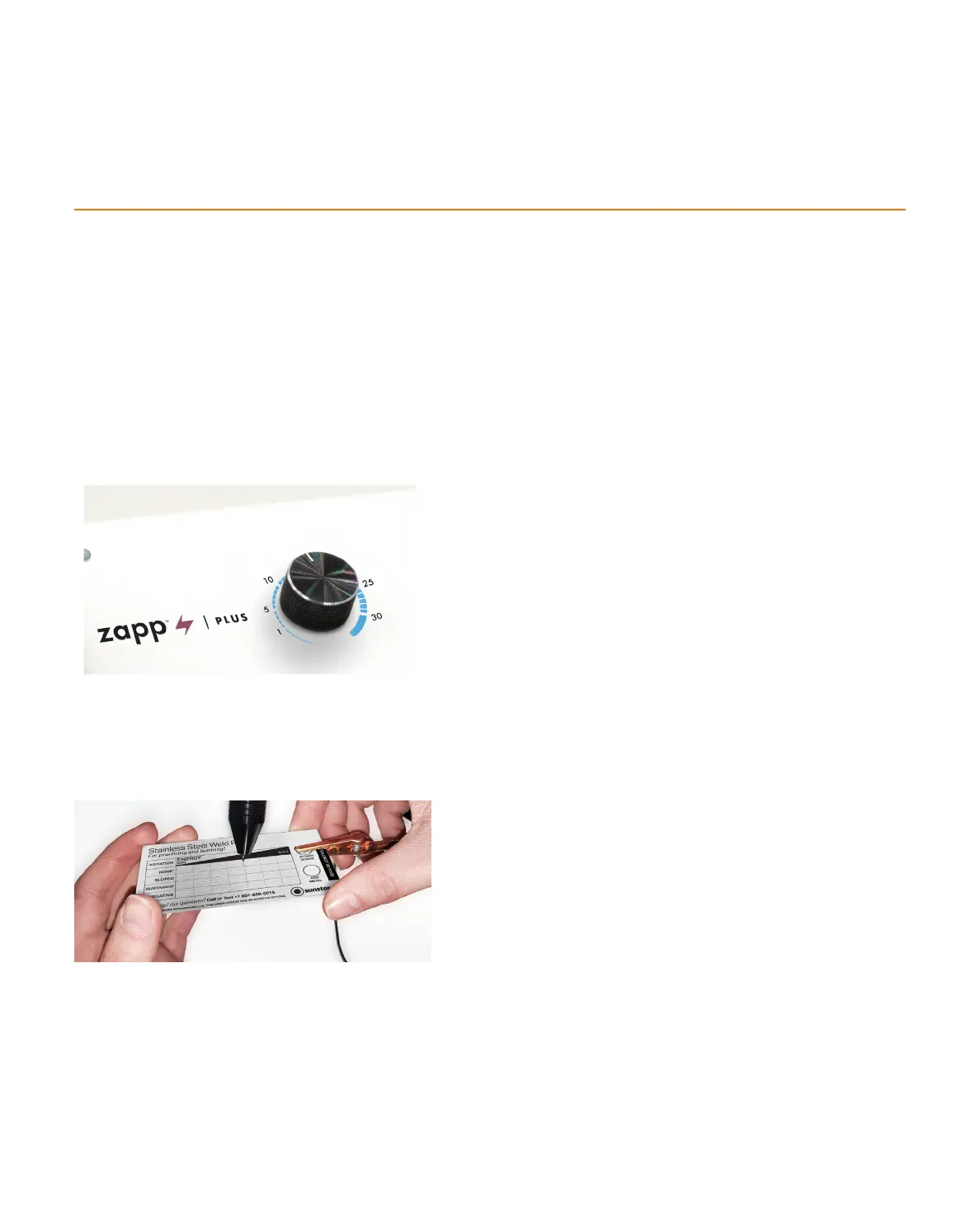
• Attach the alligator clip to the Stainless Steel
Weld Plate as shown in Figure 4.2.
• Rest your arms on the table or workbench,
holding the metal plate with both hands.
• Make sure you have a clear view of the metal
plate.
• The Stainless Steel Weld Plate is organized into
rows. For this exercise, lightly touch the welding
minimum column. When the electrode makes
contact with the welding plate, the welder will
release energy and a weld will occur.
Note: Sloped, Sustained, and Negative Rows are not
Figure 4.1 Set the Weld Energy Level to 3 J energy.
Figure 4.2 Attach the alligator clip to the welding plate. With
proper eye protection, hold the welding plate with both hands
and lightly touch the electrode to the welding plate. When the
electrode contacts the welding plate, the welder will release
energy and create a weld.
How To Make a Weld















 To Next Page