80-0067-00-MO-RevF 2017-10-03 SunTech CT40 User Manual | 14
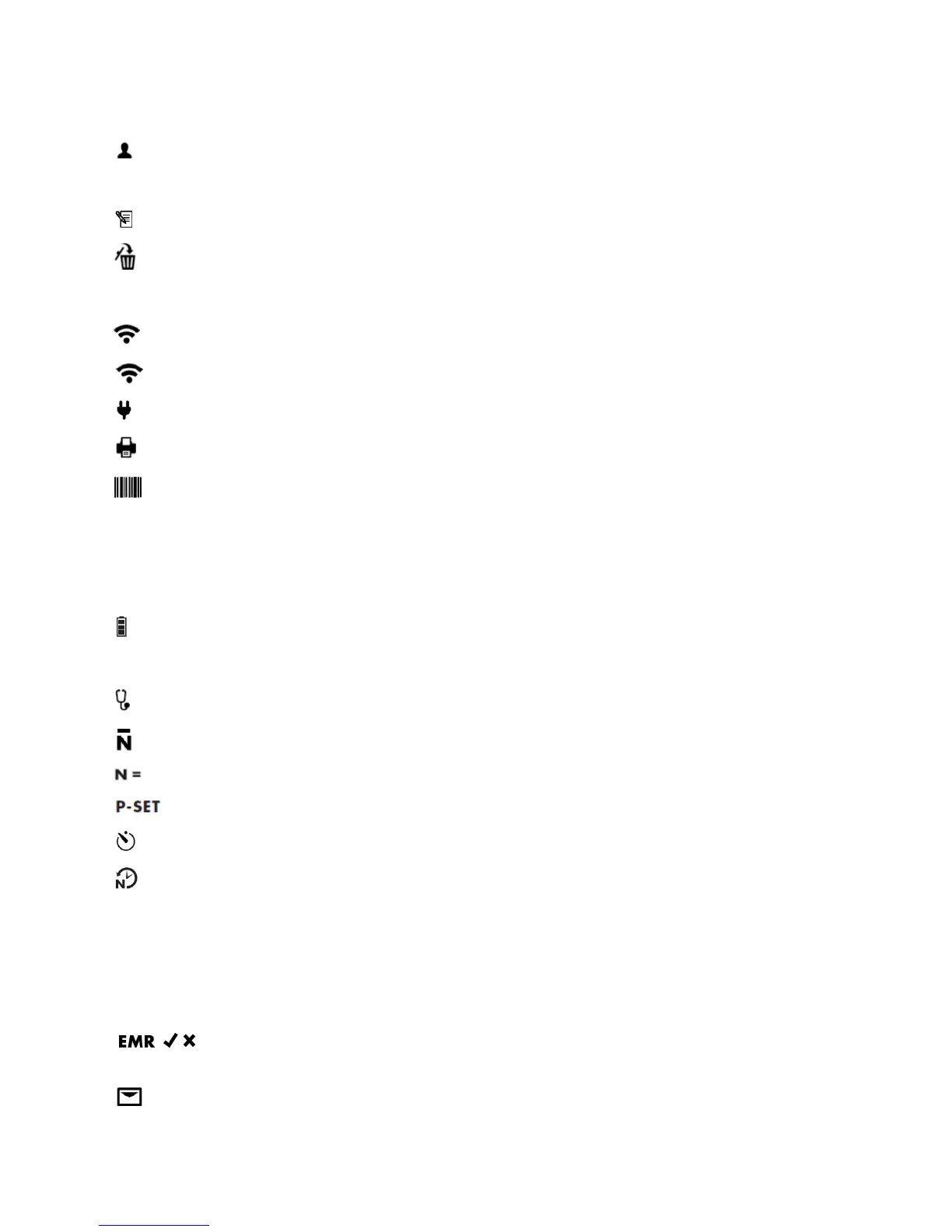
Patient Identification and Date/Time Stamp
Patient ID
Memory Mode Information
Memory icon
Memory Delete icon
Connections to Ancillary Devices and Networks
: Wi-Fi radio on (segments will illuminate in series)
Wi-Fi radio connected (segments will be illuminated continuously)
AC power connected
Printer connected and powered on
Barcode scanner connected and powered on
Error Alert Symbol
WARNING: User must take immediate action (see additional information in Section 12)
Battery Level Indicator
Battery symbol (All bars illuminated indicate a full charge)
Blood Pressure Measurement Mode Selection Icons
: Auscultatory Sphygmomanometer Mode
: Averaging mode
: Number of measurements taken in averaging mode
: Maximum pressure setting for Auscultatory Sphyg Mode
: Time before first measurement in minutes (Illuminates when Averaging Mode is selected)
: Time between measurements in seconds (Illuminates when Averaging Mode is selected)
Blood Pressure Results (DIA and SYS)
DIA and mmHg: Diastolic blood pressure
SYS and mmHg: Systolic blood pressure
EMR Transmission Icons
: EMR icon prompts the user to confirm whether or not to send measurement data as message to EMR
system. (Only shown if EMR connectivity has been set up via Configuration Application.)
: Message icon (Indicates if EMR messaging is successful)


 To Next Page