Commissioning
NT 10000...NT 12000 31
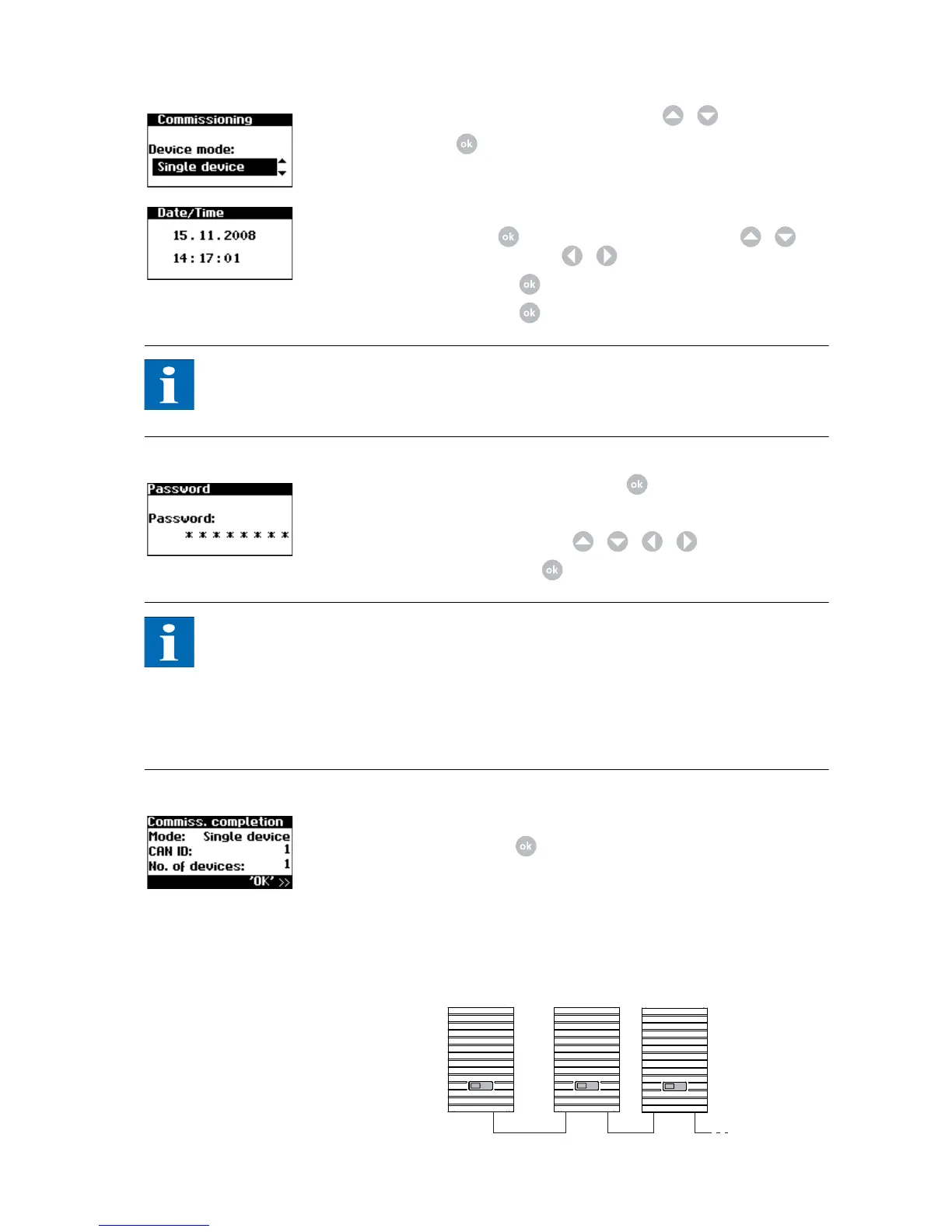
4. Select "Single unit" in the selection menu with / .
Confirm with .
5. Set the date and time.
Select the time with . Change the selected number with / and
jump to the next number with / .
Apply the set time with and set the date accordingly.
Apply the set date with .
NOTE
Please note that time settings should only be made with caution, as they directly
affect data logging. For example, if you set the time back by 1 hour, then the
existing data will be overwritten.
6. Setting a password. Select Password with . Default password is:
********
A new password can be set with / / / as an option.
Confirm the password with .
NOTE
Please note:
Only digits between 0 – 9 and letters between a – z and A – Z are permitted.
The password always has 8 characters. If the password you entered has less than
8 characters, the remaining characters are filled with *.
Example:
Your password is "Solar". This password has 5 characters. The system automati-
cally appends three *, so that the password becomes "Solar***".
7. Completion of commissioning.
Confirm overview with .
Commissioning several net-
worked units
System with several Solar In-
verters



 To Next Page