Operation
46 NT 10000...NT 12000
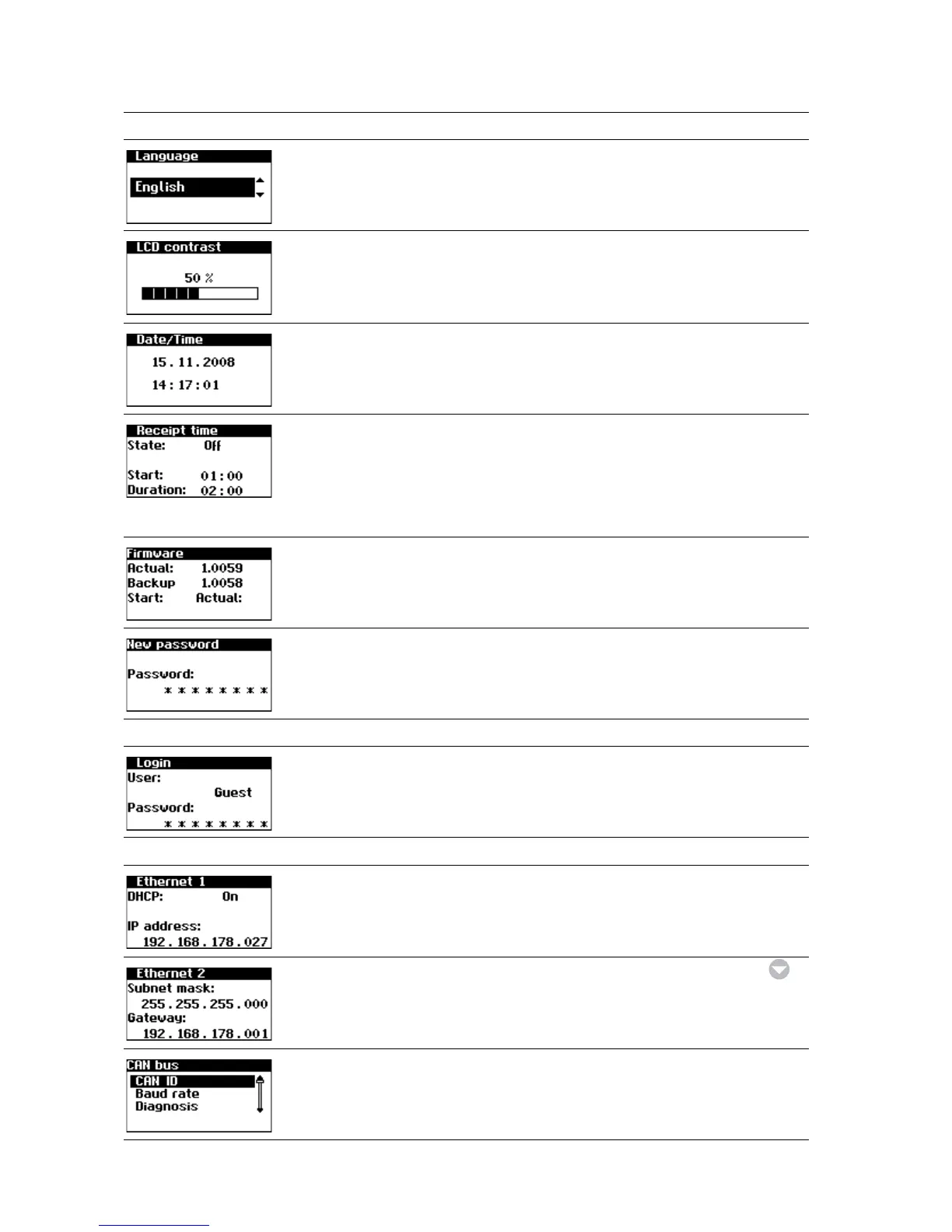
Display language Settings – General – Language
LCD contrast Settings – General – LCD contrast
Set date/time
(only possible with customer pass-
word)
Settings – General – Date/Time
Set receiving time (starting time and
duration in which the unit can also be
addressed in the night mode via the
network).
(only possible with customer pass-
word)
Settings – General – Receiving time
Firmware versions Settings – General – Firmware
Changing the customer password
(only possible with customer pass-
word)
Settings – General – Password
Settings – Login
Password entry to access advanced
settings (necessary for commissioning)
Settings – Login
Settings – Network (only possible with customer password)
Network settings (Screen 1): Activate
DHCP for the automatic IP address set-
ting or enter IP address manually
Settings – Network – Ethernet
Network settings (Screen 2) Settings – Network – Ethernet –
Only for secondary unit Settings – Network – CAN bus
Display Description Calling Menu



 To Next Page