Operation
NT 10000...NT 12000 47
Error messages The Solar Inverter indicates malfunctions in the LCD display and saves these in
the internal error memory.
The fault display consists of a number and a short description. Based on the first
number you can quickly recognise which area the fault has occurred in:
1: Solar generator fault
2: AC grid fault
3: Inverter fault
4: Interface/communication fault
5: Interface/communication warnings
6: Remote access warnings
9: Service fault
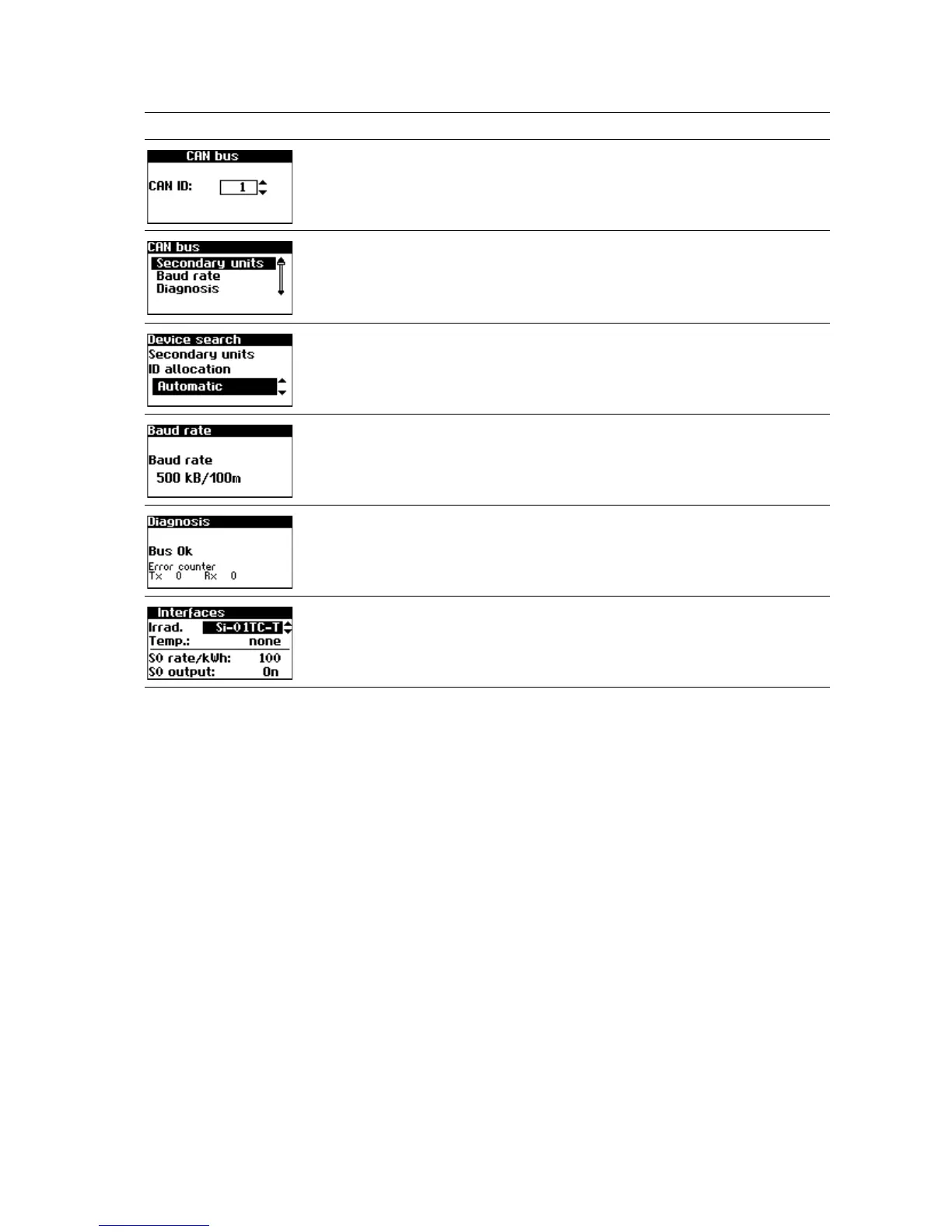
Only for secondary unit with manual
CAN ID setting: CAN ID request
Settings – Network – CAN bus – CAN
ID
Main unit only Settings – Network – CAN bus
Selection at the main unit: Type of ID
allocation for the secondary units
Settings – Network – CAN bus – Secon-
dary units
Setting the baud rate Settings – Network – CAN bus – Baud
rate
Function test for the CAN connection Settings – Network – CAN bus – Diag-
nostics
Setting of the irradiance and tempe-
rature sensor and configuration of the
S0 pulse output
Settings – Network – Interfaces
Display Description Calling Menu



 To Next Page