Operation
64 NT 10000...NT 12000
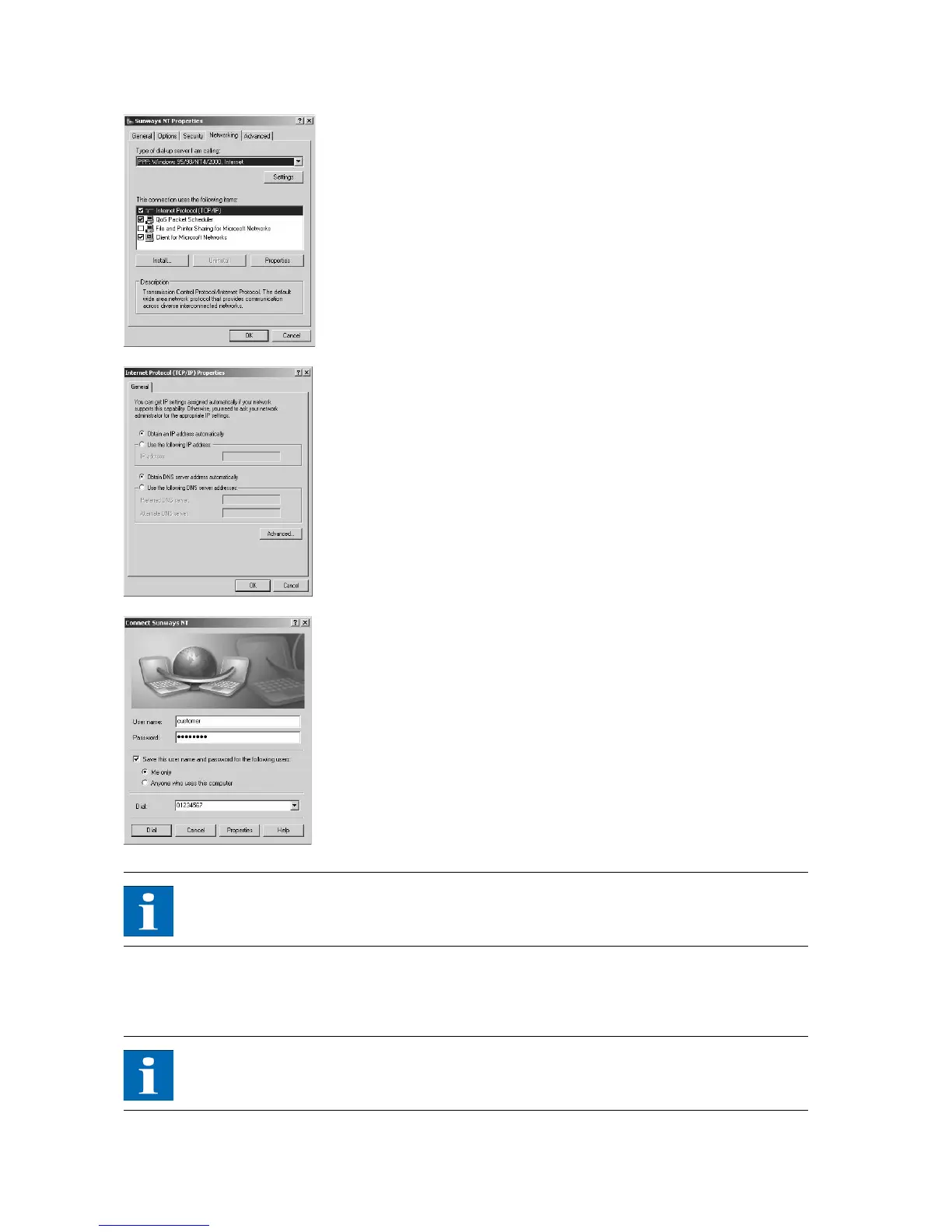
10. First select the Network tab and mark the entry Internet Protocol (TCP/IP)
there.
Select Properties.
11. Enter the following data:
Obtain an IP address automatically
Obtain DNS server address automatically
12. Enter "customer" as the user name and the standard password (********,
i.e. 8 asterisks) or the password you entered previously.
NOTE
The password matches the customer password on the unit.
13. The connection is established with Dial. After the connection is established
you can start the Sunways Browser by entering the IP address of the Solar
Inverter in the address line of your web browser.
NOTE
In contrast to the normal IP address for a modem connection the IP address of
the Solar Inverter is set to 192.168.20.50 by default.



 To Next Page