Operation
NT 10000...NT 12000 63
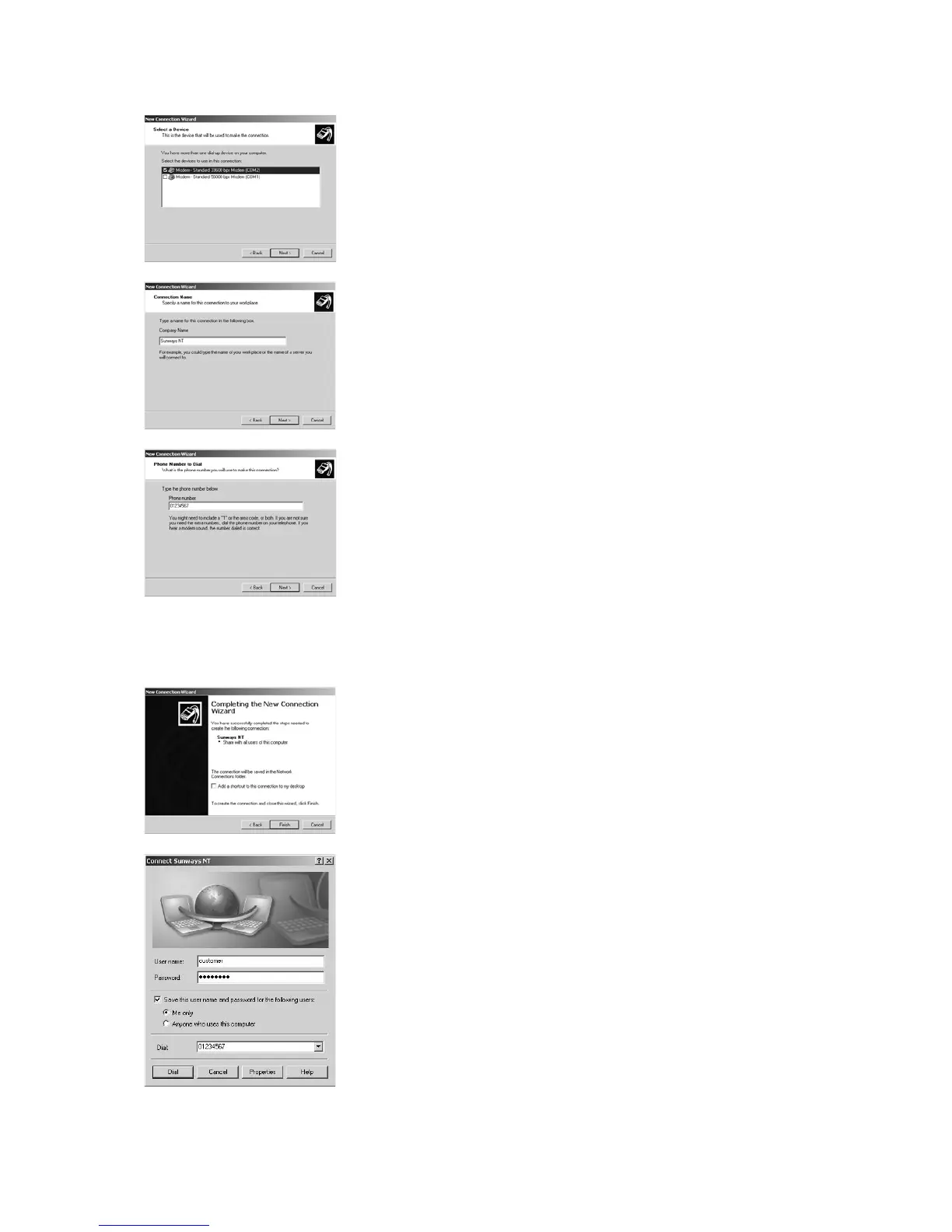
4. A list of the installed modems appears. Select the required modem and click
Continue.
5. Enter a connection name and confirm your entry with Continue.
6. Specify the phone number of your Sunways Solar Inverter.
When entering the telephone number, you may need to include one or
more digits to connect to an outside line. (An outside line is usually obtai-
ned by placing a "0" before the actual telephone number.)
Confirm your entry with Continue.
7. In the next screen you can specify whether or not this connection is to be
available to all users of this PC. If in doubt specify "All users" and click Con-
tinue.
8. Click the checkbox to place a shortcut on your desktop and click Finish.
9. The connection window appears automatically after finishing the connec-
tion. (Alternatively via the icon on your desktop or via Start – Settings – Net-
work Connections.)
Further settings are required in the Properties section.



 To Next Page