Operation
62 NT 10000...NT 12000
NOTE
The following modem combinations are permitted:
ISDN – ISDN
analog – analog
analog – GSM
GSM – analog
GSM – GSM
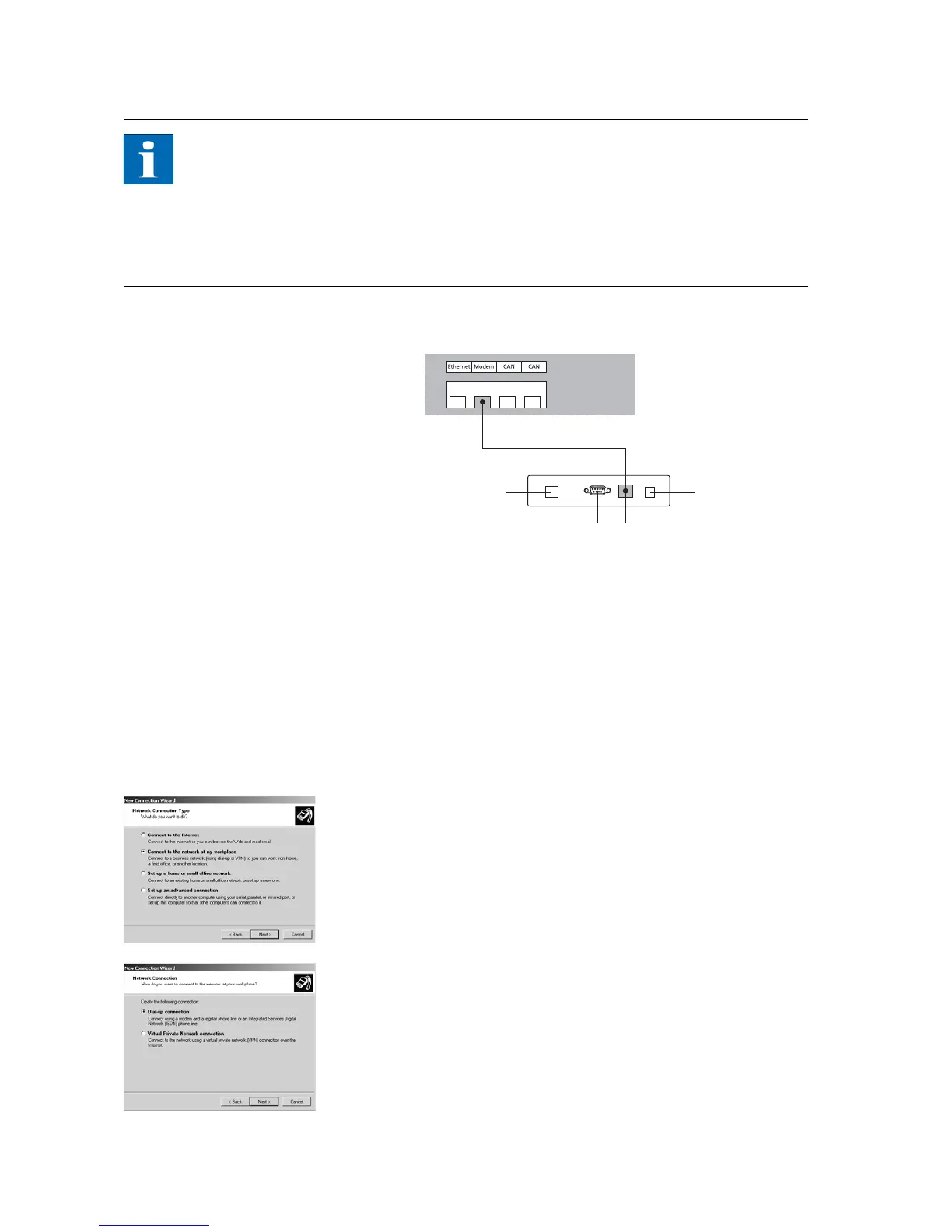
Connecting a Sunways Modem
1 Telephone connection
2 RS232 interface
3 LVDS for NT, AT and PT Solar Inver-
ters
4 Power supply unit
Dial-up connection from a PC
to the Solar Inverter
To establish a connection to your Solar Inverter with a PC via the modem, you
must establish a dial-up connection in Windows. The procedure under Win-
dows
®
XP is shown below.
1. Run the wizard for a new connection via Start – Settings – Network Connec-
tions.
The first selection screen is opened with Continue.
2. Select Connection to the network on My Computer.
3. Click Continue, select Dial-up connection in the next screen, and click Con-
tinue.



 To Next Page