Operation
74 NT 10000...NT 12000
The main unit must be connected to the Internet via a network or modem.
Correct e-mail settings must be stored in the Sunways Browser (see E-mail
settings)
Correct portal settings must be stored in the Sunways Browser.
Setup Check whether you meet all requirements. Configure the specified settings if
necessary.
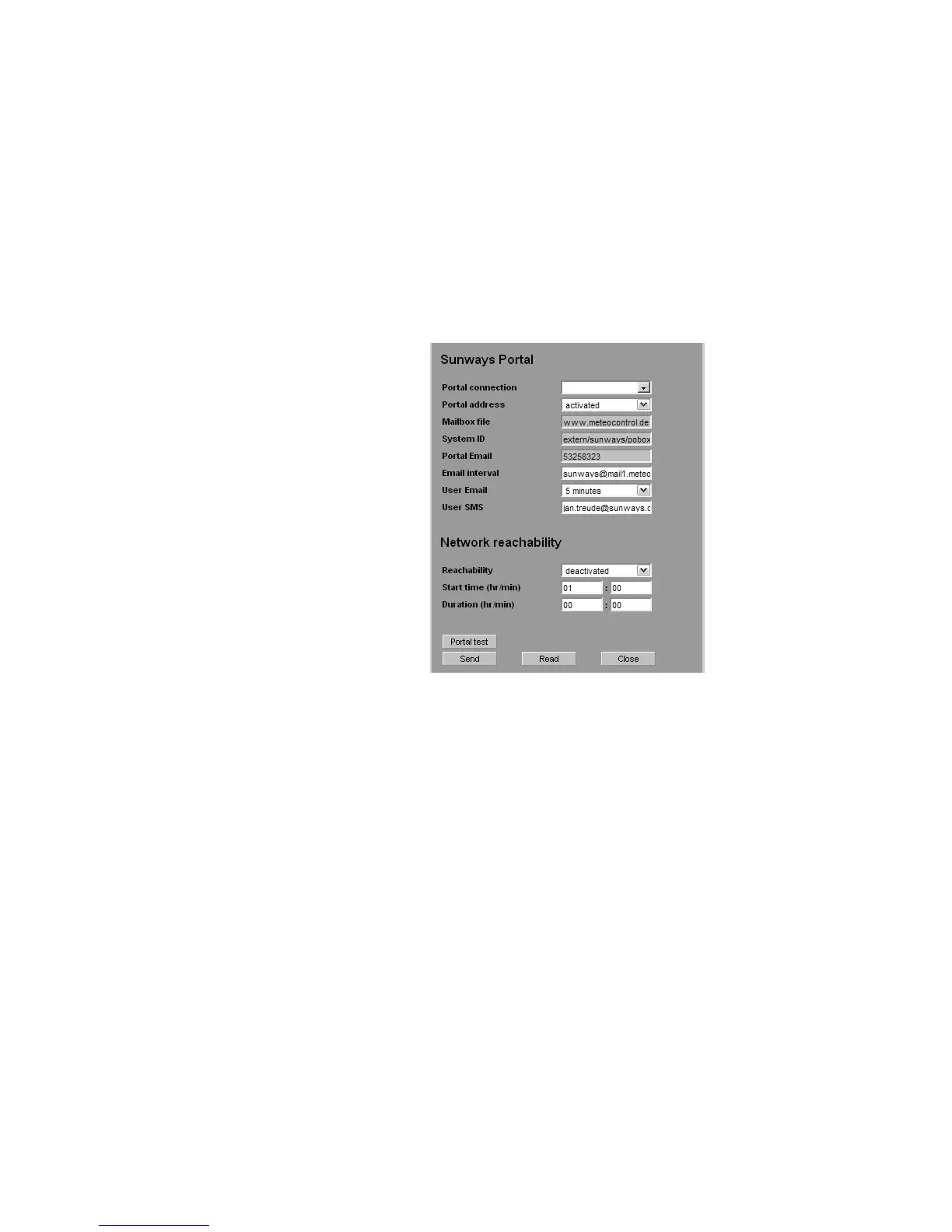
Open the setting page in the Sunways Browser. This can be accessed under Set-
tings – System Monitoring in the section Sunways Portal.
Portal connection Activation or deactivation of the portal connection.
Portal address Preset for the Sunways Portal
Mailbox file Preset for the Sunways Portal
System ID System ID assigned by the portal. This is generated automatically after portal ac-
tivation and sent to the Solar Inverter. It can take up to 4 minutes before the
Solar Inverter displays the system ID.
Portal E-mail Preset for the Sunways Portal. Here as well, you can enter another address if you
want to evaluate the operating data yourself.
E-mail interval Select the interval at which the e-mails are to be sent. If you operate the system
on a DSL modem, you can set a short interval. If you use a modem connection,
select a longer interval (e.g. daily) to eliminate unnecessary phone charges).
User E-mail Enter an e-mail address in this field, to which the confirmation message will be
sent by the Portal. It contains a link for the activation of your system in the Sun-
ways Portal.
User SMS As an option you can specify a mobile number to which a text message is sent
once your system is successfully set up in the Portal.



 To Next Page