Operation
NT 10000...NT 12000 73
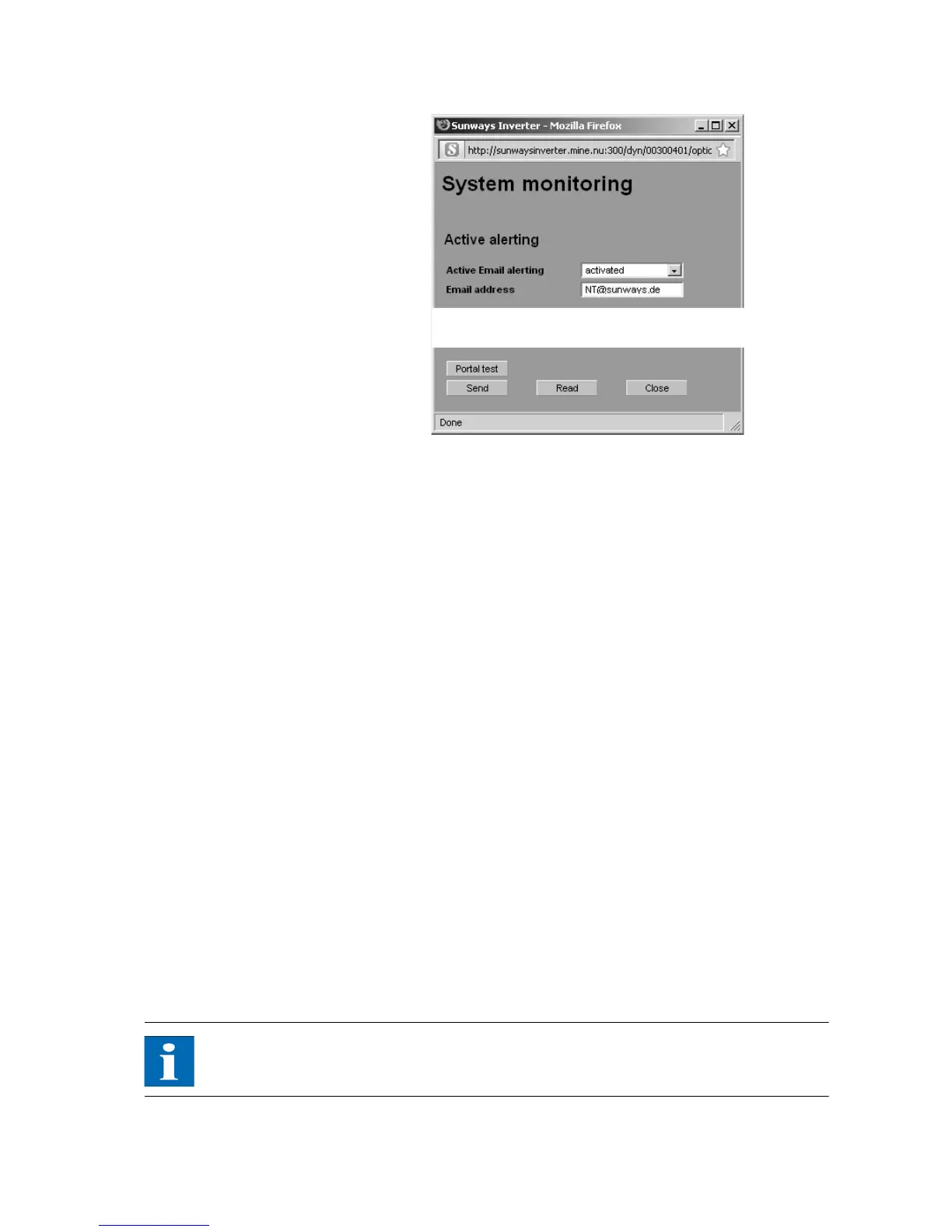
Active e-mail alerting Activation or deactivation of the active alerting function.
E-mail address In the E-mail address field you enter the e-mail address to which the messages
are to be sent.
Function buttons Use the Send option to save the settings in the Solar Inverter.
Use Read to display the settings currently stored in the Solar Inverter.
Sunways portal connection
General information You can have the operating data of your solar system automatically sent to the
Sunways Portal to monitor your system via the Internet. This is possible without
using a Sunways Communicator.
The portal connection is configured via the Sunways Browser. Following activa-
tion the main unit automatically sends a registration e-mail containing the sys-
tem data (e.g. number of units, serial number, etc.) to the Sunways Portal.
After activation the operating data for each day are sent to the Sunways Portal
by e-mail on a daily basis before the main unit is switched off for the night. The
interval can also be set shorter as an alternative. If a change is made to your so-
lar system (e.g. additional unit), then the change is automatically reported to
the Sunways Portal.
A basis access for the Sunways Portal for displaying the yield data is available to
every Sunways customer free of charge. Expanded functions, e.g. the set-
point-actual comparison in the Sunways Portal, can also be purchased for a fee.
NOTE
The main unit sends the status messages of all Solar Inverters if they are
CAN-networked.
Requirements:



 To Next Page