Appendix C: Software Installation
C-11
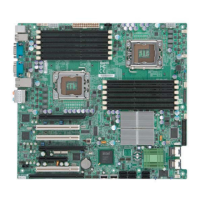
e. Specify a program folder where you want the Setup to add the
program icon as shown in the following screen and click on the
icon marked "Next".
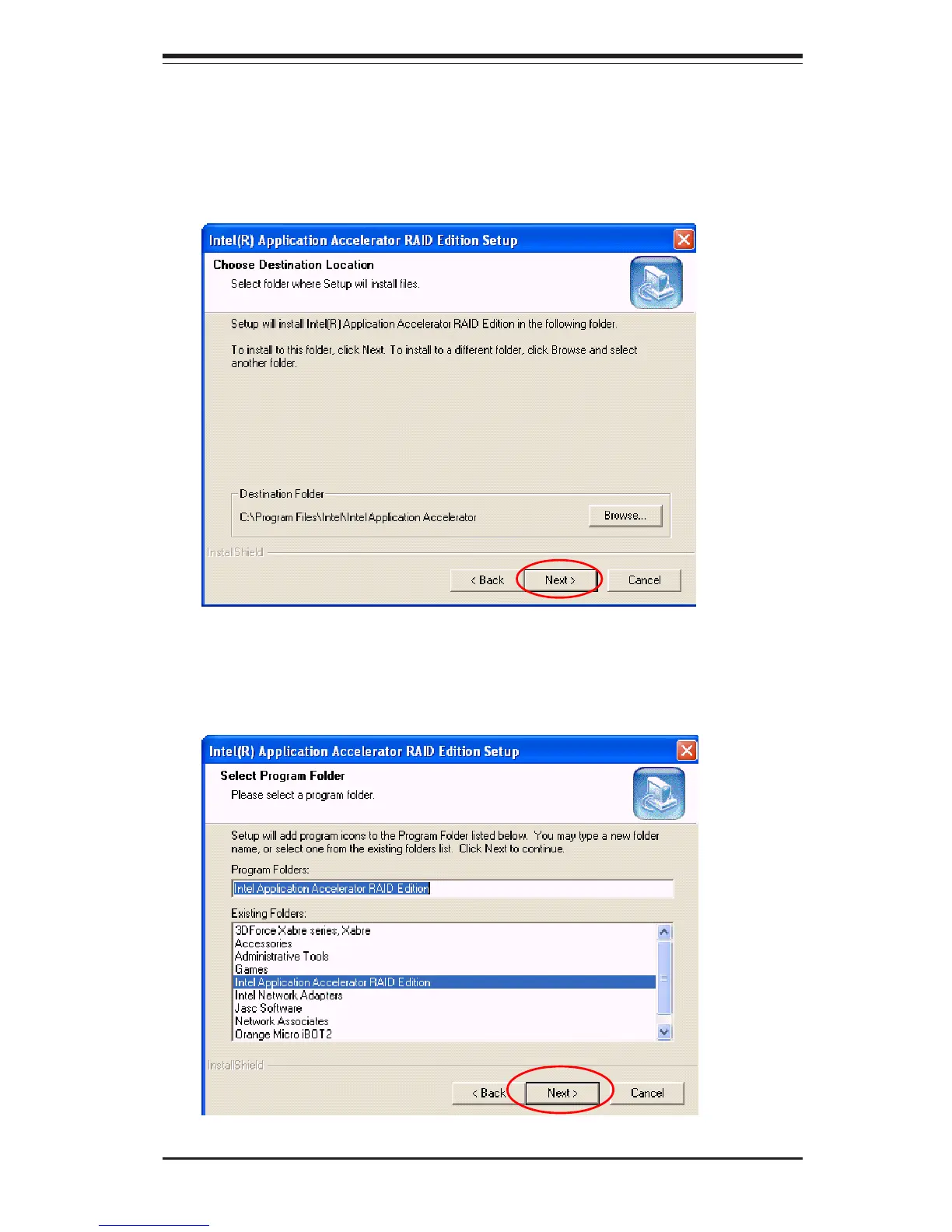
d. Specify the folder that you want the program to be installed in
and then, click on the icon marked "Next" to begin the installation
process.
c. After reading the License Agreement, click on the icon marked
"Yes" on the screen, and the following screen will appear:



 To Next Page