
 Need help?
Do you have a question about the suprema biostation and is the answer not in the manual?
Definitions of key terms used in the manual, such as Administrator, 1:1 Mode, 1:N Mode.
Explains what fingerprint recognition is and its process.
Tips for optimal fingerprint recognition performance and proper finger placement.
Lists the basic and optional contents included in the BioStation package.
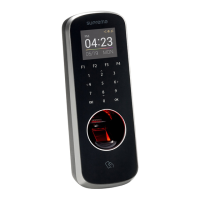
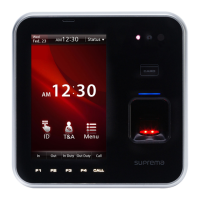
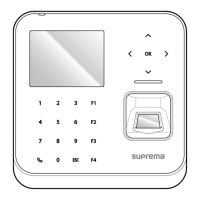
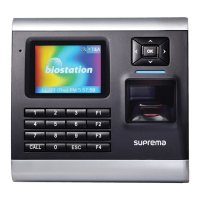
Identifies and describes the components on the front, rear, and bottom of the BioStation.
Provides guidance on installing the BioStation device and its dimensions.
Details the specifications and wiring for various cables used with BioStation.
Accessing and navigating the administrator menu for device configuration.
Guides on selecting and configuring the device's operation modes.
Configuration of network connectivity options like TCP/IP and Wireless LAN.
Enrolling, checking, editing, and deleting user information on the device.
How to change device display settings like language, background, and sound volume.
Configuration of various settings for fingerprint authentication.
Configuring input/output ports and door relay for access control functions.
Advanced access control configurations like zones, APB, and entrance limits.
Managing device passwords, information, and performing resets.
Checking, filtering, and deleting event logs stored on the device.
Using USB memory for data transfer, firmware upgrades, and initialization.
How to open doors using fingerprint, card, or PIN based on operation modes.
Procedures for entering Time & Attendance (T&A) events.
How general users can check their own access and T&A event records.
Solutions for common operational problems and errors encountered with the device.
Guidelines for maintaining and cleaning the BioStation device.
 General
| Fingerprint Sensor | Optical sensor, 500 dpi |
|---|---|
| RF Card Options | MIFARE, DESFire, NFC, HID iCLASS |
| Ethernet | 10/100 Mbps |
| Serial | RS-485 |
| Wiegand | Wiegand IN/OUT |
| Sound | Built-in speaker and microphone |
| Power | 12V DC |
| Authentication Methods | Fingerprint, Card |
| Communication | TCP/IP, RS485 |
| Operating Temperature | -20° to 50°C (-4° to 122°F) |
| Operating Humidity | 20% to 80% (non-condensing) |






 To Next Page
