SP91 User Manual
7 N/C Not connected( Blank )
8 N/C Not connected( Blank )
2.1.4
2.1.4
2.1.4
2.1.4 USB
USB
USB
USB Interface
Interface
Interface
Interface
2.1.4.1
2.1.4.1
2.1.4.1
2.1.4.1 Interface
Interface
Interface
Interface Specifications
Specifications
Specifications
Specifications
Connector Type: Type B female interfaceB
Communication Agreement: USB2.0
2.1.4.1
2.1.4.1
2.1.4.1
2.1.4.1 Interface
Interface
Interface
Interface connection
connection
connection
connection
1. Connect printer to PC, and turn the power on;
2.Install Windows driver( SP91 ), At the page of ” Printer and fax ” , find the installed driver ” SP91 ” , right click
and open the page of ” Attribute ” , will have ” USB000n ” at ” Port ” (May be n is 1,2,3 or anothers, decided by
printer USB port), change the printer driver to this port and print test page;
Notes:
Notes:
Notes:
Notes:
When use USB port,if turn the printer power off for a long time, printer driver ( SP91 ) will be went off
automatically, this moment driver can not print normally, right click to cancel offline print;
2.1.4.3
2.1.4.3
2.1.4.3
2.1.4.3 Interface
Interface
Interface
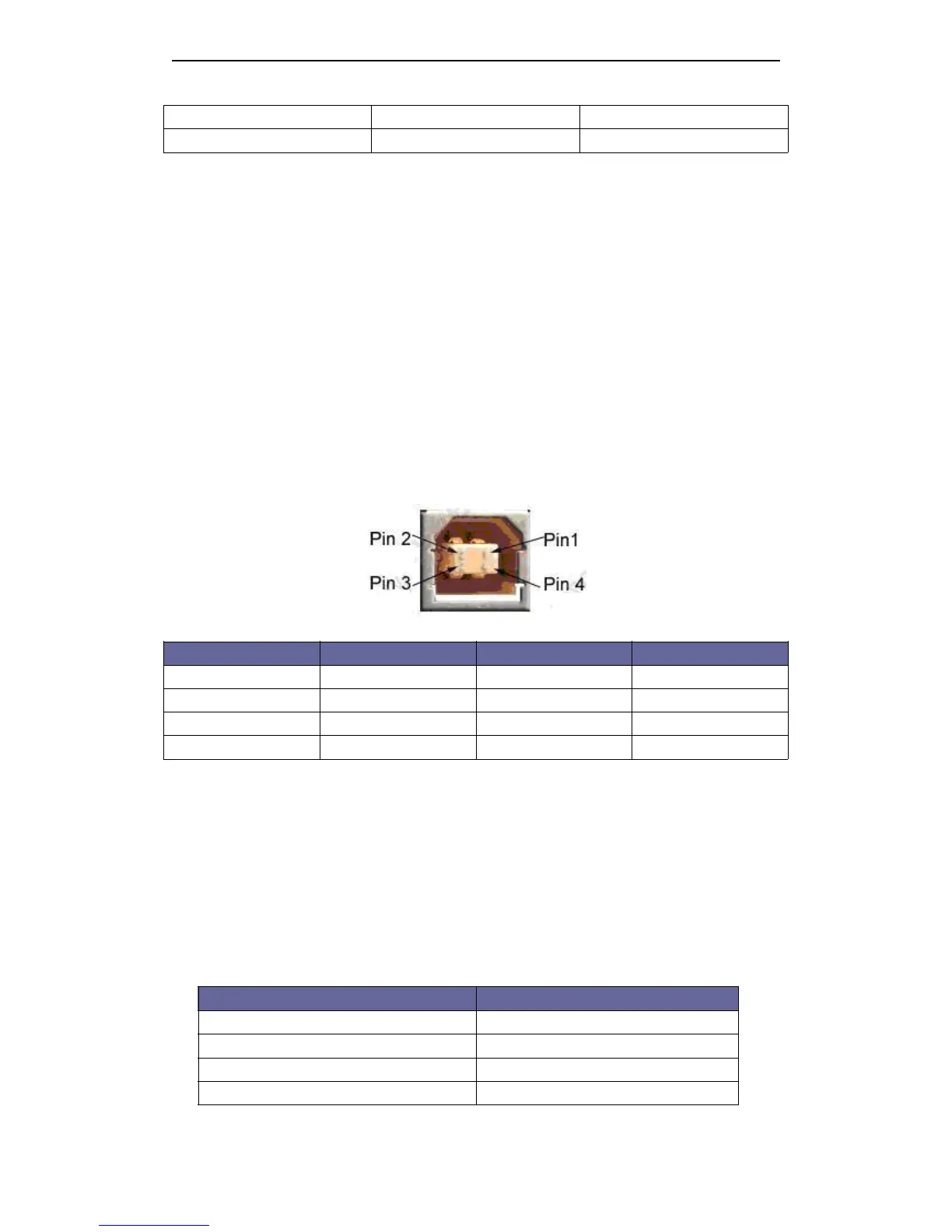
Interface Pin
Pin
Pin
Pin Signal
Signal
Signal
Signal Defination
Defination
Defination
Defination
Pin definition:
Pin NO. Function Color Definition
1
V
Bus Red Power +5V
2 Data- White Data-
3 Data+ Green Data+
4 GND Black Ground
2.2
2.2
2.2
2.2 Printer
Printer
Printer
Printer Installation
Installation
Installation
Installation
2.2
2.2
2.2
2.2 Power
Power
Power
Power Connector
Connector
Connector
Connector
NOTE :
To
guarantee the normal operation to the printer. Please use the standard power from our
company.
Pin Defin i tion :
Pin NO. Signal
1 + 24
2 GND
3 NC
SHELL F . G



 To Next Page