SP91 User Manual
¡ : Allowance.
▲ : Set data only.
Forbid : Detail with parameter as print data.
Ignored : Ignore all command codes, include parameter, do not execute any operation.
3.2
3.2
3.2
3.2 Power
Power
Power
Power Button
Button
Button
Button and
and
and
and Buttons
Buttons
Buttons
Buttons
3.2.1
3.2.1
3.2.1
3.2.1 Power
Power
Power
Power Button
Button
Button
Button
Power switch under the printer front side
U se ship type mode
NOTE : Connect the power correctly before turning the power on.
3.2.2
3.2.2
3.2.2
3.2.2 Panel
Panel
Panel
Panel Button
Button
Button
Button
3.2.2.1
3.2.2.1
3.2.2.1
3.2.2.1 Paper
Paper
Paper
Paper Feed
Feed
Feed
Feed Button
Button
Button
Button
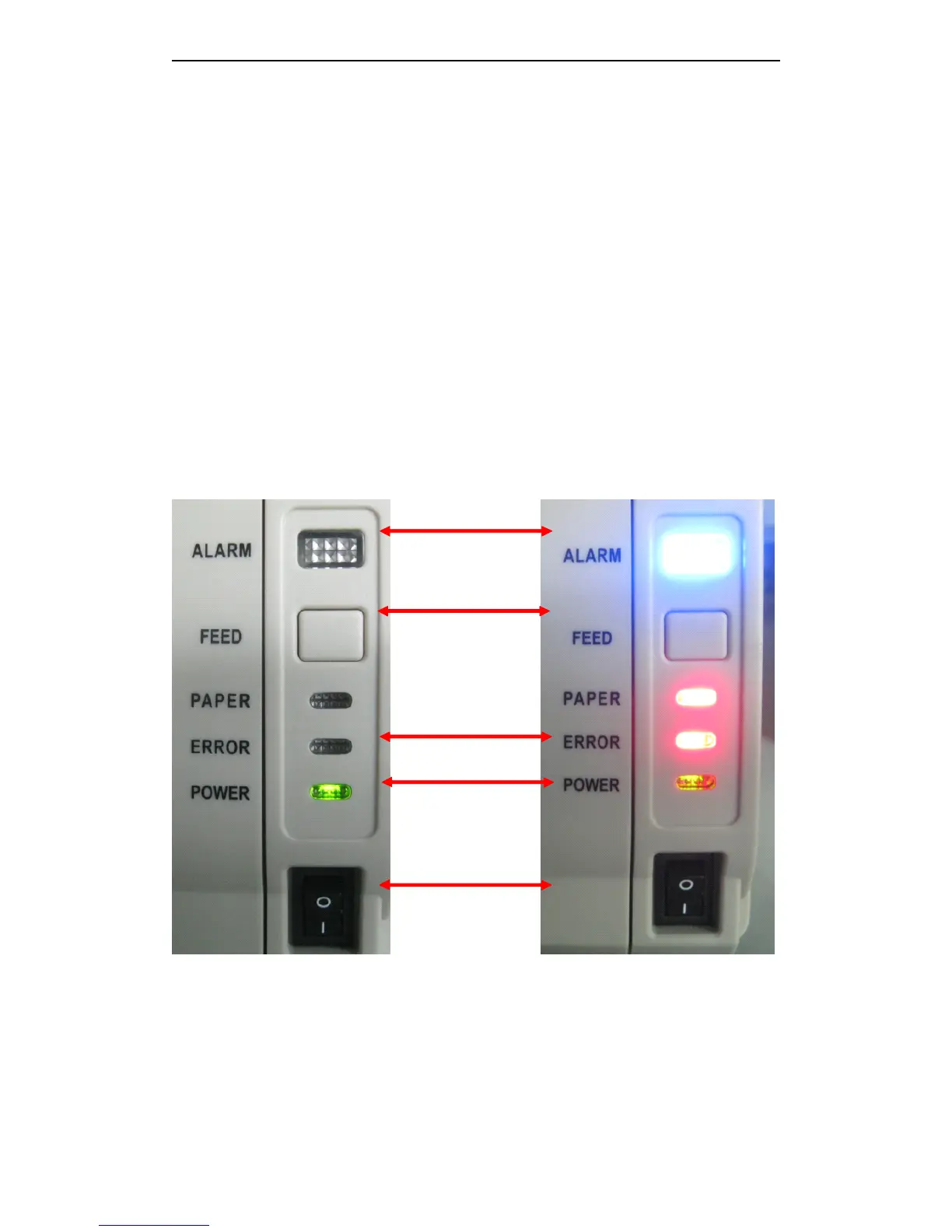
SP91 key panel picture SP91 key panel picture
self-test:
NOTE : ESC c 5, enable/diable the button fuction. Push button to prohibit, it isn ’ t valid.
3.3
3.3
3.3
3.3 DIP
DIP
DIP
DIP Switch
Switch
Switch
Switch
SP91 has two DIP Switchs and printed agreed number, each function refer to the below sections ;
Alarm
Alarm
Alarm
Alarm ( blue
blue
blue
blue )
Feed
Feed
Feed
Feed
Error
Error
Error
Error ( red
red
red
red )
Power
Power
Power
Power ( green
green
green
green )
Ship
Ship
Ship
Ship type
type
type
type
power
power
power
power switch
switch
switch
switch



 To Next Page