SP91 User Manual
2 、 Turn the power off, and press feed paper key
3 、 Turn the power on, about 1~3 seconds and release FEED paper key, will print self-test print.
3
3
3
3
.
9
9
9
9 Error
Error
Error
Error Processing
Processing
Processing
Processing
3
3
3
3 . 9
9
9
9 . 1
1
1
1 Error
Error
Error
Error Type
Type
Type
Type
1)
1)
1)
1) Error
Error
Error
Error that
that
that
that automatically
automatically
automatically
automatically recover
recover
recover
recover
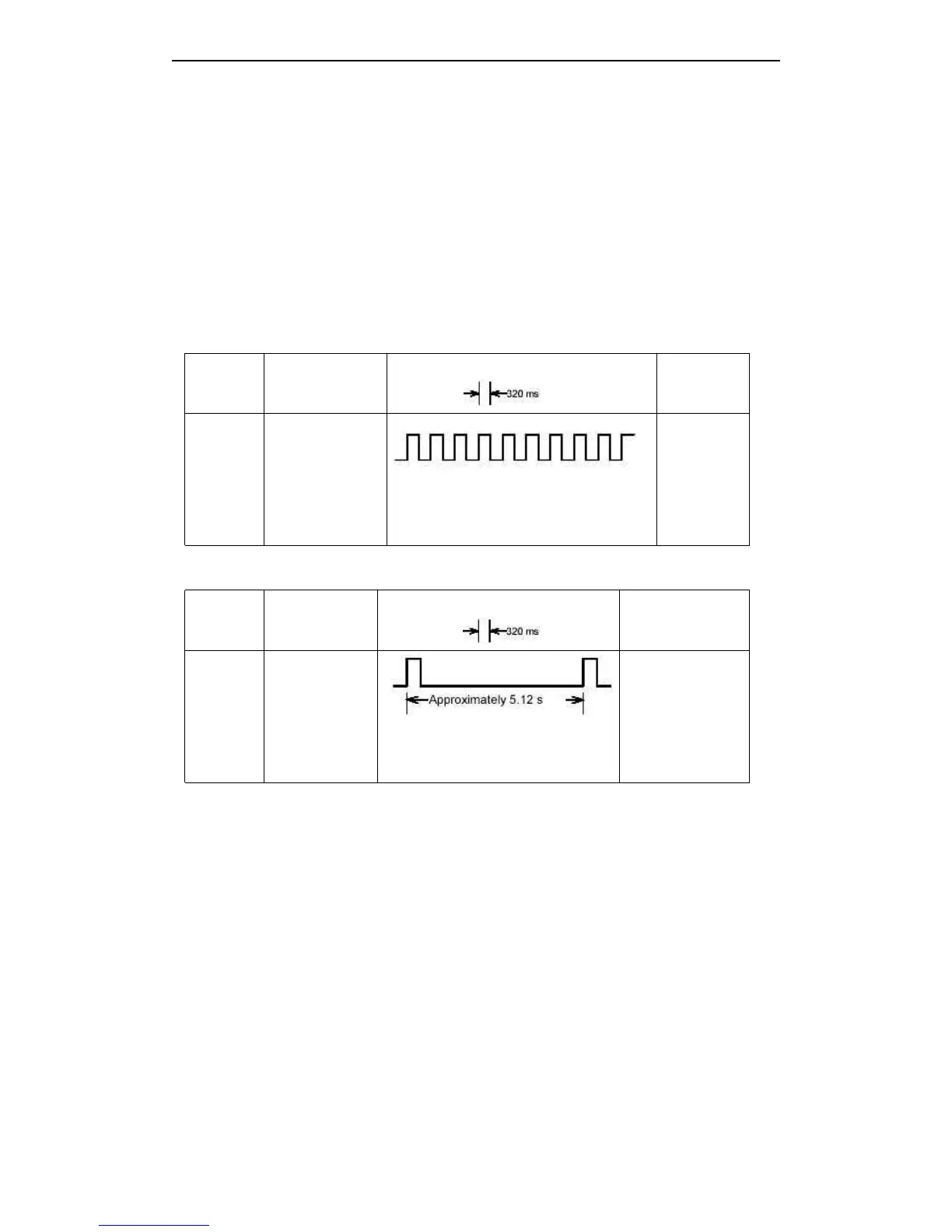
Errors That Automatically Recover
Error
Error
Error
Error Description
Description
Description
Description
Error
Error
Error
Error LED
LED
LED
LED Flashing
Flashing
Flashing
Flashing Pattern
Pattern
Pattern
Pattern
Recovery
Recovery
Recovery
Recovery
Print head
over-tem
perature
error
Print head
temperature is
over 57 ° C
Recovers
automatically
when the
print head is
below
45 ° C.
2)
2)
2)
2) Errors
Errors
Errors
Errors that
that
that
that have
have
have
have the
the
the
the possibility
possibility
possibility
possibility of
of
of
of recovery
recovery
recovery
recovery
Errors That Can Possibly Recover
Error
Error
Error
Error Description
Description
Description
Description
Error
Error
Error
Error LED
LED
LED
LED Flashing
Flashing
Flashing
Flashing Pattern
Pattern
Pattern
Pattern
Recovery
Recovery
Recovery
Recovery
Auto
cutter
error
The auto cutter
does not work
correctly
If paper jams, after
solving this
problem, then
recovering by DLE
DLE
DLE
DLE
ENQ
ENQ
ENQ
ENQ 1
1
1
1 or DLE
DLE
DLE
DLE
ENQ
ENQ
ENQ
ENQ 2
2
2
2
3
3
3
3 . 9
9
9
9 . 2
2
2
2 Printer
Printer
Printer
Printer Operation
Operation
Operation
Operation When
When
When
When an
an
an
an Error
Error
Error
Error Occurs
Occurs
Occurs
Occurs
The printer executes the following operations when detecting an error.
· Stops all printer operations for the selected paper section.
· Goes BUSY.
· Blinks the ERROR LED.
3
3
3
3 . 10
10
10
10 Status
Status
Status
Status Conditions
Conditions
Conditions
Conditions
The printer has the following two roll paper status condition sensor:
The printer has the following two roll paper status condition sensor:
1 ) Roll paper end sensor



 To Next Page