SP91 User Manual
[ Notes] · In standard mode, this command affects only when there are no data in print buffer
area.
· For grating bit image print, this command doesn ’ t affect by print mode (character size
,
bold , overlap , upside down print , underline , invert blank print etc. ).
· If the printable area width which set by GS L and GS W is narrower than the min width,
the printer only extends the problem line to the min width. The min width for the normal
mode (m=0,48) and the double height mode(m=2, 50) are one dot, for the double width
mode(m=1,49) and the four times mode(m=3,51) are two dots.
· The data out of the print area be read, and discarded one by one.
· If the continued character position is multiple of 8. The continuthe ed character print
position as the grating bit image print, set by HT(horizontal table), ESC $(set absolute
print position), ESC ﹨ (set relative print position) and GS L(set left side spacing).
·
The set by ESC a (set justification) for the grating bit image is also effective.
· Receive this command during macro definition, the printer finishes the macro definition,
and begins to execute this command. The definition of this command should be cleared.
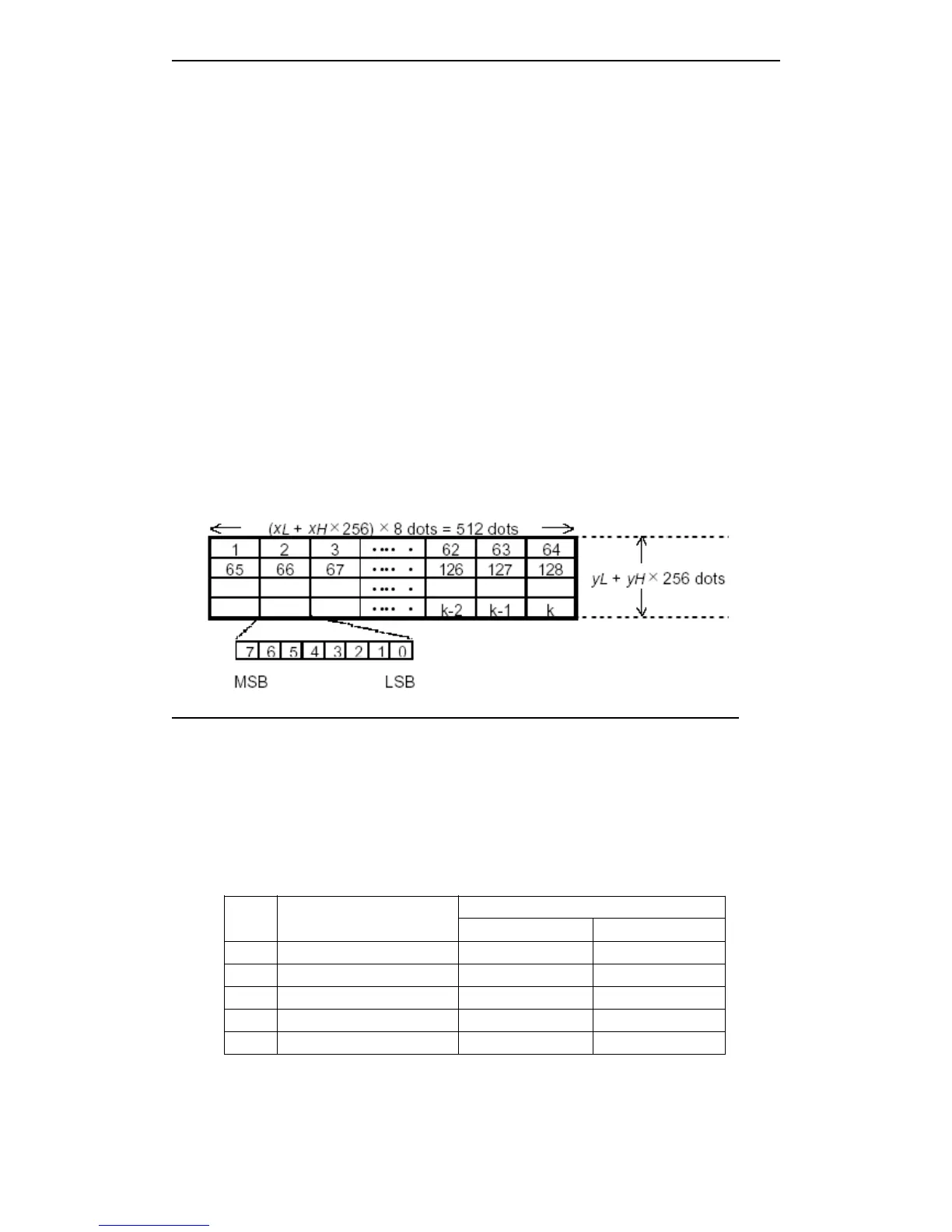
· d specifies bit image data. Set the dot which will be printed as 1, the dot which won ’ t be
printed as 0.
[For example] When xL+xH ´ 256=64
GS
GS
GS
GS w
w
w
w n
n
n
n
[Name] Set bar code width
[Format] ASCII GS w n
Hex 1D 77 n
Decimal 29 119 n
[Range] 2 ≤ n ≤ 6
[Description] Set bar code horizontal size.
n set bar code width as follows:
n
Multi bar code unit
width(mm)
Binary bar code
Narrow width(mm) Wide width(mm)
2 0.250 0.250 0.625
3 0.375 0.375 1.000
4 0.560 0.500 1.250
5 0.625 0.625 1.625
6 0.750 0.750 2.000
· Multi bar code as follows:
UPC-A, UPC-E, JAN13 (EAN13), JAN8 (EAN8), CODE93, CODE128
· Binary bar code as follows:



 To Next Page