OPERATING PROCEDURES
OP CIC1200 E Rev4.0 06-09 Chapter 4 19
4
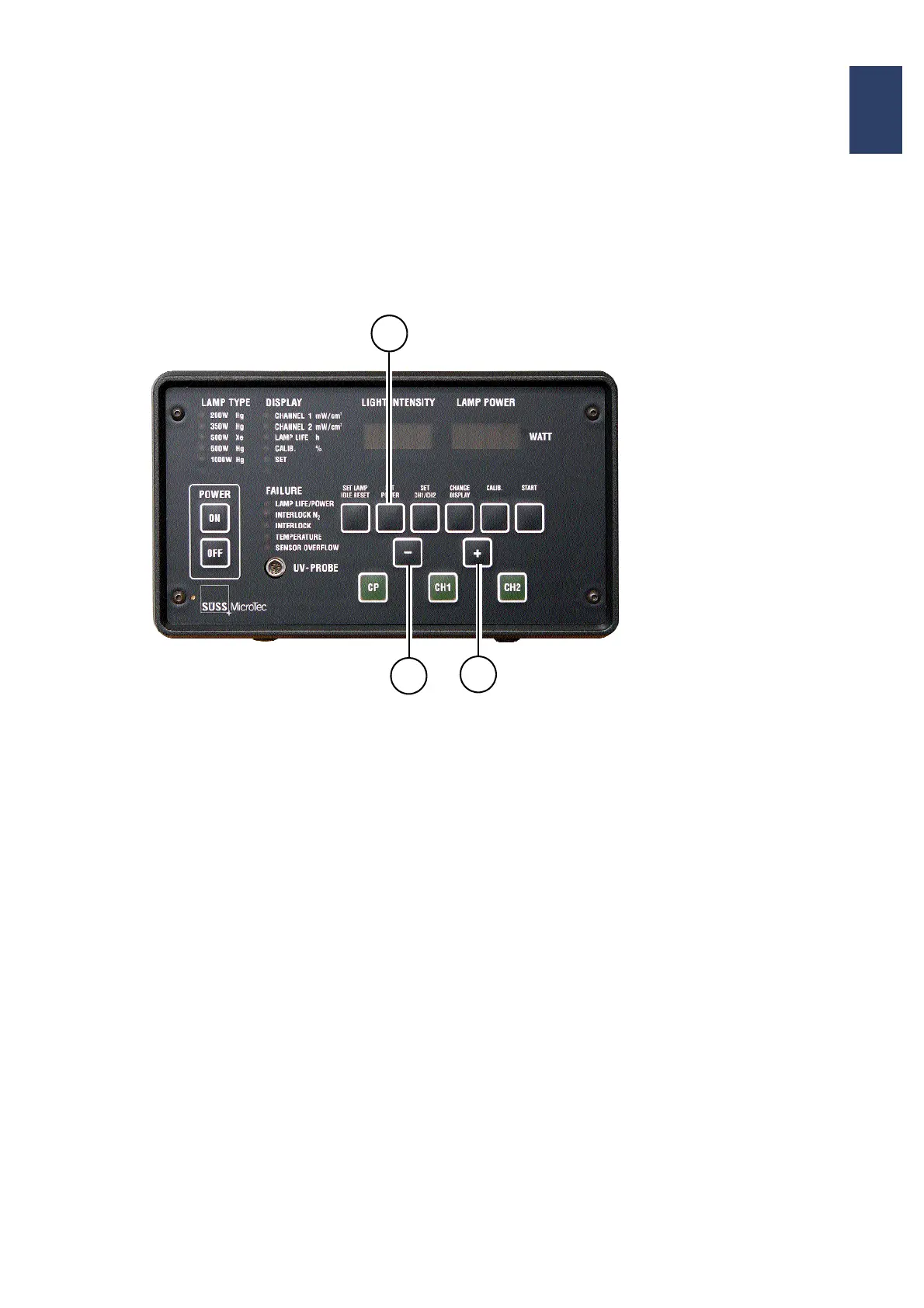
4.6.3. Power Setting for Exposure
Lamp (CP-Mode)
=Adjusting the output power for the
lamp
With the key SET POWER you can set within certain
limits beforehand the output power of the lamp in the
CP-mode.
• Press the key SET POWER for about 1-2 sec to
activate the SET mode. In the annunciator group
FAILURE the LED adjacent to LAMP LIFE/
POWER is flashing.
• With the keys + or -
enter desired numerical value for the power (the
alphanumeric display LAMP POWER reads en
-
tered value).
• Validate your entry with key SET POWER (push
key for 1-2 sec). The display shows the message:
STORED
• and a high-pitched „beep“ is heard confirming the
operator that the new parameter has been
stored.
Control Panel of the CIC1200
Key Sequence to Set
Lamp Output:
1. SET POWER
2. + or -
3. SET POWER
2
2
1/3


 To Next Page