OPERATING PROCEDURES
26 OP CIC1200E Rev4.0 06-09 Chapter 4
4
4.9. Calibration of the Built-In
UV Intensity Meter
Calibrate the built-in UV intensity meter using the
SUSS UV Intensity Meter (UV1000) and the UV
probe 405[nm] as an external reference.
• Open the shutter of the lamp house.
•
• Measure the actual UV intensity with the SUSS
UV Intensity Meter equipped with a correspond
-
ing probe head by placing it in the center of the
chuck. Remember the actual reading of the
meter - better: write it down.
•
• Now connect probe head to the socket of the CIC
labeled UV-PROBE. Place it in the same position
as before. (better: Leave it after Step2) Activate
the calibration mode with key CALIB (press key
for 1-2 sec) Press CALIB until the display reads
UVPR. Press START. The alphanumeric display
shows UVP and the corresponding value of the
measured light intensity.
•
• Check reading of the alphanumeric display (step
3) and compare it with the value for the light in
-
tensity obtained in step 2. If necessary adjust the
value for the LIGHT INTENSITY with the trim
-
ming potentiometer (see adjacent picture). Cali-
bration is accomplished when the numerical
value of the light intensity as given by the refer
-
ence meter (step2) is equal to the reading of the
alphanumeric display LIGHT INTENSITY of the
CIC1200
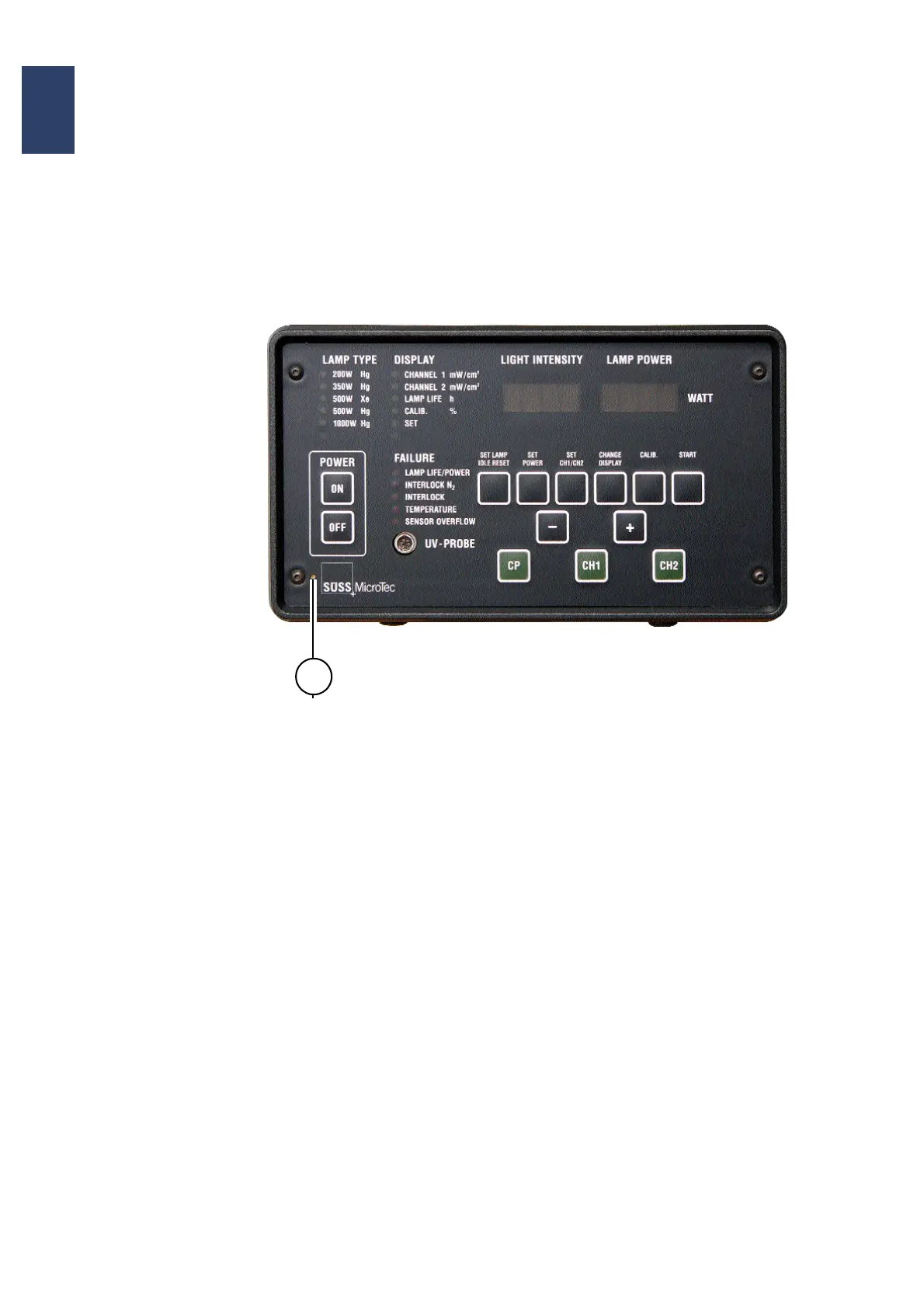
Control Panel of the CIC1200
The calibration point (potentiometer) for the built-in
UV Intensity Meter is indicated by „1“.
1


 To Next Page