OPERATING PROCEDURES
20 OP CIC1200E Rev4.0 06-09 Chapter 4
4
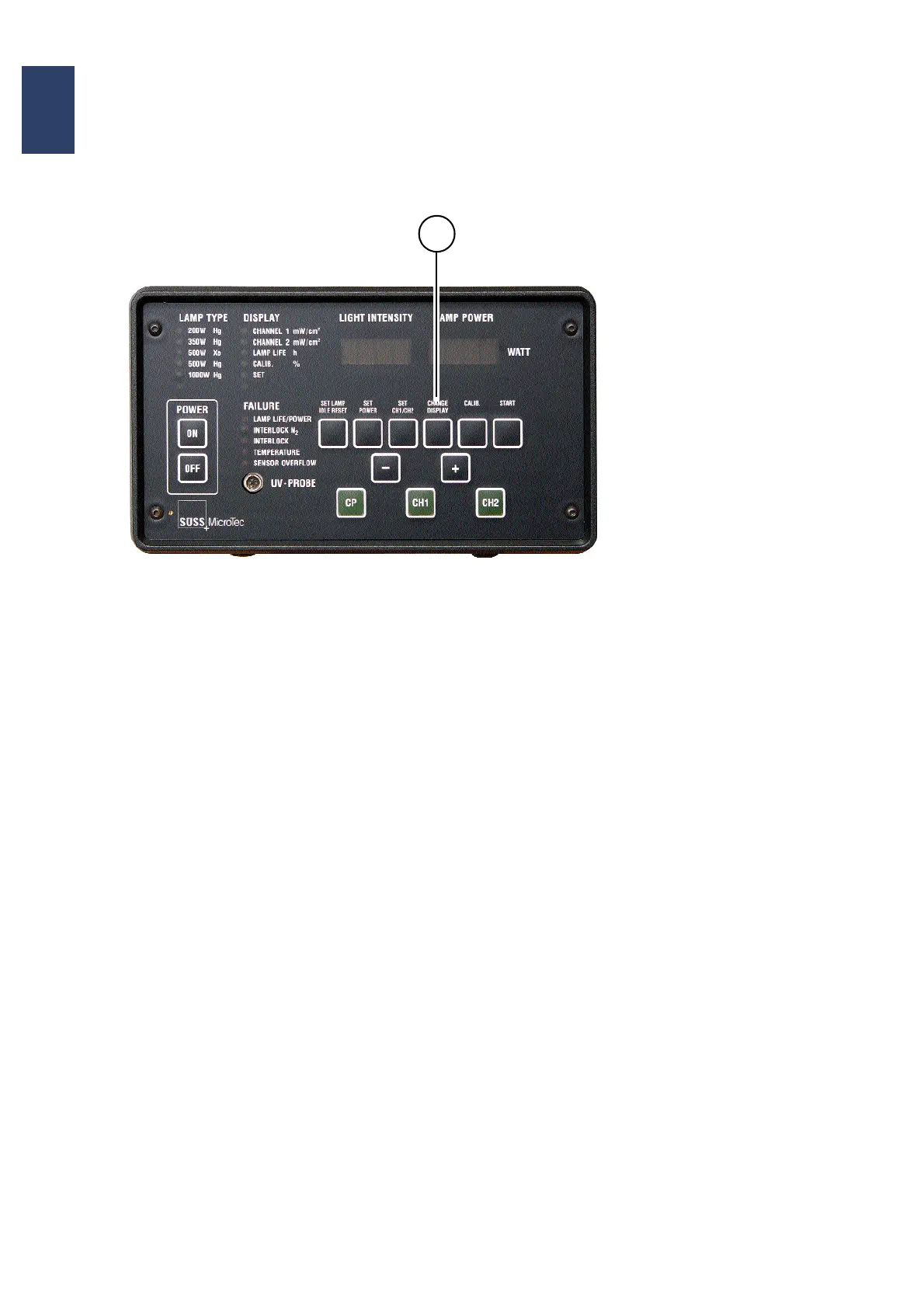
4.6.4. Change Display
Actuating the key CHANGE DISPLAY you get ac-
cess to the following modes of the annunciator
group DISPLY listed below. The LED of the corre
-
sponding mode will be ON. To select another item
press the key CHANGE DISPLAY. Each time one
activates this key the next LED will be activated as
shown in the sequence below.
CHANNEL 1 XXX [mW/cm
2
]
The alphanumeric display labeled LIGHT INTENSI-
TY reads the numerical value for channel 1 of the
light probe.
CHANNEL2 XXX[mW/cm
2
]
The alphanumeric display labeled LIGHT INTENSI-
TY reads the numerical value of the light intensity as
seen by the light probe (channel 2).
LAMP LIFE [h]
The display shows the life time of the exposure
lamp.
Control Panel of the CIC1200
1


 To Next Page