40
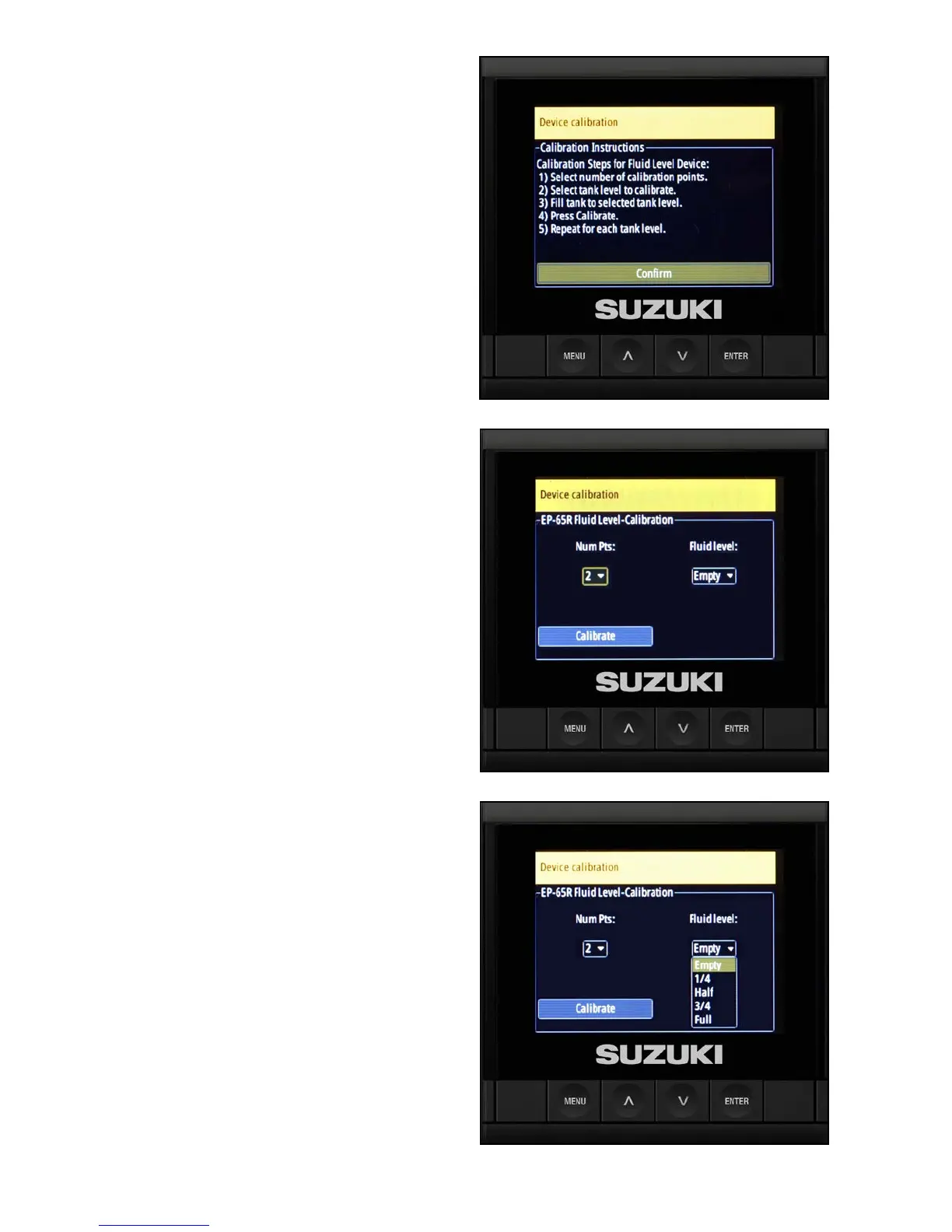
2. The next screen provides you with ve steps
for calibrating the uid level sensor:
2.1 Select the number of calibration points.
2.2 Select the tank level to calibrate.
2.3 Fill the tank to the selected tank level.
2.4 Press Calibrate.
2.5 Repeat the procedure above for each
tank level.
Select Conrm to go to the next screen.
3. Select from the Number Points drop-down
and select Calibrate.
NOTE:
In this example, the C10 is being congured for a
2-point calibration.
For additional calibration information, refer to the
information provided with the uid level sensor.
4. Select Empty from the Fluid level drop-down,
then select Calibrate and press Enter.



 To Next Page